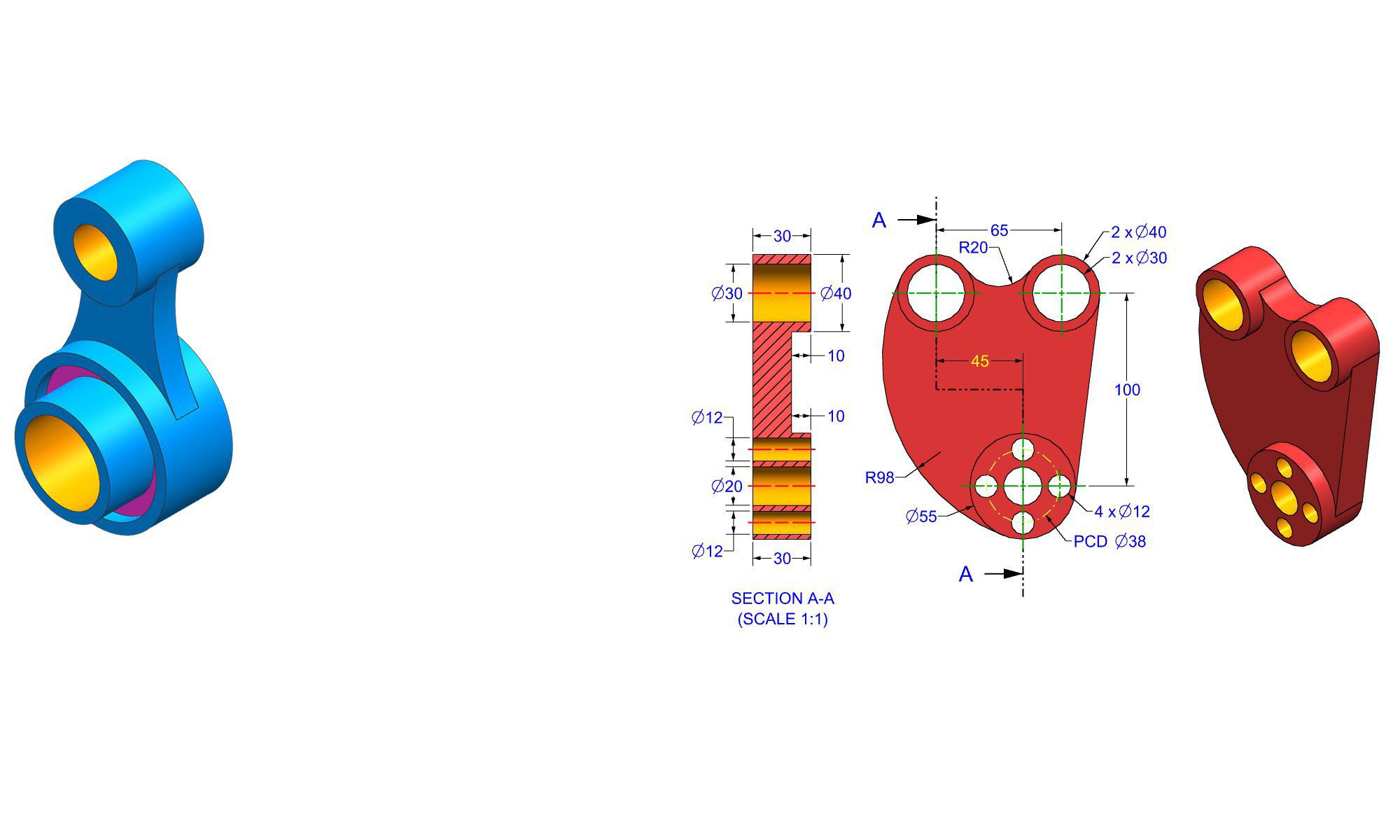

Introduction
Practicing solid modeling daily in SolidWorks is essential for engineers, designers, and students aiming to develop their skills and improve productivity. Whether you’re working on complex assemblies or simple components, consistent practice helps you become more proficient, reduce mistakes, and create higher-quality models. This guide provides a detailed, step-by-step approach to building a solid modeling habit in SolidWorks, along with practical tips, common pitfalls to avoid, and best practices for continuous improvement. By incorporating these techniques into your daily workflow, you’ll elevate your modeling expertise and achieve better results efficiently.
Why Daily Practice in SolidWorks Matters
Consistent daily practice of solid modeling in SolidWorks accelerates learning and mastery. It enhances familiarity with tools and features, boosts confidence, and fosters problem-solving skills. Over time, regular practice leads to:
- Faster modeling with fewer errors
- Better understanding of design intent
- Improved ability to create complex assemblies
- Increased efficiency in design iterations
- Enhanced ability to troubleshoot modeling issues
Importantly, daily practice doesn’t have to be lengthy; even 15–30 minutes a day can significantly impact your skill level.
Step-by-Step Guide to Practice Solid Modeling Daily in SolidWorks
1. Set Clear Objectives for Your Practice Sessions
- Define specific goals such as mastering a feature, creating a particular part, or improving speed.
- Focus on different aspects each day—e.g., sketches, features, assemblies, or drawing creation.
- Keep track of your progress and tailor future sessions based on challenges faced.
2. Start with Basic Geometry and Sketching
- Practice creating simple 2D sketches with line, circle, rectangle, and arc tools.
- Focus on fully constrained sketches by adding necessary dimensions and relations.
- Experiment with sketch relations, such as parallel, perpendicular, and tangent constraints.
3. Progress to Feature Creation
- Use sketches to generate 3D features like extrudes, revolves, cuts, fillets, and chamfers.
- Start with basic shapes such as cubes, cylinders, and cones.
- Apply different feature options and parameters to understand their effects.
4. Incorporate Real-World Examples
- Model everyday objects, such as a door handle, a smartphone case, or a gear.
- Break down complex objects into simpler parts and focus on individual features.
- Use reference images or technical drawings to mimic real-world constraints.
5. Focus on Parametric Modeling
- Practice using dimensions and parametric relations to make models flexible.
- Experiment with changing dimensions to see how features update automatically.
- Save different versions to understand design iteration.
6. Utilize Configuration and Design Tables
- Create multiple configurations of a part to reflect different sizes or options.
- Use design tables to automate variations and save time.
- Practice importing and exporting configurations for flexibility.
7. Build Assemblies Regularly
- Assemble parts you’ve modeled to understand relationships and constraints.
- Practice mating parts with different types of mates—coincident, parallel, concentric.
- Simulate real-world assembly processes and motion.
8. Explore Advanced Features and Tools
- Use pattern features like linear and circular patterns.
- Practice creating complex geometries with sweeps, lofts, and surfaces.
- Get comfortable with sketches on different planes and using reference geometry.
9. Document Your Models
- Create detailed drawings from your 3D models.
- Add dimensions, annotations, and bill of materials.
- Practice preparing technical documentation for manufacturing.
10. Review and Correct Mistakes
- Regularly revisit older models to identify and correct errors.
- Use tools like the FeatureManager and evaluated results for debugging.
- Seek feedback from peers or online communities to improve.
Practical Tips and Best Practices
- Consistency is key: Dedicate a specific time each day for modeling.
- Challenge yourself: Set new objectives weekly to avoid stagnation.
- Use shortcuts: Learn keyboard shortcuts to improve efficiency.
- Organize your files: Keep parts, assemblies, and drawings well-organized.
- Leverage tutorials: Follow online tutorials, official SolidWorks training, or YouTube channels.
- Create a project list: Plan projects that gradually increase in complexity.
Common Mistakes to Avoid
- Skipping sketch constraints, leading to underdefined sketches.
- Rushing through features without understanding their parameters.
- Over-reliance on the default settings, neglecting customization.
- Not using configurations to manage variations.
- Ignoring proper file management and version control.
Pro Tips for SolidWorks Solid Modeling Practice
- Keep a daily journal of models created, challenges faced, and lessons learned.
- Participate in online forums or local user groups for feedback.
- Use keyboard shortcuts for frequent tools to speed up modeling.
- Watch time-lapse videos of professional models to learn new techniques.
- Challenge yourself with modeling contests or timed exercises.
Comparing Traditional vs. Focused Daily Practice
| Aspect | Traditional Practice | Focused Daily Practice |
|---|---|---|
| Frequency | Irregular, sporadic | Regular, consistent |
| Goals | Varies, sometimes unfocused | Clear, specific objectives |
| Skill Growth | Gradual, relies on luck | Accelerated through deliberate effort |
| Error correction | After completing projects | Continuous, immediate corrections |
| Confidence | Builds slowly | Builds faster with daily feedback |
Focused daily practice, with a structured approach, yields better results compared to inconsistent or unplanned modeling efforts.
Conclusion
Practicing solid modeling daily in SolidWorks is a proven way to elevate your design skills and become proficient faster. By setting clear goals, working on real-world examples, and gradually increasing complexity, you build a strong foundation that supports more advanced design tasks. Remember to stay consistent, learn from mistakes, and continually challenge yourself with new projects. Over time, this disciplined approach ensures you develop not only speed but also a deep understanding of the software’s capabilities, empowering you to create precise, efficient, and innovative designs.
FAQ
1. How much time should I dedicate to daily solid modeling practice?
Ans: Even 15–30 minutes daily can significantly improve your skills over time.
2. What are the best beginner projects to practice in SolidWorks?
Ans: Simple objects like a bolt, a bracket, or a small gear are excellent starting points.
3. How can I measure my progress in solid modeling?
Ans: Track the complexity and speed of your models, and aim to reduce modeling time while maintaining quality.
4. What tools in SolidWorks help improve modeling efficiency?
Ans: Keyboard shortcuts, feature groups, and custom templates are key tools to enhance workflow.
5. How do I overcome frustration when modeling complex parts?
Ans: Break complex models into smaller features, practice incremental steps, and seek help from tutorials or user communities.
6. Is it necessary to learn advanced features from the start?
Ans: No, focus first on mastering basics; advanced features can be learned gradually as your skills grow.
7. How do I stay motivated to practice every day?
Ans: Set achievable goals, track your progress, and reward yourself for milestones achieved.