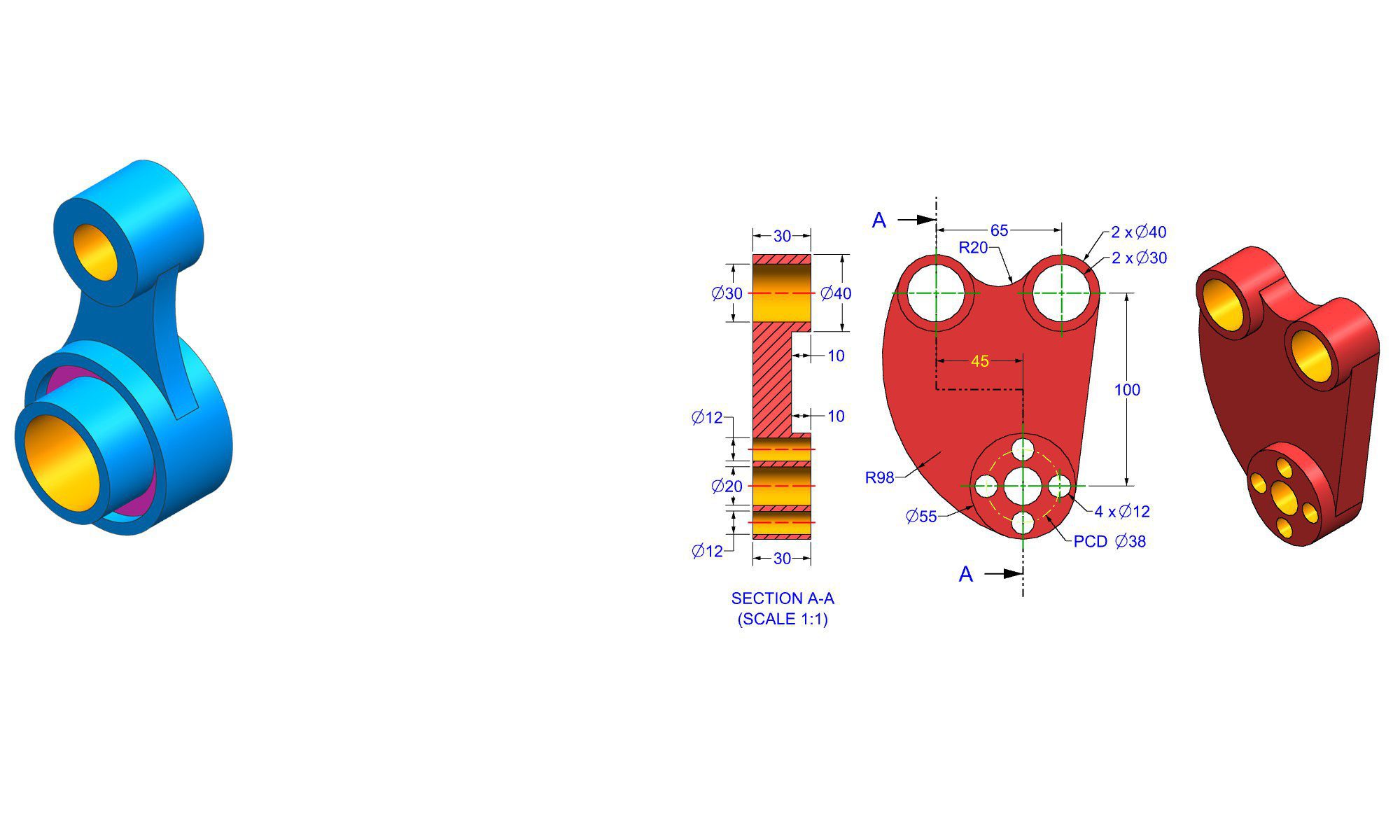

Practicing SolidWorks daily as beginner

Introduction

Practicing SolidWorks daily as a beginner can significantly accelerate your learning curve and develop your 3D modeling skills. SolidWorks, a widely-used CAD software, is essential for mechanical design, product development, and engineering projects. Whether you’re just starting out or looking to improve your proficiency, consistent practice is key to mastering the software. This guide offers a step-by-step approach, practical tips, common mistakes to avoid, and effective strategies to build confidence and competence in SolidWorks—one day at a time.

Why Regular Practice Matters for SolidWorks Beginners

For newcomers, daily practice helps reinforce core concepts, improves muscle memory, and builds problem-solving abilities. It’s more effective than sporadic practice because consistent exposure to different features and workflows leads to a deeper understanding of the software’s capabilities. Regular hands-on experience boosts productivity, speeds up learning, and prepares you for real-world design challenges.

Starting Your Daily SolidWorks Practice Routine

Creating an effective daily routine involves structured steps, realistic goals, and resource management. Here’s a detailed plan for beginners to cultivate a productive habit of practicing SolidWorks every day:

1. Set Clear, Achievable Goals

  • Identify what you want to accomplish each day (e.g., mastering sketching, learning assembly, or creating specific components).
  • Break down larger projects into smaller tasks, such as designing a simple gear or practicing fillets.
  • Use SMART goals (Specific, Measurable, Achievable, Relevant, Time-bound) to stay focused.

2. Allocate Consistent Practice Time

  • Dedicate a specific amount of time daily, such as 30 minutes to 1 hour.
  • Choose a time when you are least distracted and can focus fully.
  • Consistency beats duration—short daily sessions are better than long sporadic ones.

3. Use Quality Learning Resources

  • Official SolidWorks tutorials and guides
  • YouTube channels dedicated to SolidWorks beginners
  • Online courses on platforms such as Udemy or LinkedIn Learning
  • Forums like GrabCAD or the SOLIDWORKS Community for peer support

4. Start With Basic Features Daily

  • Focus on mastering one key feature each day (e.g., sketching, extrusion, fillet, pattern).
  • Practice creating simple models that incorporate these features.
  • Gradually increase complexity as your confidence grows.

5. Keep a Practice Log or Journal

  • Record what you learned every day.
  • Include sketches, screenshots, or notes on challenges faced.
  • Review your progress weekly to identify areas for improvement.

Practical Daily Exercises for SolidWorks Beginners

Engaging in targeted exercises helps reinforce learning and build problem-solving skills. Here are some practical examples:

1. Recreate Simple Household Items

  • Create basic objects like a bottle, a box with filleted edges, or a keychain.
  • Focus on sketching accurately and applying features such as extrudes and cuts.

2. Follow Step-by-Step Tutorials

  • Complete beginner tutorials available online.
  • Practice each step slowly, understanding why each feature is used.
  • Experiment with modifications to customize designs.

3. Model Geometric Shapes

  • Practice creating cubes, cylinders, cones, and spheres.
  • Use different features like chamfers, fillets, and patterns to enhance models.

4. Assemble Small Components

  • Design multiple parts (e.g., a bolt and nut or a hinge).
  • Practice mate functions and assembly constraints.

5. Experiment with Advanced Features

  • Explore lofts, sweeps, and shells.
  • Try creating complex shapes or organic forms to expand your skills.

Common Mistakes Beginners Should Avoid

While practicing daily, novices often encounter pitfalls. Recognizing and avoiding these can save time and frustration:

1. Skipping Fundamentals

  • Attempting complex models without a solid grasp of basics such as sketching and basic features.

2. Neglecting Part Organization

  • Failing to use proper naming conventions and folders, making files hard to manage.

3. Overlooking Constraints and Measurements

  • Ignoring dimensions or constraints, which results in flawed models.

4. Rushing the Learning Process

  • Trying to learn everything at once rather than focusing on incremental mastery.

5. Ignoring Error Messages and Warnings

  • Not addressing issues promptly, leading to more significant problems later.

Pro Tips and Best Practices for Daily SolidWorks Practice

  • Start with small, manageable projects each day to build confidence.
  • Use keyboard shortcuts to speed up your workflow.
  • Pause and reflect after each session—note what you learned and what to focus on next.
  • Seek feedback from online communities or mentors to gain insights.
  • Practice troubleshooting model errors to develop problem-solving skills.
  • Maintain a consistent style of modeling for better readability and organization.

Comparing Different Approaches: Self-Learning vs. Formal Courses

Aspect Self-Learning Formal Courses
Flexibility Highly flexible; learn at your pace Structured schedule; guided progression
Cost Usually free or low-cost Higher cost; often includes instructor support
Customization Focus on personal interests Covers comprehensive curriculum
Community Support Online forums and tutorials Live instructor feedback
Effectiveness Depends on discipline and resources Consistent feedback accelerates learning

For beginners committed to daily practice, self-learning supplemented with online tutorials can be very effective if approached with discipline and clear goals. Formal courses can provide more structured learning pathways and mentorship for those needing extra guidance.

Conclusion

Practicing SolidWorks daily as a beginner is one of the most effective ways to develop proficiency and confidence. By setting clear goals, allocating consistent practice time, and engaging with quality resources, you will steadily improve your modeling skills. Remember to focus on fundamentals, avoid common mistakes, and enjoy the learning process. Over time, your daily efforts will translate into faster, more accurate, and more creative 3D designs—empowering you to excel in engineering and design projects.

FAQ

1. How long should I practice SolidWorks each day as a beginner?

Ans : Aim for at least 30 minutes to 1 hour daily for consistent progress.

2. What are the most important features to master first in SolidWorks?

Ans : Start with sketching, extrusions, cuts, fillets, and basic assemblies.

3. How can I stay motivated to practice SolidWorks every day?

Ans : Set achievable goals, track your progress, and work on projects that interest you.

4. Can I learn SolidWorks on my own without a formal course?

Ans : Yes, with dedication, online tutorials, forums, and practice, self-learning is effective.

5. What are some common beginner mistakes in SolidWorks practice?

Ans : Skipping fundamentals, poor file organization, rushing models, and ignoring constraints.

How to practice solid modeling daily In Fusion 360

Introduction

Practicing solid modeling daily in Fusion 360 is essential to becoming proficient and efficient in 3D CAD design. Whether you’re a beginner aiming to master basic techniques or an experienced user looking to refine your skills, consistent practice helps develop an intuitive understanding of the software’s powerful features. In this comprehensive guide, we’ll explore practical strategies, step-by-step routines, and helpful tips to incorporate daily solid modeling exercises into your routine. Developing good habits now guarantees faster progress, better designs, and increased confidence in your modeling skills.

Understanding the Foundations of Solid Modeling in Fusion 360

Before diving into daily practice routines, it’s crucial to grasp the core concepts of solid modeling in Fusion 360. Solid modeling involves creating three-dimensional objects that can be manipulated, modified, and analyzed. Fusion 360 offers a parametric modeling environment, meaning designs are based on features and constraints that can be adjusted later.

Key fundamentals include:

  • Sketching 2D profiles
  • Extruding and cutting solids
  • Using constraints and dimensions
  • Applying fillets, chamfers, and other finishing features
  • Building assemblies and components

Having a clear understanding of these concepts forms the backbone of effective daily practice.

Establishing a Daily Practice Routine

Consistency is key. Here’s a structured approach to practicing solid modeling in Fusion 360 every day:

1. Set a Specific Time and Duration

  • Dedicate at least 20–30 minutes daily.
  • Pick a consistent time, such as morning or lunch break.
  • Even short, focused sessions yield long-term benefits.

2. Define Clear Goals

  • Focus on particular skills or features, e.g., mastering fillets or creating complex assemblies.
  • Rotate between different topics weekly.
  • Use projects or challenges to motivate learning.

3. Prepare Practice Projects

  • Start with simple objects like a keychain or a box with features.
  • Gradually increase complexity—try modeling a small mechanical part or household item.
  • Use online repositories for free CAD models as inspiration or starting points.

4. Review and Reflect

  • After modeling, review your work.
  • Identify areas for improvement or faster methods.
  • Keep a journal of lessons learned and goals achieved.

Step-by-Step Guide to Daily Solid Modeling Exercises

To make your practice effective, follow these detailed steps with every session:

1. Warm-up with Basic Sketching

  • Sketch simple shapes like circles, rectangles, or polygons.
  • Practice constraining sketches accurately.
  • Experiment with dimensions and relationships.

2. Focus on Parametric Features

  • Create parts with adjustable dimensions.
  • For example, model a washer with an outer diameter, inner diameter, and thickness.
  • Use parameters so parts can be quickly resized.

3. Build Repetitive Geometry

  • Draft similar features across different models.
  • This exercises proficiency and flexibility.
  • For example, create multiple types of holes—countersunk, threaded, clearance.

4. Practice Usage of Constraints and Dimensions

  • Pay attention to how constraints (e.g., coincident, parallel) influence sketch behavior.
  • Explore the impact of changing dimensions.

5. Add Finishing Features

  • Apply fillets, chamfers, or draft angles.
  • Practice combining multiple features into a single component.

6. Assemble and Simulate

  • Practice assembling parts with joints and constraints.
  • Run simple simulations or interference checks.

7. Save Incrementally

  • Save your work at different stages.
  • Review earlier versions for learning.

Practical Examples for Daily Practice

Here are some real-world project ideas to keep your daily practice engaging:

  • Design a Cookie Cutter: Focus on extrusions, fillets, and cutting features.
  • Create a Smartphone Stand: Practice assembling multiple components.
  • Model a Gear or Cog: Work on circular sketches and pattern features.
  • Design a Wooden Block with Slots: Incorporate holes and cuts.
  • Develop a Custom Keychain: Use text and cutouts.

By cycling through these projects, you’ll build confidence and a versatile skill set.

Common Mistakes and How to Avoid Them

Even experienced users encounter pitfalls. Here are common mistakes and tips to avoid them:

  • Skipping Sketch Constraints:
  • Always apply necessary constraints to prevent accidental distortions.
  • Overcomplicating Designs:
  • Keep models simple; focus on learning features before adding complexity.
  • Ignoring Parametric Design:
  • Use parameters and dimensions to make models easily adjustable.
  • Neglecting File Organization:
  • Name your components clearly and organize sketches and features logically.
  • Not Reviewing or Reflecting:
  • Take time after each session to evaluate what you’ve learned.

Pro Tips for Better Daily Practice

  • Use keyboard shortcuts to speed up modeling.
  • Leverage Fusion 360’s tutorials and YouTube channels for new ideas.
  • Participate in online challenges or CAD forums.
  • Keep a dedicated folder for your practice files.
  • Regularly revisit and modify old models to enhance skills.

Comparing Fusion 360 with Other Solid Modeling Software

Feature Fusion 360 SolidWorks FreeCAD
Cost Free for personal use; Subscription for professional Paid Free and open-source
User Interface Intuitive, beginner-friendly Professional-grade Less polished but growing community
Cloud Storage Yes No No
Collaboration Built-in (cloud-based) Via files Limited
Learning Curve Moderate Steep Moderate

Fusion 360’s cloud-based approach and integrated tools make it ideal for daily practice, especially for hobbyists and beginners.

Conclusion

Practicing solid modeling daily in Fusion 360 is a vital step toward mastering 3D CAD design. By dedicating consistent time—focused on core skills, practical projects, and thoughtful reflection—you develop a strong foundation and build confidence. Remember to set clear goals, embrace challenges, and learn from mistakes. Over time, these habits will transform your modeling skills into a powerful, creative tool for design and innovation.


FAQ

1. How much time should I dedicate daily to practicing solid modeling in Fusion 360?

Ans: At least 20–30 minutes daily amounts to steady progress and skill development.

2. What are some good beginner projects for daily practice?

Ans: Simple objects like keychains, boxes, or basic mechanical parts are ideal for beginners.

3. How can I improve my modeling speed in Fusion 360?

Ans: Use keyboard shortcuts, templates, and standard component libraries to streamline workflows.

4. How important are parameters and constraints in daily practice?

Ans: Very important; they make your models flexible and easier to modify.

5. Should I focus on complex designs or basic skills during daily practice?

Ans: Focus on foundational skills first; gradually increase complexity as you gain confidence.

6. How can I stay motivated to practice every day?

Ans: Set small goals, track progress, participate in challenges, and keep diverse projects in rotation.

7. What should I do if I get stuck on a modeling problem?

Ans: Search tutorials, ask on forums, or consult Fusion 360’s official documentation for guidance.


End of Blog


Fusion 360 Workbook Cover

After purchasing, a download link will be sent instantly to your email.

Buy Now For $27.99

Are you a student or Unemployed? Get this bundle for $19.99

Offer for Students Buy Now For $19.99

Buy Paperback on Amazon.com

Autodesk Fusion 360 All-in-One Workbook

500+ Practice Exercises to Master Autodesk Fusion 360 through real-world practice!

This all-in-one workbook is your ultimate resource to develop hands-on CAD skills with Autodesk Fusion 360. Whether you’re a student, engineer, hobbyist, or professional, this guide is built to help you gain real design confidence through structured practice.

What’s Inside this Book:

  • 200 2D Sketching Exercises – Build a strong foundation in dimension-driven 2D geometry and technical drawings
  • 200 3D Modeling Exercises – Practice modeling real-world parts, from simple shapes to complex components.
  • Multi-Part Assembly Projects – Understand how parts fit together and create full assemblies with detailed drawings

🎯 Why This Book?

  • 500+ practice exercises following real design standards
  • Designed for self-paced learning & independent practice
  • Perfect for classrooms, technical interview preparation, and personal projects
  • Covers 2D Sketching, 3D Modeling & Assembly Design in one workbook
  • Trusted by 15,000+ CAD learners worldwide

After purchasing, a download link will be sent instantly to your email.

Buy Now For $27.99

Are you a student or Unemployed? Get this bundle for $19.99

Offer for Students Buy Now For $19.99

Buy Paperback on Amazon.com