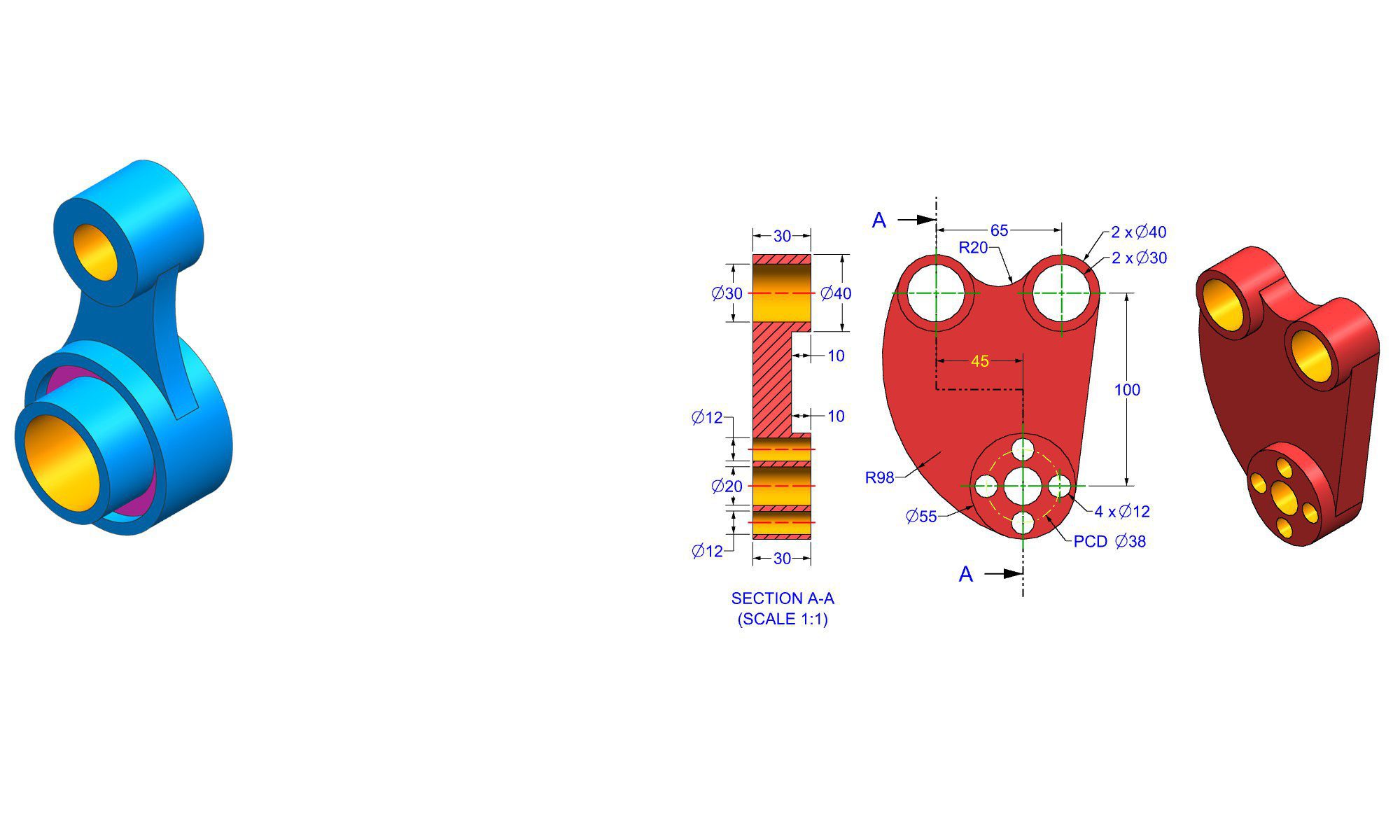

Introduction
Practicing sketching daily in SolidWorks is essential for developing strong design skills, improving efficiency, and producing high-quality 3D models. Whether you’re a beginner or an experienced CAD user, making sketching a daily habit helps refine your precision, creativity, and understanding of design principles. In this guide, you’ll learn detailed, actionable steps to build a consistent sketching routine, along with tips, common pitfalls, and real-world examples to help you master solid, effective sketches in SolidWorks.
Why Daily Sketch Practice Matters in SolidWorks
Developing your sketching skills daily brings multiple benefits, such as:
- Enhancing your spatial awareness
- Accelerating your modeling workflow
- Increasing your ability to troubleshoot design problems
- Improving your accuracy and attention to detail
- Building confidence with complex geometries
Regular practice ensures that creating sketches becomes more intuitive, allowing you to focus more on innovation rather than technical limitations.
How to Practice Sketching Daily in SolidWorks: A Step-by-Step Approach
Establishing a deliberate, structured routine will make daily sketching both productive and enjoyable. Here’s a comprehensive plan to get you started:
1. Set Clear Goals for Your Practice Session
- Define what you want to achieve each day (e.g., mastering specific tools, improving sketch constraints, designing specific parts).
- Start with small, manageable tasks to build consistency.
2. Allocate Daily Time Blocks
- Dedicate a consistent time each day, such as 15–30 minutes.
- Stick to your schedule to develop a habit.
3. Choose Focused Practice Exercises
Select exercises that target your skill gaps:
- Basic shapes and geometric constructions
- Complex curves and advanced features
- Parametric sketches reacting to design changes
- Annotating sketches for clarity and documentation
4. Use Real-World Project Ideas
Apply your skills to practical projects like:
- Designing a custom bolt or nut
- Creating a mechanical linkage
- Modeling everyday objects (a mug, a phone holder)
- Replicating components from existing products
5. Follow a Structured Sketching Routine
Here’s a detailed routine to follow daily:
Step 1: Warm-Up
- Sketch simple shapes (circles, rectangles, triangles).
- Practice using sketch tools: lines, arcs, circles.
Step 2: Focused Skill Practice
- Use CAD sketching tutorials or exercises that target specific skills:
- Use of relations and constraints
- Creating symmetric sketches
- Working with dimensions and tolerances
Step 3: Design a Small Part or Feature
- Pick a simple part, like a bracket or hinge, and sketch it from scratch.
- Apply your skills, keep restrictions like constraints minimal until comfortable.
Step 4: Review and Optimize
- Analyze your sketch for potential improvements:
- Are there excessive constraints?
- Can the sketch be simplified?
- Is it fully defined?
Step 5: Save and Reflect
- Save your work with clear naming conventions.
- Write a brief reflection on what you learned or struggled with.
6. Incorporate Sketching into Larger Projects
Once you’re comfortable with basic sketches, integrate them into full assemblies or multi-step projects. This helps step up complexity and improves your ability to adapt sketches for different scenarios.
Practical Tips for Effective Daily Sketching
- Consistency over complexity: Focus on regular practice rather than elaborate sketches.
- Use templates and standards: Create predefined sketch templates to speed up common tasks.
- Leverage keyboard shortcuts: Memorize useful shortcuts to streamline your workflow.
- Analyze professional models: Study technical drawings and models for best practices.
- Seek feedback: Share your sketches with peers or online communities to improve.
Common Mistakes and How to Avoid Them
- Over-constraining sketches: Excessive constraints can make editing difficult.
- Tip: Define only necessary constraints; leave some relationships flexible.
- Ignoring sketch dimensions: Relying solely on geometry can lead to inaccurate models.
- Tip: Always dimension critical features for clarity and precision.
- Skipping sketch analysis: Not reviewing sketches often results in errors.
- Tip: Use the “Fully Define Sketch” tool to check your work.
- Neglecting construction geometry: Missing helpful geometric references delays progress.
- Tip: Use construction lines and points to guide complex features.
Pro Tips to Maximize Your Practice Effectiveness
- Keep a sketch journal: Record new techniques learned or mistakes to avoid.
- Set progress benchmarks: Complete increasingly complex sketches weekly.
- Use time-limited challenges: Create sketches within set time limits to boost efficiency.
- Incorporate external references: Use images, blueprints, or physical objects for inspiration.
- Utilize SolidWorks tutorials: Supplement practice with official or community-produced tutorials.
Comparing Sketch Practice Methods
| Method | Focus | Strengths | Best For |
|---|---|---|---|
| Basic shape repetition | Geometric fundamentals | Builds foundational skills | Beginners |
| Project-based practice | Real-world application | Practical, engaging | Intermediate to advanced |
| Time-limited challenges | Speed and efficiency | Boosts quick thinking | Professionals |
| Constraint-focused exercises | Precision and control | Improves constraints mastery | All levels |
Conclusion
Practicing sketching daily in SolidWorks is a powerful way to develop your CAD skills, increase your confidence, and streamline your design process. By setting clear goals, dedicating consistent time, and following structured exercises, you’ll gradually build proficiency and comfort with the sketch environment. Remember, patience and persistence are key—progress may initially be slow, but with regular effort, you’ll notice significant improvements in your modeling capabilities.
FAQ
1. What is the best way to stay consistent with daily sketch practice?
Ans: Set a specific time each day dedicated to sketching, and gradually increase complexity to maintain motivation.
2. How long should my daily sketching practice be?
Ans: Aim for 15 to 30 minutes per session to build a sustainable habit without burnout.
3. Should I focus on perfection or progress in my sketches?
Ans: Prioritize progress; it’s more important to try new techniques and learn from mistakes than to produce perfect sketches every time.
4. How can I improve my sketching speed in SolidWorks?
Ans: Practice with timed challenges, memorize shortcut keys, and work on simplifying geometric constructions.
5. What resources are helpful for practicing in SolidWorks?
Ans: Official SolidWorks tutorials, community forums, YouTube channels, and CAD challenge websites provide excellent practice materials.
6. How do I handle complex sketches that I find difficult?
Ans: Break down complex sketches into smaller simpler parts, sketch incrementally, and utilize construction geometry for guidance.
7. How often should I review and refine my sketching technique?
Ans: Regularly review your sketches every week to assess progress, identify common mistakes, and set new practice goals.