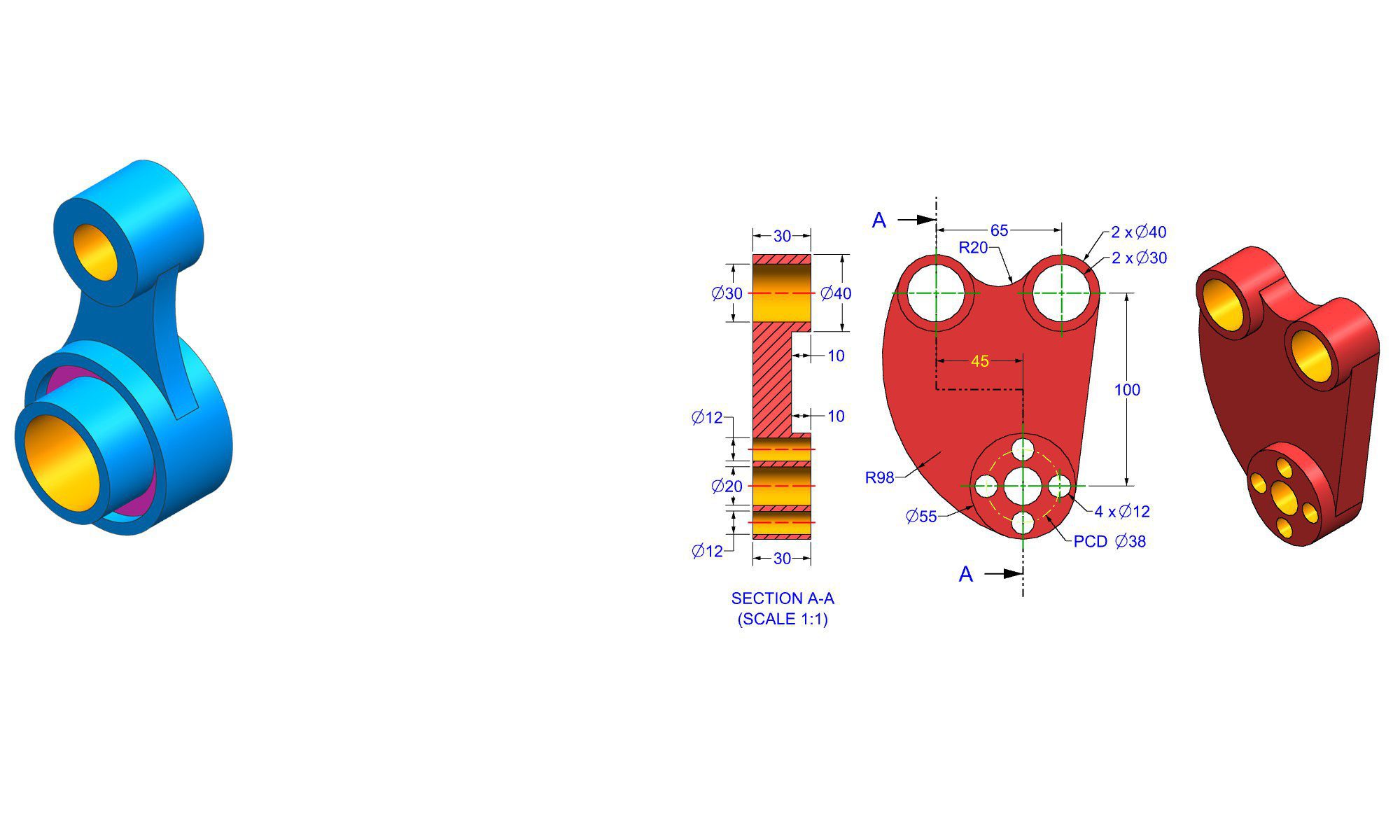

Introduction
Starting with assembly practice projects in Fusion 360 is an excellent way for beginners to build foundational skills in 3D modeling and CAD design. Fusion 360, a powerful cloud-based platform developed by Autodesk, offers a comprehensive environment for designing, simulating, and creating real-world prototypes. These beginner assembly projects serve as practical exercises to understand how different parts come together, how joints work, and how to assemble complex models efficiently. Whether you’re new to CAD or transitioning from 2D sketches to 3D assemblies, these projects will enhance your understanding and confidence in Fusion 360.
Why Practice Assembly Projects in Fusion 360?
Before jumping into specific projects, it’s important to understand the benefits of hands-on practice:
- Skill Development: Improves modeling techniques, constraints, and joint creation.
- Problem Solving: Teaches troubleshooting assembly issues and part fitment.
- Design Thinking: Encourages innovation through iterative testing.
- Portfolio Building: Creates projects that showcase your growing skills to potential employers or clients.
Starting with simple, structured projects allows you to grasp essential concepts incrementally, setting a solid foundation for tackling more complex assemblies later.
Top Beginner Assembly Practice Projects in Fusion 360
Here’s a curated list of beginner-friendly projects designed to improve your assembly skills step-by-step. These projects focus on core concepts such as part creation, constraints, joints, and motion simulation.
1. Basic Box with Lid Assembly
A fundamental project to learn about components, constraints, and assembly order.
2. Simple Gear Mechanism
Introduces gear modeling, rotation, and gear joint concepts, perfect for mechanical assemblies.
3. Adjustable Clamp
Focuses on slider joints, rotational constraints, and assembly hierarchies for adjustable parts.
4. Modular Toy Block Set
Helps practice multiple component assembly, mating techniques, and uniform dimensions.
5. Smartphone Holder or Dock
Teaches about constraints, snap-fit features, and ergonomic considerations.
Step-by-Step Guide for a Beginner Assembly Project – The Basic Box with Lid
To deepen your understanding, let’s walk through creating a simple box with a lid as a beginner assembly project.
Step 1. Design the Box Parts
- Open Fusion 360 and start a new design.
- Create a sketch for the bottom part:
- Draw a rectangle representing the base dimensions.
- Extrude it to desired thickness.
- Sketch the side walls:
- Use the rectangle tool to draw the walls’ profile.
- Extrude or use the “Offset” tool to create walls on the base.
- For the lid:
- Create another rectangle slightly larger than the top opening.
- Extrude it to a thin layer to serve as the lid.
Step 2. Save Components Separately
- Convert each part (bottom, sides, lid) into separate components:
- Right-click each body, select “Create Component.”
- This allows independent movement and easier assembly.
Step 3. Assemble Components
- Switch to the “Assembly” workspace.
- Use “Joint” or “As-built Joint” to connect parts:
- For example, place the lid on top of the box using a “Slider” joint allowing the lid to open and close.
- Adjust joint limits to restrict movement.
Step 4. Test the Assembly
- Drag components in the workspace to ensure proper fit and motion.
- Make adjustments to joint limits or dimensions if necessary.
Step 5. Finalize and Save Your Assembly
- Save the project.
- Consider creating exploded views or animation to showcase opening and closing motions.
Common Mistakes and How to Avoid Them
Even beginners encounter typical pitfalls in assembly practice projects. Here are common mistakes with tips to prevent them:
- Incorrect Constraints: Use appropriate joints that match the real-world movement; avoid forcing parts with incompatible constraints.
- Unlinked Components: Ensure components are saved as separate, linked components for proper assembly.
- Over-constraint: Too many constraints can cause errors; apply only the necessary ones.
- Ignoring Fit Tolerances: Design with manufacturing in mind; leave gaps or allowances for fitting parts.
- Neglecting Material Thickness: Always account for material dimensions during modeling to avoid fitting issues.
Pro Tips for Mastering Assembly Projects
- Start with Simple Projects: Build confidence with basic assemblies before progressing.
- Use Clear Naming Conventions: Label components and joints for clarity.
- Leverage Fusion 360 Resources: Tutorials, forums, and community projects can provide valuable insights.
- Practice Joint Types: Experiment with different joints like rigid, revolute, slider, and frictional to understand their applications.
- Iterate and Refine: Don’t hesitate to redo parts of your assembly for better fit and function.
- Document Your Work: Use exploded views, technical drawings, and animations to communicate your design.
Comparison: Fusion 360 Assembly vs. Other CAD Software
| Feature | Fusion 360 | SolidWorks | Inventor |
|---|---|---|---|
| User Interface | Intuitive, beginner-friendly | More advanced, complex | Similar to Fusion 360 |
| Cloud-Based Collaboration | Yes | No (mainly local files) | No |
| Cost | Subscription-based, free for students | Perpetual license, expensive | Subscription-based |
| Assembly Capabilities | Strong, great for beginners | Industry standard, advanced | Similar to Fusion 360 |
| Simulation & Analysis | Integrated, beginner-friendly | Advanced tools | Similar, integrated |
Fusion 360 stands out for its ease of use, cloud collaboration, and integration of design, simulation, and assembly features, making it ideal for beginners exploring assembly projects.
Conclusion
Engaging in beginner assembly practice projects in Fusion 360 is a critical step toward mastering 3D modeling and CAD design. Start simple with projects like a basic box or a gear mechanism, then gradually tackle more complex assemblies as your confidence grows. Remember to practice good modeling habits—using proper constraints, components, and assembly techniques—to develop a strong foundation. With consistent effort, these projects will help you transition from novice to proficient CAD designer, opening doors to advanced mechanical design, prototyping, and product development.
FAQ
1. What are the best beginner assembly projects in Fusion 360?
Ans : Simple projects like a box with a lid, gear mechanisms, or a basic clamp are excellent beginner assembly projects.
2. How do I learn to constrain parts properly in Fusion 360?
Ans : Start with understanding joint types and practice applying them to simple assemblies, gradually increasing complexity.
3. Can I use Fusion 360 on a Mac or Windows PC?
Ans : Yes, Fusion 360 is compatible with both Mac and Windows operating systems.
4. Do I need prior CAD experience to start these assembly projects?
Ans : No, these projects are designed for beginners; basic knowledge of sketching and modeling is helpful but not required.
5. How long does it take to complete a beginner assembly project in Fusion 360?
Ans : It varies, but most beginner projects can be completed in 1–3 hours with practice and patience.
6. Is it necessary to model each part separately before assembling?
Ans : Yes, modeling parts as separate components makes assembly easier and more organized.
7. Where can I find more tutorials on Fusion 360 assembly projects?
Ans : Autodesk’s official YouTube channel, Fusion 360 forums, and educational websites offer extensive tutorials and guides.
End of Blog

Autodesk Fusion 360 All-in-One Workbook
500+ Practice Exercises to Master Autodesk Fusion 360 through real-world practice!
This all-in-one workbook is your ultimate resource to develop hands-on CAD skills with Autodesk Fusion 360. Whether you’re a student, engineer, hobbyist, or professional, this guide is built to help you gain real design confidence through structured practice.
What’s Inside this Book:
- 200 2D Sketching Exercises – Build a strong foundation in dimension-driven 2D geometry and technical drawings
- 200 3D Modeling Exercises – Practice modeling real-world parts, from simple shapes to complex components.
- Multi-Part Assembly Projects – Understand how parts fit together and create full assemblies with detailed drawings
🎯 Why This Book?
- 500+ practice exercises following real design standards
- Designed for self-paced learning & independent practice
- Perfect for classrooms, technical interview preparation, and personal projects
- Covers 2D Sketching, 3D Modeling & Assembly Design in one workbook
- Trusted by 15,000+ CAD learners worldwide