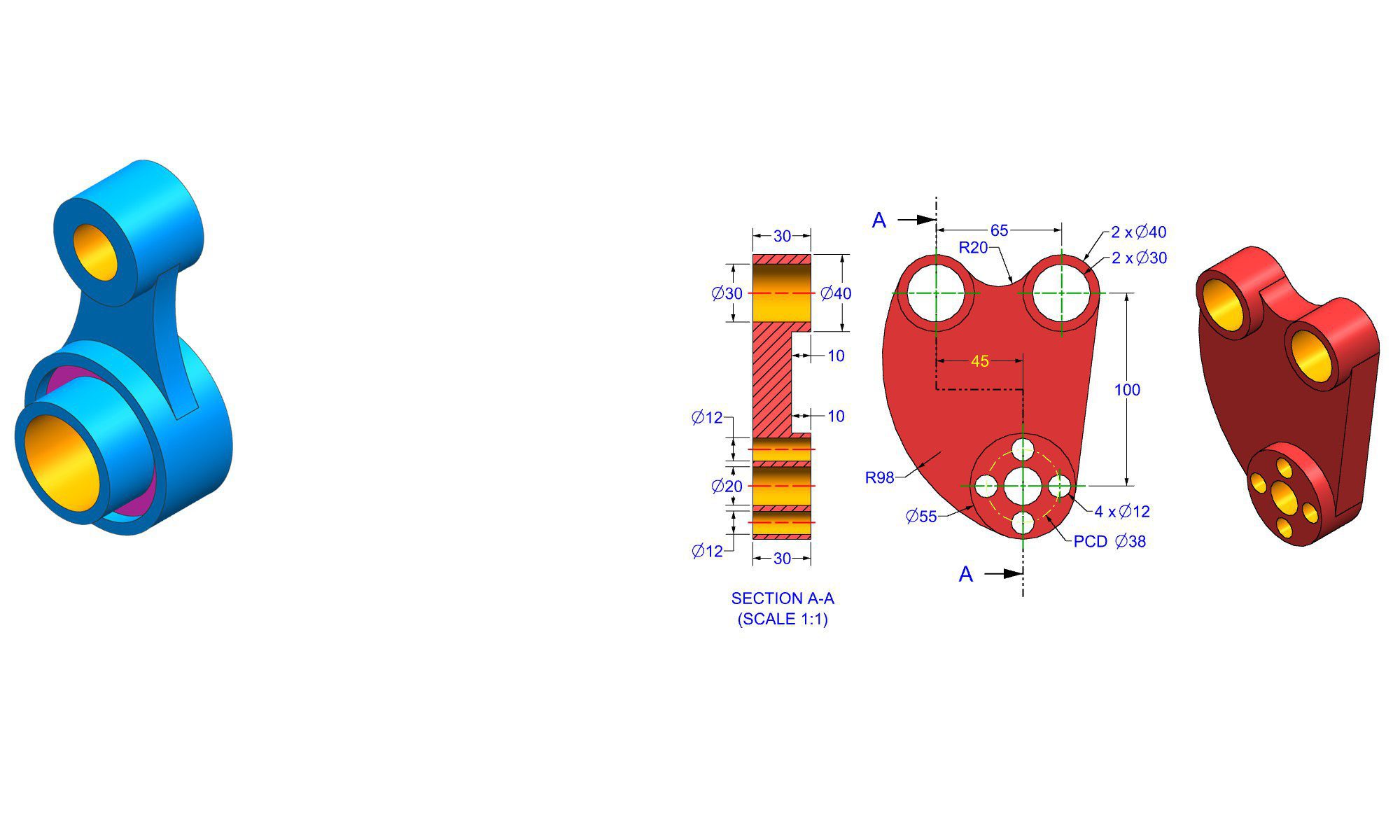

Introduction
Sketching is widely recognized as the fundamental stage of any 3D modeling process. In FreeCAD, an open-source CAD software, sketching forms the backbone of nearly all modeling workflows. Whether creating engineering parts, architectural designs, or hobbyist projects, mastering sketching is essential to achieving precise, flexible, and efficient models. This article explores why sketching is the base of modeling in FreeCAD, highlighting its crucial role in design accuracy, parametric flexibility, and overall workflow efficiency. Understanding the importance of sketching is the first step toward creating professional-quality models with ease.
Why Sketching is the Foundation of Modeling in FreeCAD
Sketching in FreeCAD isn’t just about drawing 2D shapes; it’s the core process that defines the shape, size, and features of your 3D models. Here’s why it is considered the foundation:
1. Precise Geometry Definition
Sketches provide a simple way to define exact dimensions and geometric relationships. Instead of trying to shape a complex model directly, sketching allows you to outline the precise base shape, ensuring your model adheres to specific measurements critical in engineering and manufacturing.
2. Parametric Modeling and Flexibility
In FreeCAD, sketches are parametric—meaning you can link dimensions and constraints that control shape and size. This makes it easy to modify the model later by simply adjusting the sketch parameters, supporting iterative design and rapid prototyping.
3. Generating Complex 3D Geometries
Most advanced modeling features—extrudes, revolves, lofts, and cuts—are driven by sketches. The sketch acts as a blueprint for these operations, enabling the creation of complex, accurate, and editable geometries.
4. Promotes Clean, Organized Workflow
Beginning with a well-structured sketch helps keep your design organized. It streamlines the transition from 2D conception to 3D realization, making the entire process more manageable, especially for complex projects.
5. Easy Error Detection and Correction
Since sketches are 2D and simple to edit, spotting and fixing design errors early in the process is more straightforward. This reduces the risk of faults in the final 3D model, saving time and reducing frustration.
How to Sketch Effectively in FreeCAD: Step-by-Step Guide
Sketching in FreeCAD requires understanding the basic tools and best practices to ensure efficient and precise designs.
1. Create a New Sketch
- Open FreeCAD and switch to the Part Design workbench.
- Select the plane on which you want to sketch (XY, YZ, or XZ).
- Click the ‘Create new sketch’ button.
2. Set Up Your Sketch Grid and Constraints
- Enable grid snapping for easier drawing.
- Use constraints early—distance, coincident, perpendicular, parallel—to define relationships between geometry elements.
3. Draw Basic Geometric Shapes
- Use the line, circle, rectangle, and arc tools to create your outline.
- Keep sketches simple and clear for best results.
4. Fully Dimension Your Sketch
- Apply explicit measurements to key features.
- Use relation constraints to maintain geometric relationships and ensure design intent.
5. Use Constraints to Control Behavior
- Apply constraints like symmetry or equal length to parametrize your sketch fully.
- Proper constraint application makes future edits predictable and easy.
6. Validate and Close Your Sketch
- Check for under-constrained or over-constrained issues.
- Once complete, close the sketch to proceed with 3D operations like extrusion or pocketing.
7. Convert Sketch to 3D Geometry
- Use features like Pad, Revolve, or Sweep to turn your 2D sketch into a 3D object.
Practical Examples of Sketch-Based Modeling in FreeCAD
Example 1: Designing a Mechanical Bracket
- Sketch a profile with precise dimensions.
- Add constraints to define bolt hole positions relative to edges.
- Extrude the sketch into a 3D bracket, then add cutouts or fillets as needed.
Example 2: Architectural Component
- Sketch the floor plan with accurate room dimensions.
- Use the sketch as the base for extruding walls and creating complex structures.
Example 3: Custom Enclosure for Electronics
- Draw the outline, including cutouts for ports and screws.
- Use parameters to quickly modify sizes for future revisions.
Common Mistakes and How to Avoid Them
- Skipping Constraints: Results in under-defined sketches that may behave unpredictably during editing.
- Over-Constraining: Can cause conflicts, making the sketch unsolvable.
- Ignoring Dimensions: Leads to imprecise models that require rework.
- Poor Organization: Failing to keep sketches simple and well-labeled complicates revisions.
Pro Tips for Effective Sketching in FreeCAD
- Plan Before Drawing: Sketch out your design on paper first.
- Use Logical Constraints: Group related constraints to keep sketches manageable.
- Maintain Simplicity: Break complex shapes into multiple sketches if necessary.
- Leverage Symmetry and Mirroring: Reduce manual work and enhance precision.
- Regularly Validate Constraints: Use the validation tools to check for over- or under-constrained sketches.
Comparing Sketch Modeling With Direct Modeling
| Aspect | Sketch-Based Modeling | Direct Modeling |
|---|---|---|
| Design Flexibility | High, with parametric control | Lower, usually more manual |
| Ease of Editing | Easier, thanks to constraints and parameters | Harder, may require reworking entire model |
| Complexity Handling | Better suited for detailed, precise models | Better for quick, exploratory modifications |
| Suitable For | Mechanical parts, constrained designs | Artistic, free-form shapes |
Conclusion
Sketching is the fundamental pillar of modeling in FreeCAD because it establishes the foundation for accuracy, flexibility, and efficient design workflow. By mastering sketching techniques—from creating precise geometries to defining constraints—you empower yourself to produce complex, professional, and easily modifiable 3D models. Emphasizing sketching early in your project ensures clarity and control, ultimately leading to higher-quality designs that stand the test of revision and customization.
FAQ
1. Why is sketching considered the most important step in FreeCAD?
Ans: Because it defines the shape, dimensions, and constraints that drive the entire 3D modeling process, ensuring precision and flexibility.
2. How do constraints improve sketch accuracy in FreeCAD?
Ans: Constraints specify geometric relationships and dimensions, making sketches predictable, easy to edit, and free from unintended deformations.
3. Can I modify a sketch after creating 3D features from it?
Ans: Yes, modifying the sketch updates all dependent 3D features automatically, thanks to FreeCAD’s parametric modeling.
4. What are common mistakes to avoid when sketching in FreeCAD?
Ans: Common mistakes include over- or under-constraining, skipping dimensions, and creating overly complex sketches without organization.
5. How does sketching improve design iteration in FreeCAD?
Ans: It allows quick adjustments of dimensions and constraints, facilitating iterative improvements without rebuilding the entire model.
6. Is sketching necessary for all types of modeling in FreeCAD?
Ans: While essential for precise, constrained projects, free-form or artistic designs may sometimes rely less on sketching.
7. What tools are most useful in FreeCAD for efficient sketching?
Ans: The constraint tools, sketch grid, mirroring, and relation constraints are among the most helpful for efficient and precise sketching.
End of Blog

FREECAD All-in-One Workbook
500+ Practice Exercises to Master FreeCAD through real-world practice!
This all-in-one workbook is your ultimate resource to develop hands-on CAD skills with FreeCAD. Whether you’re a student, engineer, hobbyist, or professional, this guide is built to help you gain real design confidence through structured practice.
What’s Inside this Book:
- 200 2D Sketching Exercises – Build a strong foundation in dimension-driven 2D geometry and technical drawings
- 200 3D Modeling Exercises – Practice modeling real-world parts, from simple shapes to complex components.
- Multi-Part Assembly Projects – Understand how parts fit together and create full assemblies with detailed drawings
🎯 Why This Book?
- 500+ practice exercises following real design standards
- Designed for self-paced learning & independent practice
- Perfect for classrooms, technical interview preparation, and personal projects
- Covers 2D Sketching, 3D Modeling & Assembly Design in one workbook
- Trusted by 15,000+ CAD learners worldwide