
Introduction
Part design is a fundamental step in the 3D modeling process, especially for beginners. FreeCAD, an open-source CAD software, offers user-friendly tools that make part design accessible for newcomers. Many learners find that part design is easier to grasp in FreeCAD compared to other CAD programs due to its intuitive interface, simplified workflow, and versatile features. This article explores why part design is easier for beginners in FreeCAD, with practical insights on how to get started and succeed.
Why Part Design Is Easier for Beginners in FreeCAD
FreeCAD is designed with accessibility in mind. Its parametric modeling approach and modular architecture allow beginners to learn quickly without feeling overwhelmed. Here’s a detailed look at why FreeCAD simplifies part design for newcomers.
1. Intuitive User Interface
FreeCAD’s interface is straightforward and less cluttered than many professional CAD tools, making it easier for beginners to navigate.
- The workspace is customizable, allowing users to focus on relevant tools.
- Warnings and prompts guide users through common operations.
- Context-sensitive toolbars provide relevant options based on the selected task.
2. Simplified Workflow with Modular Workbenches
FreeCAD offers specialized workbenches tailored to different tasks, simplifying complex processes.
- Standard Workbench: Basic tools for sketching and part creation.
- Part Design Workbench: Focuses on creating and editing 3D models with ease.
- Assembly and Simulation Workbenches: Enable beginner-friendly assembly and simulation without deep knowledge upfront.
This modular setup means users can learn one workbench at a time, reducing cognitive load.
3. Parametric Modeling Approach
Parametric modeling is at the core of FreeCAD, allowing beginners to modify designs easily.
- Changes to dimensions or features automatically update the entire model.
- Constraints can be added to sketches to define relationships and proportions clearly.
- This dynamic system reduces errors and encourages experimentation.
4. Built-in Tutorials and Documented Workflows
FreeCAD provides comprehensive tutorials, documentation, and example projects.
- The official Wiki and user forums are valuable resources for learning.
- Step-by-step guides help beginners understand the sequence of operations.
- Video tutorials demonstrate common part design procedures visually.
5. Accessibility of Basic Geometry and Constraints
Creating basic shapes is straightforward in FreeCAD, thanks to intuitive tools.
- Popular geometric primitives like cubes, cylinders, and spheres are easily inserted.
- Sketching tools and constraints (e.g., perpendicular, coincident) are simple to apply.
- Features like extrude, cut, and fillet are accessible even for novices.
6. Cost and Compatibility Advantages
Being free and open-source, FreeCAD is accessible to everyone, removing financial barriers to learning.
- Compatible across Windows, Mac, and Linux platforms.
- No need for expensive software licenses.
- Community support enhances troubleshooting and learning.
Practical Step-by-Step: Designing a Simple Mechanical Part in FreeCAD
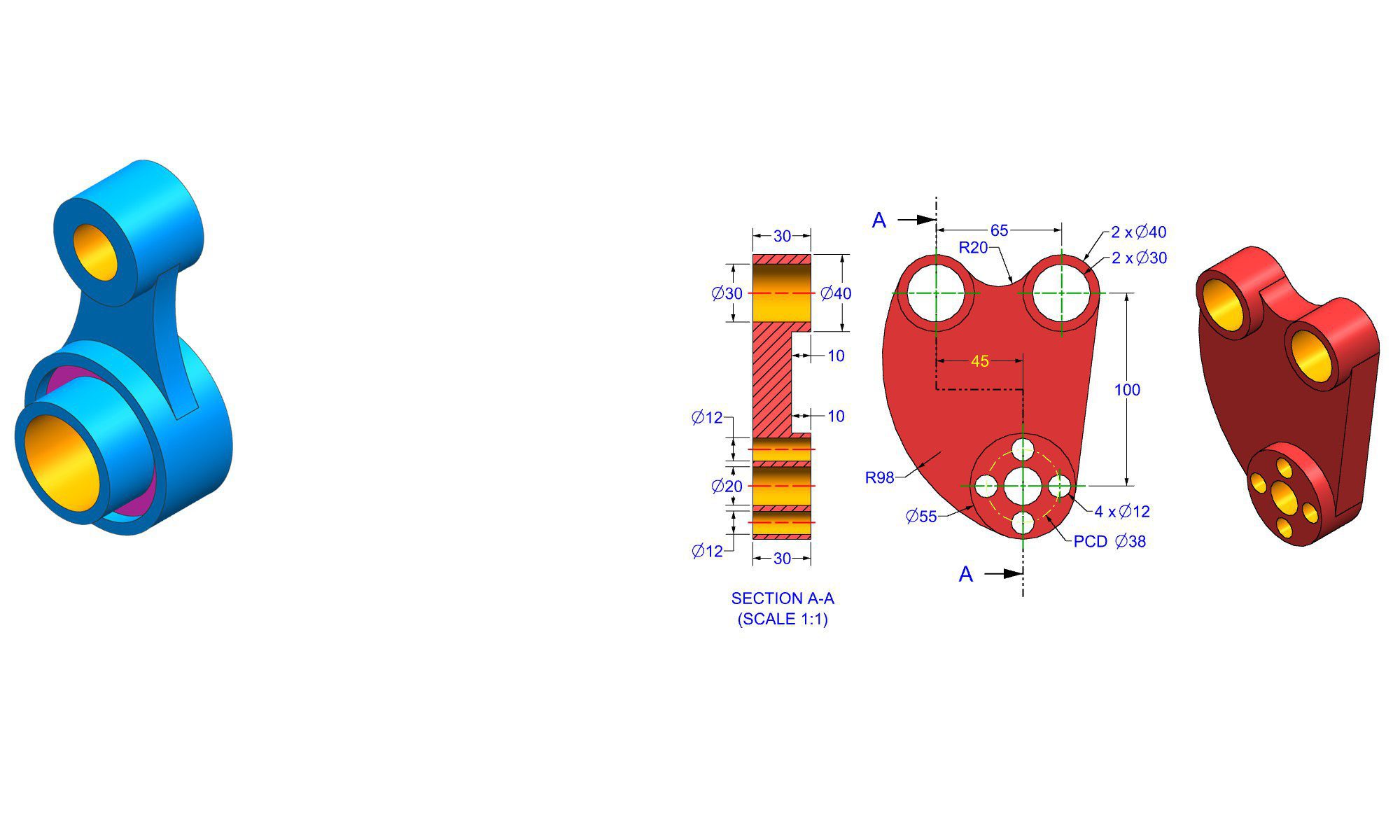
To illustrate why part design is easier for beginners in FreeCAD, here’s a practical example: creating a basic bracket.
Step 1: Setting Up the Workspace
- Open FreeCAD and switch to the ‘Part Design’ workbench.
- Create a new document to start your project.
Step 2: Creating a New Sketch
- Click ‘Create Sketch’ and choose a plane (XY plane is typical).
- Use the rectangle tool to sketch the basic shape of the bracket.
- Apply constraints to define dimensions precisely.
Step 3: Constraining the Sketch
- Set equal length constraints to ensure symmetry.
- Define dimensions via the ‘Edit Constraints’ tool.
- Use geometric constraints like perpendicular or tangent to refine the shape.
Step 4: Extruding the Sketch
- Click ‘Pad’ to extrude the sketch into a 3D shape.
- Input height value in the dialog box.
- This creates the main body of the part.
Step 5: Adding Features
- Switch to the ‘Sketch’ mode again on relevant faces.
- Draw holes or cutouts, applying constraints and dimensions.
- Use the ‘Pocket’ feature to cut holes through the extrusion.
Step 6: Refining and Finalizing
- Add fillets and chamfers as needed.
- Check the model for accuracy.
- Save your project regularly.
Common Mistakes to Avoid
- Not constraining sketches properly can lead to uneditable or unpredictable shapes.
- Forgetting to update constraints after modifications.
- Ignoring the importance of supporting features like fillets for realistic parts.
Pro Tips for Beginners
- Always start with simple shapes and build complexity gradually.
- Use the undo feature liberally to correct mistakes.
- Explore tutorials and forums when stuck.
Comparing FreeCAD’s Part Design to Other CAD Software
| Feature | FreeCAD | SolidWorks / Fusion 360 | Benefit for Beginners |
|---|---|---|---|
| Cost | Free | Expensive | Free access eliminates financial barriers |
| User Interface | Intuitive, customizable | More professional, complex | Easier for beginners to learn |
| Workflow | Modular, step-by-step | Feature-rich but steeper learning curve | Simplifies learning curve |
| Learning Resources | Extensive tutorials, community support | Professional support, tutorials | Abundant free resources |
| Parametric Modeling | Yes, flexible and beginner-friendly | Yes | Enables easy modifications |
Conclusion
Part design is notably easier for beginners in FreeCAD because of its intuitive interface, modular approach, and supportive community. The software’s focus on simplicity, combined with powerful parametric features, empowers new users to develop their skills confidently. Whether you are creating simple parts or complex assemblies, FreeCAD offers a beginner-friendly environment that fosters learning through practical, hands-on experience. As you gain proficiency, these foundational tools will serve as a solid base for more advanced modeling projects.
FAQ
1. Why is FreeCAD considered beginner-friendly for part design?
Ans: FreeCAD’s intuitive interface, modular workbenches, and comprehensive tutorials make it accessible for beginners learning part design.
2. Can I create complex parts easily in FreeCAD as a beginner?
Ans: Yes, with its parametric modeling and constraints, FreeCAD allows beginners to develop complex parts with manageable learning curves.
3. How does FreeCAD help beginners avoid common design mistakes?
Ans: Built-in constraints, step-by-step guides, and real-time updates help prevent errors and encourage proper design practices.
4. Is FreeCAD suitable for real-world manufacturing projects?
Ans: While FreeCAD is excellent for prototyping and learning, professionals may use it alongside other CAD tools for manufacturing.
5. What resources are available for beginners in FreeCAD?
Ans: Official tutorials, detailed documentation, user forums, and YouTube videos provide ample support for new users.
6. How does FreeCAD compare to paid CAD software for learning part design?
Ans: FreeCAD is free, user-friendly, and open-source, making it an ideal starting point without the cost and complexity of paid software.
7. Can I learn FreeCAD without prior CAD experience?
Ans: Absolutely, FreeCAD is designed to be beginner-friendly and does not require prior CAD knowledge to get started.
End of Blog

FREECAD All-in-One Workbook
500+ Practice Exercises to Master FreeCAD through real-world practice!
This all-in-one workbook is your ultimate resource to develop hands-on CAD skills with FreeCAD. Whether you’re a student, engineer, hobbyist, or professional, this guide is built to help you gain real design confidence through structured practice.
What’s Inside this Book:
- 200 2D Sketching Exercises – Build a strong foundation in dimension-driven 2D geometry and technical drawings
- 200 3D Modeling Exercises – Practice modeling real-world parts, from simple shapes to complex components.
- Multi-Part Assembly Projects – Understand how parts fit together and create full assemblies with detailed drawings
🎯 Why This Book?
- 500+ practice exercises following real design standards
- Designed for self-paced learning & independent practice
- Perfect for classrooms, technical interview preparation, and personal projects
- Covers 2D Sketching, 3D Modeling & Assembly Design in one workbook
- Trusted by 15,000+ CAD learners worldwide