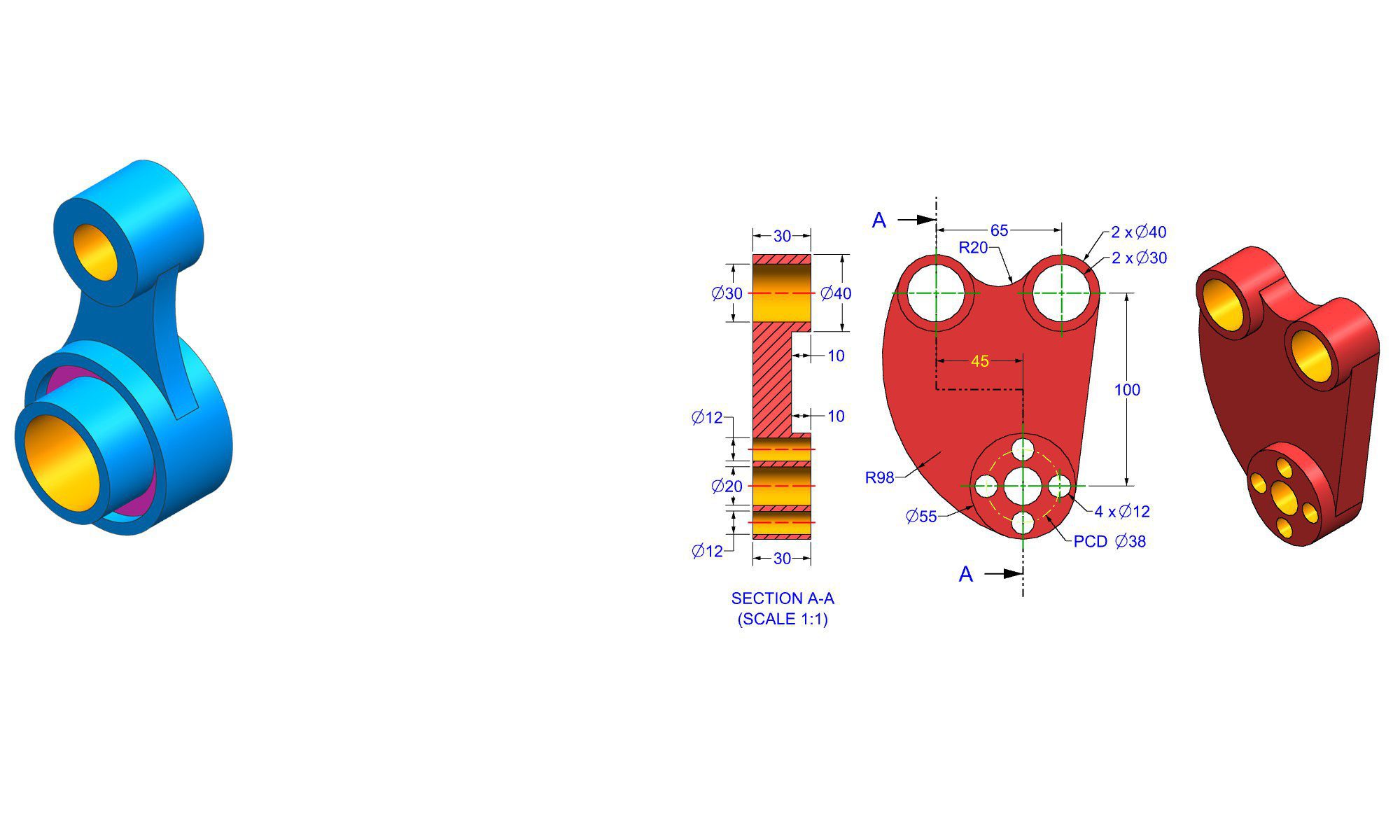

Introduction
In the world of engineering and design, choosing the right software tools can significantly influence the quality, efficiency, and cost-effectiveness of projects. FreeCAD has emerged as a popular open-source alternative favored by professionals, hobbyists, and students alike. Use of FreeCAD in engineering and design is driven by its versatility, powerful features, and zero cost. Whether you’re creating detailed technical drawings, complex 3D models, or performing simulation tasks, FreeCAD provides a comprehensive platform to support your workflow. This article explores why FreeCAD is used in engineering and design, highlighting its key capabilities, practical applications, and advantages over proprietary software.
Why FreeCAD is Used in Engineering and Design
1. Open-Source and Cost-Effective
One of the most compelling reasons for using FreeCAD in engineering and design is that it is completely free. Unlike expensive proprietary CAD software, FreeCAD requires no licensing fees, making it accessible to students, startups, and small businesses.
- FreeCAD’s open-source nature encourages community-driven development.
- Updates and new features are continuously added by contributors worldwide.
- No financial barrier allows for widespread experimentation and learning.
2. Cross-Platform Compatibility
FreeCAD works seamlessly across multiple operating systems, including Windows, macOS, and Linux.
- Enables diverse teams to collaborate regardless of their platform preferences.
- Ensures that users can work on their preferred operating environment without compatibility issues.
- Supports integration into existing workflows with minimal hurdles.
3. Versatility and Modular Architecture
FreeCAD is highly versatile, suitable for various engineering disciplines like mechanical, civil, electrical, and product design.
- Supports Parametric Modeling: Easily modify designs by editing parameters.
- Modular Design: Features workbenches tailored for specific tasks such as part design, assembly, and FEM analysis.
- Compatibility with CAD standards and formats (STEP, IGES, STL, DXF, etc.) facilitates integration with other CAD tools.
4. Parametric Modeling for Precise Design
Parametric modeling is a key feature of FreeCAD, facilitating precise and editable designs.
- Allows designers to create complex geometries that can be adjusted later by changing parameters.
- Ensures consistency throughout the design process.
- Ideal for iterative design phases, optimizing product development.
5. Advanced Features for Engineering Tasks
FreeCAD offers a wide array of features needed for engineering applications:
- Drafting and 2D drawing tools for detailed technical documentation.
- Assembly workbenches for assembling multiple parts.
- Finite Element Method (FEM) workbenches for structural analysis.
- Robot simulation modules for automation and robotics projects.
6. Robust Community Support and Documentation
A vibrant community supports FreeCAD users through forums, tutorials, and add-ons.
- Extensive documentation helps beginners get started quickly.
- Community-contributed plugins extend the software’s capabilities.
- Users can collaborate, share projects, and troubleshoot effectively.
7. Flexibility in Simulation and Analysis
Engineering design often requires simulation to validate performance.
- FreeCAD integrates with third-party tools like Calculix for FEA.
- Supports stress analysis, thermal simulation, and motion studies.
- Offers an affordable way to implement simulation workflows in small-scale projects.
8. Customizability and Scripting Capabilities
Power users and developers benefit from FreeCAD’s Python scripting interface.
- Automate repetitive tasks for efficiency.
- Customize workflows and create new tools or features.
- Open-source code allows for tailored modifications to suit specific needs.
Practical Applications of FreeCAD in Engineering and Design
1. Mechanical Part Design
FreeCAD excels in creating intricate mechanical components.
- Step-by-step:
- Start with the Part Workbench.
- Use sketch tools to define 2D profiles.
- Extrude or revolve sketches into 3D parts.
- Apply constraints for accuracy.
- Example: Designing custom brackets, gear mechanisms, or engine components.
2. Product Design and Prototyping
For product designers, FreeCAD is ideal for conceptualizing and refining prototypes.
- Use parametric models to test various configurations.
- Prepare models for 3D printing by exporting STL files.
- Practical tip: Always verify dimensions and tolerances before manufacturing.
3. Civil and Structural Engineering
Although primarily focused on mechanical design, FreeCAD’s modular architecture supports civil projects.
- Modeling building components or structural frameworks.
- Running simple structural analyses to identify stress points.
- Long-term goal: integrating more advanced features for civil engineering.
4. Electrical and Electronics Design
While not a dedicated electrical CAD, FreeCAD supports layouts and chassis design.
- Drafting enclosures for electrical components.
- Designing mounting fixtures or integrated systems.
- Supplemented with external PCB design tools for complete project workflows.
5. Robotics and Automation
In robotics, FreeCAD helps in designing robotic arms, fixtures, and automation machinery.
- Use the Assembly workbench to simulate movement.
- Run virtual prototyping models to optimize design before physical build.
Common Mistakes and Best Practices
1. Overloading the Software with Too Much Data
Avoid creating overly complex models that slow down FreeCAD.
- Best Practice: Break large projects into smaller assemblies.
- Use layers and groups to organize components.
2. Ignoring Proper Constraints and Constraints Management
Incorrect constraints can cause models to behave unpredictably.
- Best Practice: Carefully define constraints during sketching.
- Regularly verify parametric dependencies.
3. Neglecting to Save Iterative Versions
Version control is essential in complex projects.
- Use incremental saves or external version control tools.
- Keep backup copies before making major changes.
4. Not Utilizing Community Resources
Many issues are common and already solved.
- Pro Tip: Search community forums for solutions.
- Leverage tutorials to learn advanced features.
Tips for Maximizing FreeCAD’s Potential
- Explore the numerous workbenches tailored for specific tasks.
- Use the Python console for automation.
- Regularly update FreeCAD to access new features and improvements.
- Join community forums, Reddit groups, or tutorials for ongoing learning.
- Integrate FreeCAD with other open-source tools like Blender, Inkscape, or OpenSCAD for comprehensive workflows.
Comparing FreeCAD with Proprietary CAD Software
| Feature | FreeCAD | Proprietary CAD (e.g., SolidWorks, AutoCAD) |
|---|---|---|
| Cost | Free | Expensive licensing fees |
| Customizability | Open-source, highly customizable | Limited customization |
| Platform Compatibility | Windows, macOS, Linux | Usually Windows-only |
| Ease of Use | User-friendly for beginners, moderate learning curve | Often more polished, but steeper for some features |
| Advanced Features | Growing, including FEM and simulation | Extensive, industry-standard solutions |
| Community Support | Strong and active community | Company support, but costly upgrades |
In summary, FreeCAD provides an accessible, flexible, and powerful platform suited for diverse engineering and design applications. Its open-source nature and broad feature set make it especially attractive for education, prototyping, and small-scale professional work.
Conclusion
FreeCAD is increasingly adopted in engineering and design due to its cost-free, open-source model, cross-platform capabilities, and extensive feature set. Its support for parametric modeling, simulation, and customization makes it a versatile tool capable of handling complex projects across different industries. Whether you’re a student exploring CAD, an engineer developing prototypes, or a hobbyist designing products, FreeCAD offers the tools needed to bring your ideas to life efficiently and affordably. As the community continues to grow and the software evolves, FreeCAD is well-positioned as a go-to solution in modern engineering and design workflows.
FAQ
1. Why should I choose FreeCAD over proprietary CAD software?
Ans: FreeCAD offers a cost-effective, open-source alternative with robust features suitable for most engineering and design needs.
2. Is FreeCAD suitable for professional engineering projects?
Ans: Yes, especially for prototyping, small-scale projects, and educational purposes; large or highly complex projects may require more specialized software.
3. Can FreeCAD be used for 3D printing?
Ans: Absolutely, FreeCAD enables designing precise models and exporting STL files for 3D printing.
4. Does FreeCAD support simulation and analysis?
Ans: Yes, FreeCAD has modules for finite element analysis (FEA) and other simulations, often through third-party add-ons.
5. How steep is the learning curve for FreeCAD?
Ans: Moderate; beginners can start with tutorials and community resources, but mastering advanced features takes practice.
6. Can I customize FreeCAD to suit my workflow?
Ans: Yes, through Python scripting, custom macros, and community plugins.
7. Is FreeCAD suitable for mechanical design?
Ans: Definitely, FreeCAD is especially strong in mechanical part modeling and assembly design.
End of Blog

FREECAD All-in-One Workbook
500+ Practice Exercises to Master FreeCAD through real-world practice!
This all-in-one workbook is your ultimate resource to develop hands-on CAD skills with FreeCAD. Whether you’re a student, engineer, hobbyist, or professional, this guide is built to help you gain real design confidence through structured practice.
What’s Inside this Book:
- 200 2D Sketching Exercises – Build a strong foundation in dimension-driven 2D geometry and technical drawings
- 200 3D Modeling Exercises – Practice modeling real-world parts, from simple shapes to complex components.
- Multi-Part Assembly Projects – Understand how parts fit together and create full assemblies with detailed drawings
🎯 Why This Book?
- 500+ practice exercises following real design standards
- Designed for self-paced learning & independent practice
- Perfect for classrooms, technical interview preparation, and personal projects
- Covers 2D Sketching, 3D Modeling & Assembly Design in one workbook
- Trusted by 15,000+ CAD learners worldwide