
Introduction
Mastering daily drafting practice in Fusion 360 is essential for improving your CAD skills and enhancing your design efficiency. Whether you’re a student, hobbyist, or professional, a structured daily practice plan helps sharpen your modeling techniques, reduces errors, and accelerates project completion. This guide provides a step-by-step approach to creating an effective daily drafting practice plan in Fusion 360, with practical exercises, tips, and common pitfalls to avoid. Consistency is key—integrating this plan into your routine can transform you into a more proficient CAD user.
Why a Daily Drafting Practice Plan Matters
Developing a daily practice schedule for Fusion 360 design tasks helps reinforce core skills, build confidence, and expose you to various modeling techniques. Regular practice ensures you stay comfortable with the software’s tools, shortcut commands, and design workflows. A structured plan also helps track progress, set achievable goals, and identify areas for improvement.
Setting Up Your Fusion 360 Practice Environment
Before diving into practice exercises, optimize your workspace for productivity:
- Ensure your Fusion 360 software is updated to the latest version.
- Organize your templates and create a dedicated folder for practice projects.
- Customize your interface, toolbars, and shortcut keys for easy access.
- Familiarize yourself with the Fusion 360 design workspace, including the browser, timeline, and canvas.
Now, let’s explore a detailed daily drafting practice plan designed for steady improvement.
Developing a Daily Drafting Practice Plan in Fusion 360
The key to an effective practice plan is variety, gradual difficulty increase, and consistent review. Follow this structured approach:
1. Warm-up Exercises (10-15 minutes)
Start each session with quick, simple sketches to loosen up your modeling skills:
- Sketch basic geometries such as circles, squares, and triangles.
- Practice using constraints like perpendicular, parallel, and concentric.
- Experiment with dimensioning and editing sketches.
Example: Draw a simple mechanical bracket with constraints applied accurately.
2. Focused Tool Practice (20-30 minutes)
Select three to four core Fusion 360 tools or features each day to master:
- Extrude, revolve, or sweep commands.
- Cutting, filleting, and chamfering edges.
- Assembly functions or joints if relevant.
Break down each tool practice with specific goals:
- Understand tool parameters.
- Practice adjusting settings.
- Create multiple small models focusing on that specific tool.
Example: Create a gear with precise tooth profiles using the gear plugin or manual sketching.
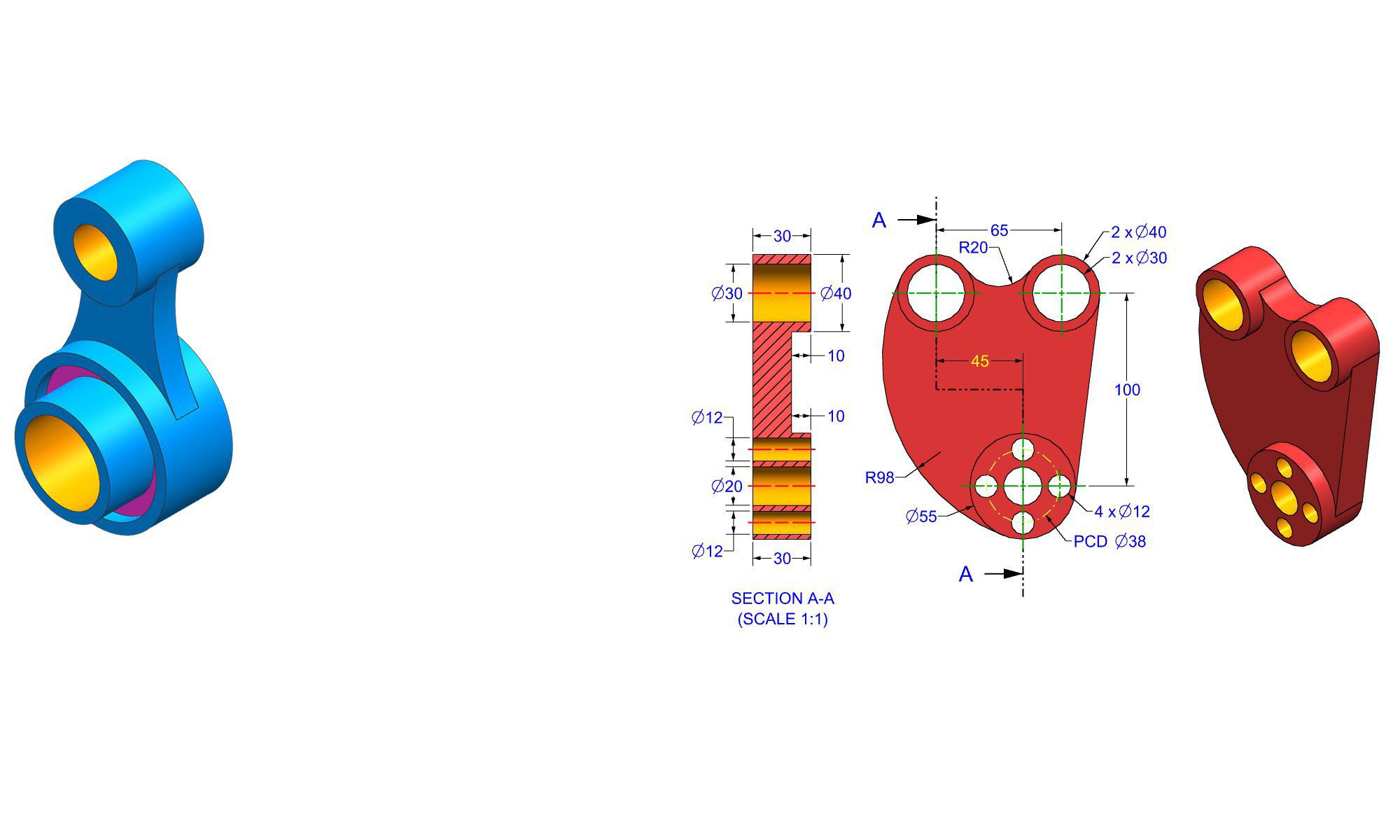
3. Recreate Real-World Parts (30-45 minutes)
Apply your skills by modeling real-world object parts:
- Download dimensions or technical drawings.
- Model parts with features like holes, fillets, and mounting points.
- Focus on accuracy and detail.
Example: Recreate a household door handle or a small mechanical component from a technical drawing.
4. Design Original Concepts (30-60 minutes)
Challenge yourself to conceptualize and model original ideas:
- Sketch and model a simple mechanical device.
- Design a custom tool or ergonomic handle.
- Practice iterative design: modify, refine, and optimize your models.
Example: Design a custom phone stand incorporating multiple features learned in previous exercises.
5. Review and Debug (10-15 minutes)
End your session by reviewing your models:
- Check for errors or inconsistencies.
- Use the Inspection menu for measurements.
- Save iterative versions to track progress.
- Recap what tools and techniques you used.
Practical Example: Daily Sketching Exercise
Let’s walk through a sample daily exercise:
- Sketch a 3D model of a small rectangular box with rounded edges.
- Use the fillet tool to smooth corners.
- Create mounting holes on the sides.
- Assemble the box with a simple lid.
- Document your steps with annotations if necessary.
This exercise reinforces sketch constraints, fillet application, hole creation, and assemblies—covering essential Fusion 360 skills.
Common Mistakes to Avoid in Daily Drafting Practice
- Skipping warm-up exercises, which can lead to stiff or careless modeling.
- Focusing only on complex models instead of mastering foundational tools.
- Neglecting to review or analyze your models for errors.
- Rushing through exercises—quality always beats quantity.
- Not documenting your progress or reflection on learned skills.
Pro Tips and Best Practices
- Set specific daily goals and challenges.
- Record your workflows and save templates for frequently used designs.
- Use keyboard shortcuts to increase efficiency.
- Participate in online Fusion 360 communities for feedback and inspiration.
- Mix easy and challenging exercises to maintain motivation.
Comparison: Self-guided Practice vs. Structured Course
| Aspect | Self-guided Practice | Structured Course |
|---|---|---|
| Flexibility | Highly flexible, adapt daily exercises | Fixed curriculum, scheduled lessons |
| Personalization | Tailored to individual interests | Designed for all skill levels, less customization |
| Feedback | Self-assessment or community feedback | Instructor-led feedback and assessments |
| Cost | Usually free or low-cost | May involve fees or subscriptions |
Both approaches complement each other; combining self-guided daily practice with formal courses can accelerate learning.
Conclusion
Implementing a daily drafting practice plan in Fusion 360 is a powerful way to solidify your CAD skills and become a more confident designer. Focus on consistent, varied exercises that reinforce existing knowledge while challenging you to learn new tools and techniques. Remember to review your work, learn from mistakes, and gradually increase complexity. With dedication and structured practice, you’ll unlock new levels of proficiency and create more innovative, precise designs.
FAQ
1. What is the best way to start a daily drafting practice in Fusion 360?
Ans : Begin with warm-up sketches and then focus on practicing one or two core tools daily, gradually increasing complexity.
2. How long should daily practice sessions last for beginners?
Ans : Aim for 30 to 60 minutes, balancing focused practice with breaks to maintain concentration and avoid fatigue.
3. What common mistakes should I avoid during daily practice?
Ans : Skipping warm-up exercises, rushing through models, neglecting review, and not documenting progress.
4. How can I measure my improvement over time?
Ans : Track completed projects, note skill areas improved, seek feedback, and compare model complexity month over month.
5. Are there any recommended resources for daily Fusion 360 practice exercises?
Ans : Yes, Autodesk’s official tutorials, online CAD communities, YouTube channels, and dedicated CAD challenge websites provide valuable practice ideas.
End of Blog

Autodesk Fusion 360 All-in-One Workbook
500+ Practice Exercises to Master Autodesk Fusion 360 through real-world practice!
This all-in-one workbook is your ultimate resource to develop hands-on CAD skills with Autodesk Fusion 360. Whether you’re a student, engineer, hobbyist, or professional, this guide is built to help you gain real design confidence through structured practice.
What’s Inside this Book:
- 200 2D Sketching Exercises – Build a strong foundation in dimension-driven 2D geometry and technical drawings
- 200 3D Modeling Exercises – Practice modeling real-world parts, from simple shapes to complex components.
- Multi-Part Assembly Projects – Understand how parts fit together and create full assemblies with detailed drawings
🎯 Why This Book?
- 500+ practice exercises following real design standards
- Designed for self-paced learning & independent practice
- Perfect for classrooms, technical interview preparation, and personal projects
- Covers 2D Sketching, 3D Modeling & Assembly Design in one workbook
- Trusted by 15,000+ CAD learners worldwide