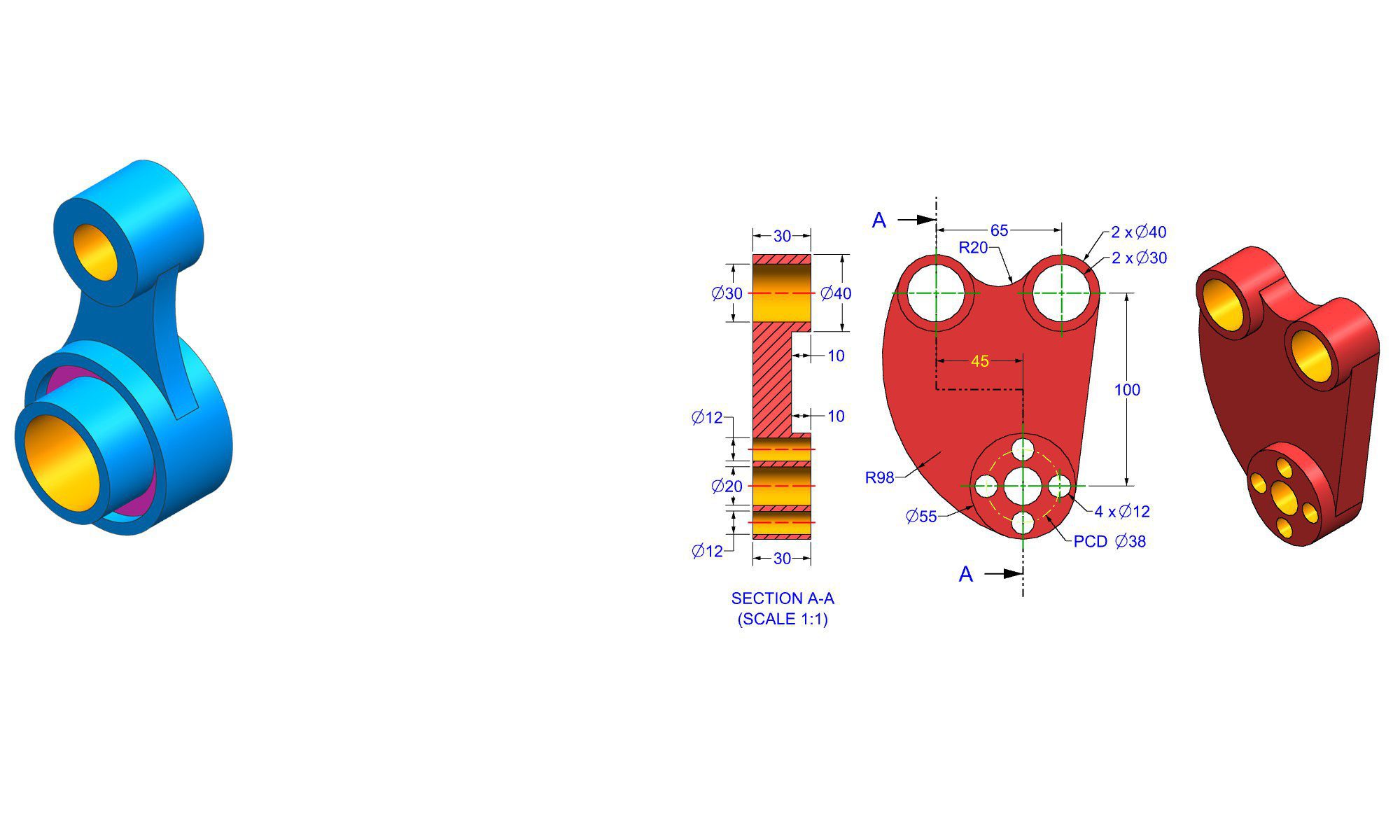


How assemblies help job interviews In Fusion 360

How assemblies help job interviews In Fusion 360

Introduction

Preparing for a job interview in the engineering, design, or manufacturing industries often involves demonstrating proficiency in CAD software, with Fusion 360 being one of the most popular tools. One critical aspect of showcasing your skills is understanding how assemblies in Fusion 360 can help you create more professional, accurate, and high-quality presentations that impress interviewers.

In this guide, we will explore how assemblies in Fusion 360 play a vital role in job interviews. We’ll cover step-by-step instructions, practical examples, and best practices to leverage assemblies for a competitive edge. Whether you’re a beginner or looking to refine your skills, mastering assembly techniques can significantly boost your confidence and effectiveness during technical interviews.

How Assemblies in Fusion 360 Aid Job Interviews

Assemblies are an essential feature in Fusion 360 that enable you to organize, simulate, and present multiple components as a cohesive unit. This capability not only improves the clarity of your designs but also demonstrates advanced modeling and problem-solving skills to potential employers.

Employers value candidates who can efficiently model complex products, understand mechanical relationships, and communicate design intent clearly. Using assemblies effectively shows your technical proficiency and your ability to think holistically about product design.

1. Demonstrate Systematic Design Approach

  • Assemblies showcase your ability to break down complex products into manageable parts.
  • They illustrate your understanding of component relationships, constraints, and motion.
  • During interviews, well-structured assemblies reveal a methodical design process.

2. Communicate Design Intent Clearly

  • Assemblies allow you to simulate how parts interact.
  • This helps in explaining functionality and design choices during interviews.
  • Clear assembly presentations reflect strong communication skills.

3. Enhance Collaboration and Presentation Skills

  • Assembling components visually demonstrates your ability to work as part of a team.
  • Presenting assemblies during a job interview shows your competency in delivering professional visuals.
  • It’s a practical way to convey project ideas to interviewers or clients.

4. Facilitate Error Detection and Optimization

  • Using assemblies enables simulation of movement and fits.
  • You can identify interference or misalignments early.
  • Showing a refined, interference-free assembly impresses interviewers.

Step-by-Step Guide to Building Assemblies in Fusion 360 for Interviews

To effectively leverage assemblies in Fusion 360 during your interviews, follow these detailed steps. This will help you create professional presentations that highlight your technical skills.

1. Prepare Your Components

  • Ensure each part or component is fully modeled and saved.
  • Use appropriate naming conventions for clarity.
  • Validate parts for proper dimensions and tolerances.

2. Create a New Assembly

  • Open Fusion 360 and start with a new design or assembly file.
  • Use the “New Component” function to import or create each part within the assembly workspace.

3. Insert Components into the Assembly

  • Use the “Insert” command to add existing components.
  • Place each component roughly in position to facilitate easier constraints later.

4. Constrain Components Properly

  • Apply joints and assemble constraints:
  • Rigid Joint for fixed components.
  • Revolute, Slider, Pin-Slot for movable parts.
  • Ensure constraints accurately reflect the real-world mechanical relationships.

5. Check and Refine Assembly Motion

  • Use the “Animation” or “As-Built Joint” functions to simulate movement.
  • Verify how parts interact and fit.
  • Adjust constraints or component positioning as needed.

6. Add Mate or Contact Conditions (if applicable)

  • Apply contact sets for collision detection.
  • Use mating conditions to specify exact interfaces.

7. Document the Assembly

  • Create exploded views to better visualize component relationships.
  • Annotate critical features or motion paths.

8. Prepare Visual Presentations

  • Render assembly images or videos.
  • Create exploded diagrams to highlight assembly process.
  • Prepare detailed drawings, if necessary.

9. Practice Explaining Your Assembly

  • Practice articulating how parts relate and move.
  • Focus on design rationales and problem-solving during assembly construction.

Practical Real-World Examples

Let’s consider two common interview scenarios:

Example 1: Mechanical Assembly for a Gearbox

  • Model each gear, shaft, and housing.
  • Assemble using revolute joints for gears and fixed joints for housings.
  • Animate gear rotation to demonstrate functionality.
  • Highlight considerations like gear ratios and clearances.

Example 2: Consumer Product Assembly (e.g., a Chair)

  • Model each part (legs, seat, backrest).
  • Use appropriate constraints to mimic real assembly process.
  • Create exploded views showing assembly steps.
  • Discuss material considerations and assembly order.

Common Mistakes to Avoid and Best Practices

1. Overcomplicating the Assembly

  • Keep assemblies simple; avoid unnecessary parts or constraints.
  • Focus on key relationships relevant to the interview.

2. Incorrect Constraint Usage

  • Misusing joints can lead to unrealistic movements.
  • Double-check motion paths and degrees of freedom.

3. Not Documenting Clearly

  • Use exploded views and annotations to clarify your assembly.
  • Prepare visuals that tell a clear story.

4. Failing to Simulate Interactions

  • Always verify how parts interact through motion studies.
  • Demonstrate proper fits, alignments, and clearances.

5. Ignoring Production and Assembly Considerations

  • Think about manufacturability and ease of assembly.
  • Discuss these aspects when presenting your assembly.

Pro Tips for Success

  • Master assembly creation tools (joints, contact sets, motion).
  • Practice assembling real-world objects similar to your target industry.
  • Record and rehearse your explanations.
  • Keep your models clean, organized, and well-documented.
  • Use Fusion 360’s rendering features for high-quality visual presentations.

Comparison: Assemblies vs. Simple Parts Modeling

Feature Assemblies Single Part Modeling
Functionality Demonstrates mechanical relationships Focuses on individual components
Presentation Ideal for showing product operation Good for component detail
Complexity More complex, showcases system-level thinking Simpler, component-focused
Use case in interviews Excellent for demonstrating design process Less suited for system demonstration

Conclusion

Mastering assemblies in Fusion 360 plays a crucial role in elevating your job interview performance. It allows you to showcase your systematic design approach, communication skills, and understanding of complex mechanical interactions. By carefully preparing, constraining, simulating, and presenting assemblies, you can leave a lasting impression on interviewers and stand out from other candidates.

Investing time in learning how to effectively build and present assemblies in Fusion 360 will not only improve your technical capabilities but also boost your confidence in conveying complex ideas professionally. A well-structured assembly can be your ace in demonstrating comprehensive engineering skills in any interview setting.

FAQ

1. How do assemblies in Fusion 360 help during a technical job interview?

Ans : Assemblies demonstrate your ability to design complex systems, showing your understanding of part relationships and motion.

2. What are the key constraints to use when creating assemblies in Fusion 360?

Ans : Common constraints include revolute joints, slider joints, rigid joints, and contact sets, depending on the type of movement or fixation needed.

3. Can I simulate movement in Fusion 360 assemblies for interviews?

Ans : Yes, you can simulate part motion using the animation feature, which helps visualize how components interact.

4. What are some common mistakes to avoid when making assemblies in Fusion 360?

Ans : Overcomplicating assemblies, misusing joints, poor documentation, and ignoring realistic interactions are common mistakes.

5. How should I prepare my assembly presentation for an interview?

Ans : Create exploded views, annotated diagrams, and rendered images or videos to clearly illustrate the assembly process and functionality.

6. Are assemblies in Fusion 360 suitable for manufacturing presentations?

Ans : Yes, assemblies help communicate how products are assembled and function, making them useful for manufacturing and client presentations.

7. Can I include assemblies in my portfolio or showreel?

Ans : Absolutely, well-made assemblies demonstrate your skills and are excellent additions to your professional portfolio.


End of Blog


Fusion 360 Workbook Cover

After purchasing, a download link will be sent instantly to your email.

Buy Now For $27.99

Are you a student or Unemployed? Get this bundle for $19.99

Offer for Students Buy Now For $19.99

Buy Paperback on Amazon.com

Autodesk Fusion 360 All-in-One Workbook

500+ Practice Exercises to Master Autodesk Fusion 360 through real-world practice!

This all-in-one workbook is your ultimate resource to develop hands-on CAD skills with Autodesk Fusion 360. Whether you’re a student, engineer, hobbyist, or professional, this guide is built to help you gain real design confidence through structured practice.

What’s Inside this Book:

  • 200 2D Sketching Exercises – Build a strong foundation in dimension-driven 2D geometry and technical drawings
  • 200 3D Modeling Exercises – Practice modeling real-world parts, from simple shapes to complex components.
  • Multi-Part Assembly Projects – Understand how parts fit together and create full assemblies with detailed drawings

🎯 Why This Book?

  • 500+ practice exercises following real design standards
  • Designed for self-paced learning & independent practice
  • Perfect for classrooms, technical interview preparation, and personal projects
  • Covers 2D Sketching, 3D Modeling & Assembly Design in one workbook
  • Trusted by 15,000+ CAD learners worldwide

After purchasing, a download link will be sent instantly to your email.

Buy Now For $27.99

Are you a student or Unemployed? Get this bundle for $19.99

Offer for Students Buy Now For $19.99

Buy Paperback on Amazon.com

How assemblies help job interviews In Fusion 360

Introduction

Preparing for a job interview in the engineering, design, or manufacturing industries often involves demonstrating proficiency in CAD software, with Fusion 360 being one of the most popular tools. One critical aspect of showcasing your skills is understanding how assemblies in Fusion 360 can help you create more professional, accurate, and high-quality presentations that impress interviewers.

In this guide, we will explore how assemblies in Fusion 360 play a vital role in job interviews. We’ll cover step-by-step instructions, practical examples, and best practices to leverage assemblies for a competitive edge. Whether you’re a beginner or looking to refine your skills, mastering assembly techniques can significantly boost your confidence and effectiveness during technical interviews.

How Assemblies in Fusion 360 Aid Job Interviews

Assemblies are an essential feature in Fusion 360 that enable you to organize, simulate, and present multiple components as a cohesive unit. This capability not only improves the clarity of your designs but also demonstrates advanced modeling and problem-solving skills to potential employers.

Employers value candidates who can efficiently model complex products, understand mechanical relationships, and communicate design intent clearly. Using assemblies effectively shows your technical proficiency and your ability to think holistically about product design.

1. Demonstrate Systematic Design Approach

  • Assemblies showcase your ability to break down complex products into manageable parts.
  • They illustrate your understanding of component relationships, constraints, and motion.
  • During interviews, well-structured assemblies reveal a methodical design process.

2. Communicate Design Intent Clearly

  • Assemblies allow you to simulate how parts interact.
  • This helps in explaining functionality and design choices during interviews.
  • Clear assembly presentations reflect strong communication skills.

3. Enhance Collaboration and Presentation Skills

  • Assembling components visually demonstrates your ability to work as part of a team.
  • Presenting assemblies during a job interview shows your competency in delivering professional visuals.
  • It’s a practical way to convey project ideas to interviewers or clients.

4. Facilitate Error Detection and Optimization

  • Using assemblies enables simulation of movement and fits.
  • You can identify interference or misalignments early.
  • Showing a refined, interference-free assembly impresses interviewers.

Step-by-Step Guide to Building Assemblies in Fusion 360 for Interviews

To effectively leverage assemblies in Fusion 360 during your interviews, follow these detailed steps. This will help you create professional presentations that highlight your technical skills.

1. Prepare Your Components

  • Ensure each part or component is fully modeled and saved.
  • Use appropriate naming conventions for clarity.
  • Validate parts for proper dimensions and tolerances.

2. Create a New Assembly

  • Open Fusion 360 and start with a new design or assembly file.
  • Use the “New Component” function to import or create each part within the assembly workspace.

3. Insert Components into the Assembly

  • Use the “Insert” command to add existing components.
  • Place each component roughly in position to facilitate easier constraints later.

4. Constrain Components Properly

  • Apply joints and assemble constraints:
  • Rigid Joint for fixed components.
  • Revolute, Slider, Pin-Slot for movable parts.
  • Ensure constraints accurately reflect the real-world mechanical relationships.

5. Check and Refine Assembly Motion

  • Use the “Animation” or “As-Built Joint” functions to simulate movement.
  • Verify how parts interact and fit.
  • Adjust constraints or component positioning as needed.

6. Add Mate or Contact Conditions (if applicable)

  • Apply contact sets for collision detection.
  • Use mating conditions to specify exact interfaces.

7. Document the Assembly

  • Create exploded views to better visualize component relationships.
  • Annotate critical features or motion paths.

8. Prepare Visual Presentations

  • Render assembly images or videos.
  • Create exploded diagrams to highlight assembly process.
  • Prepare detailed drawings, if necessary.

9. Practice Explaining Your Assembly

  • Practice articulating how parts relate and move.
  • Focus on design rationales and problem-solving during assembly construction.

Practical Real-World Examples

Let’s consider two common interview scenarios:

Example 1: Mechanical Assembly for a Gearbox

  • Model each gear, shaft, and housing.
  • Assemble using revolute joints for gears and fixed joints for housings.
  • Animate gear rotation to demonstrate functionality.
  • Highlight considerations like gear ratios and clearances.

Example 2: Consumer Product Assembly (e.g., a Chair)

  • Model each part (legs, seat, backrest).
  • Use appropriate constraints to mimic real assembly process.
  • Create exploded views showing assembly steps.
  • Discuss material considerations and assembly order.

Common Mistakes to Avoid and Best Practices

1. Overcomplicating the Assembly

  • Keep assemblies simple; avoid unnecessary parts or constraints.
  • Focus on key relationships relevant to the interview.

2. Incorrect Constraint Usage

  • Misusing joints can lead to unrealistic movements.
  • Double-check motion paths and degrees of freedom.

3. Not Documenting Clearly

  • Use exploded views and annotations to clarify your assembly.
  • Prepare visuals that tell a clear story.

4. Failing to Simulate Interactions

  • Always verify how parts interact through motion studies.
  • Demonstrate proper fits, alignments, and clearances.

5. Ignoring Production and Assembly Considerations

  • Think about manufacturability and ease of assembly.
  • Discuss these aspects when presenting your assembly.

Pro Tips for Success

  • Master assembly creation tools (joints, contact sets, motion).
  • Practice assembling real-world objects similar to your target industry.
  • Record and rehearse your explanations.
  • Keep your models clean, organized, and well-documented.
  • Use Fusion 360’s rendering features for high-quality visual presentations.

Comparison: Assemblies vs. Simple Parts Modeling

Feature Assemblies Single Part Modeling
Functionality Demonstrates mechanical relationships Focuses on individual components
Presentation Ideal for showing product operation Good for component detail
Complexity More complex, showcases system-level thinking Simpler, component-focused
Use case in interviews Excellent for demonstrating design process Less suited for system demonstration

Conclusion

Mastering assemblies in Fusion 360 plays a crucial role in elevating your job interview performance. It allows you to showcase your systematic design approach, communication skills, and understanding of complex mechanical interactions. By carefully preparing, constraining, simulating, and presenting assemblies, you can leave a lasting impression on interviewers and stand out from other candidates.

Investing time in learning how to effectively build and present assemblies in Fusion 360 will not only improve your technical capabilities but also boost your confidence in conveying complex ideas professionally. A well-structured assembly can be your ace in demonstrating comprehensive engineering skills in any interview setting.

FAQ

1. How do assemblies in Fusion 360 help during a technical job interview?

Ans : Assemblies demonstrate your ability to design complex systems, showing your understanding of part relationships and motion.

2. What are the key constraints to use when creating assemblies in Fusion 360?

Ans : Common constraints include revolute joints, slider joints, rigid joints, and contact sets, depending on the type of movement or fixation needed.

3. Can I simulate movement in Fusion 360 assemblies for interviews?

Ans : Yes, you can simulate part motion using the animation feature, which helps visualize how components interact.

4. What are some common mistakes to avoid when making assemblies in Fusion 360?

Ans : Overcomplicating assemblies, misusing joints, poor documentation, and ignoring realistic interactions are common mistakes.

5. How should I prepare my assembly presentation for an interview?

Ans : Create exploded views, annotated diagrams, and rendered images or videos to clearly illustrate the assembly process and functionality.

6. Are assemblies in Fusion 360 suitable for manufacturing presentations?

Ans : Yes, assemblies help communicate how products are assembled and function, making them useful for manufacturing and client presentations.

7. Can I include assemblies in my portfolio or showreel?

Ans : Absolutely, well-made assemblies demonstrate your skills and are excellent additions to your professional portfolio.


End of Blog


Fusion 360 Workbook Cover

After purchasing, a download link will be sent instantly to your email.

Buy Now For $27.99

Are you a student or Unemployed? Get this bundle for $19.99

Offer for Students Buy Now For $19.99

Buy Paperback on Amazon.com

Autodesk Fusion 360 All-in-One Workbook

500+ Practice Exercises to Master Autodesk Fusion 360 through real-world practice!

This all-in-one workbook is your ultimate resource to develop hands-on CAD skills with Autodesk Fusion 360. Whether you’re a student, engineer, hobbyist, or professional, this guide is built to help you gain real design confidence through structured practice.

What’s Inside this Book:

  • 200 2D Sketching Exercises – Build a strong foundation in dimension-driven 2D geometry and technical drawings
  • 200 3D Modeling Exercises – Practice modeling real-world parts, from simple shapes to complex components.
  • Multi-Part Assembly Projects – Understand how parts fit together and create full assemblies with detailed drawings

🎯 Why This Book?

  • 500+ practice exercises following real design standards
  • Designed for self-paced learning & independent practice
  • Perfect for classrooms, technical interview preparation, and personal projects
  • Covers 2D Sketching, 3D Modeling & Assembly Design in one workbook
  • Trusted by 15,000+ CAD learners worldwide

After purchasing, a download link will be sent instantly to your email.

Buy Now For $27.99

Are you a student or Unemployed? Get this bundle for $19.99

Offer for Students Buy Now For $19.99

Buy Paperback on Amazon.com

Career importance of assembly skills In Fusion 360

Introduction

In today’s highly competitive manufacturing and product design industries, the ability to expertly use Fusion 360’s assembly skills can significantly enhance a professional’s career prospects. Fusion 360, a comprehensive CAD/CAM platform, has become a go-to tool for engineers, designers, and hobbyists alike. Mastering its assembly features—such as creating, managing, and analyzing complex assemblies—can unlock new opportunities, improve workflow efficiency, and elevate overall design quality. In this blog, we will explore the importance of assembly skills in Fusion 360, detailing how they impact your career, and providing practical steps to develop and refine these skills for maximum professional benefit.

Why Assembly Skills Matter in Fusion 360

Fusion 360’s assembly capabilities are vital for turning simple parts into intricate, fully functional models. These skills are not only essential for creating accurate prototypes but are also increasingly sought after in the industry for producing detailed documentation, simulations, and manufacturing-ready designs. Here’s why assembly skills are a cornerstone of a successful career in CAD design and engineering.

1. Improved Design Accuracy and Functionality

Assembly skills enable you to create realistic models that represent the final product. Properly assembled models provide insights into how parts fit and work together, allowing for thorough analysis and validation before manufacturing.

2. Enhanced Collaboration and Communication

High-quality assembly models facilitate clearer communication with team members, clients, and manufacturers. Well-organized assemblies help stakeholders visualize the product, identify issues early, and make informed decisions.

3. Increased Efficiency and Productivity

By mastering assembly workflows in Fusion 360, you can speed up the design process, reduce errors, and streamline revisions. This efficiency is particularly valuable in professional settings where time-to-market is crucial.

4. Competitive Advantage in the Job Market

Proficiency in assembling complex models demonstrates technical expertise to potential employers or clients. It can differentiate you from other designers who may only have basic understanding, thus broadening your career opportunities.

5. Gateway to Advanced Skills

Assembly competencies serve as a foundation for advanced Fusion 360 skills such as simulation, motion analysis, and generative design—further expanding your career scope.

The Key Components of Fusion 360 Assembly Skills

Developing proficiency in Fusion 360 assembly involves mastering several core components, which include understanding different types of joints, creating and managing complex assemblies, and troubleshooting common issues.

1. Understanding Assembly Joints

Joints define how parts move and connect within an assembly. Fusion 360 offers various joint types, each suited for specific connection behaviors.

  • Rigid joints: Fixed connections with no relative motion.
  • Pin joints: Allow rotation around a single axis.
  • Slider joints: Enable linear movement.
  • Cylindrical joints: Combine rotational and linear movement.
  • Ball joints: Permitting multi-directional rotation.

Pro tip: Use joints appropriately to simulate real-world mechanical behavior accurately.

2. Creating and Managing Components

A good assembly starts with well-structured components:

  • Component creation: Break down your model into manageable parts.
  • Component hierarchy: Organize components logically to facilitate assembly.
  • Component Instances: Use instances to replicate parts efficiently.

3. Assembling Components

Steps to assemble components in Fusion 360:

  1. Insert components: Import or create parts in your design workspace.
  2. Activate the Joint tool: Access via the Assemble menu.
  3. Select components: Choose the components to connect.
  4. Define joint type: Pick an appropriate joint for your assembly.
  5. Align parts: Use preview to position your parts correctly.
  6. Adjust joint parameters: Fine-tune the movement constraints.
  7. Repeat process: Continue assembling as needed for complex models.

4. Managing and Analyzing Assemblies

Once assembled:

  • Component visibility: Turn off or lock components for easier editing.
  • Motion studies: Analyze how parts move together.
  • Interference checks: Detect collisions or overlaps.
  • Design revisions: Make adjustments based on analysis results.

Step-by-step: Building a Basic Mechanical Assembly in Fusion 360

To give you practical insight, here’s a simple process for assembling a two-part gear system.

  1. Create or import gear components:
  • Design gears or download ready-made models.
  • Save as separate components within your project.
  1. Position initial components:
  • Place gears in proximity, ensuring they are correctly oriented.
  1. Apply joints:
  • Use the ‘Joint’ feature.
  • Select the axis of rotation for each gear.
  • Choose the appropriate joint type (e.g., Revolute).
  1. Configure motion:
  • Set rotational direction and speed if simulating movement.
  1. Test the assembly:
  • Run motion simulations to verify gear engagement.

Tip: Use the ‘Capture Position’ feature to fix parts temporarily during assembly.

Common Assembly Mistakes and How to Avoid Them

Understanding typical pitfalls enhances your skillset:

  1. Incorrect joint selection
  • Solution: Carefully evaluate the type of movement needed and choose the right joint.
  1. Misaligned components
  • Solution: Use measurement tools and snap features for precise positioning.
  1. Over-constraining the assembly
  • Solution: Apply only necessary joints to avoid locking the model, which leads to errors.
  1. Ignoring component hierarchy
  • Solution: Organize components systematically for cleaner assemblies and easier modifications.

Best Practices and Tips for Mastering Fusion 360 Assemblies

  • Start simple: Begin with basic assemblies before progressing to complex models.
  • Use component groups: Keep related parts grouped to manage large assemblies efficiently.
  • Leverage joints effectively: Match joints to real-world connections.
  • Regularly save versions: Safeguard your work and facilitate easy rollback.
  • Explore tutorials: Follow online courses and Fusion 360’s own learning materials.
  • Practice rigging: Practice assembling sample models to build confidence.

Comparison: Fusion 360 Assembly Skills vs Other CAD Software

Feature Fusion 360 SolidWorks Autodesk Inventor
User interface Intuitive, beginner-friendly More complex, industry-standard Similar to Inventor
Assembly tools Versatile, including joints Advanced, well-developed joints Similar to Fusion 360
Collaboration Cloud-based collaboration Desktop-focused, cloud options Desktop-focused
Learning curve Moderate Steeper for beginners Moderate

Note: Fusion 360’s approach to joints gives it an edge for simulating real-world movements easily.

Conclusion

Mastering assembly skills in Fusion 360 is a pivotal step toward elevating your career in product design, engineering, or manufacturing. These skills improve your ability to produce precise, functional models, foster better collaboration, and open doors to more advanced design techniques. By understanding the mechanics of joints, organizing components effectively, and practicing assembly workflows, you can stand out as a proficient Fusion 360 user. Investing in these skills now can yield significant professional rewards, making you a more valuable asset in a competitive industry landscape.

FAQ

1. What are the most important assembly skills to learn in Fusion 360?

Ans: The most important skills include creating and managing components, applying correct joints, and analyzing assemblies for movement and interference.

2. How does mastering assembly in Fusion 360 benefit my career?

Ans: It enhances your ability to create realistic, functional models, improves collaboration, and increases your employability in design and engineering fields.

3. Can I simulate mechanical movement within Fusion 360 assemblies?

Ans: Yes, Fusion 360 supports motion studies and dynamic simulations that allow you to analyze how parts move together.

4. What are common mistakes to avoid when assembling parts in Fusion 360?

Ans: Common mistakes include incorrect joint selection, misalignment, over-constraining parts, and poor component organization.

5. How long does it typically take to become proficient in Fusion 360 assembly skills?

Ans: With regular practice, most users can develop core proficiency within a few weeks, but mastery depends on dedicated learning and experience.

6. Is it necessary to learn assembly for all types of CAD work in Fusion 360?

Ans: While not mandatory for simple designs, learning assembly is highly beneficial for creating functional models, assemblies, and complex projects.


End of Blog


Fusion 360 Workbook Cover

After purchasing, a download link will be sent instantly to your email.

Buy Now For $27.99

Are you a student or Unemployed? Get this bundle for $19.99

Offer for Students Buy Now For $19.99

Buy Paperback on Amazon.com

Autodesk Fusion 360 All-in-One Workbook

500+ Practice Exercises to Master Autodesk Fusion 360 through real-world practice!

This all-in-one workbook is your ultimate resource to develop hands-on CAD skills with Autodesk Fusion 360. Whether you’re a student, engineer, hobbyist, or professional, this guide is built to help you gain real design confidence through structured practice.

What’s Inside this Book:

  • 200 2D Sketching Exercises – Build a strong foundation in dimension-driven 2D geometry and technical drawings
  • 200 3D Modeling Exercises – Practice modeling real-world parts, from simple shapes to complex components.
  • Multi-Part Assembly Projects – Understand how parts fit together and create full assemblies with detailed drawings

🎯 Why This Book?

  • 500+ practice exercises following real design standards
  • Designed for self-paced learning & independent practice
  • Perfect for classrooms, technical interview preparation, and personal projects
  • Covers 2D Sketching, 3D Modeling & Assembly Design in one workbook
  • Trusted by 15,000+ CAD learners worldwide

After purchasing, a download link will be sent instantly to your email.

Buy Now For $27.99

Are you a student or Unemployed? Get this bundle for $19.99

Offer for Students Buy Now For $19.99

Buy Paperback on Amazon.com

Career importance of assembly skills In Fusion 360

Introduction

In today’s highly competitive manufacturing and product design industries, the ability to expertly use Fusion 360’s assembly skills can significantly enhance a professional’s career prospects. Fusion 360, a comprehensive CAD/CAM platform, has become a go-to tool for engineers, designers, and hobbyists alike. Mastering its assembly features—such as creating, managing, and analyzing complex assemblies—can unlock new opportunities, improve workflow efficiency, and elevate overall design quality. In this blog, we will explore the importance of assembly skills in Fusion 360, detailing how they impact your career, and providing practical steps to develop and refine these skills for maximum professional benefit.

Why Assembly Skills Matter in Fusion 360

Fusion 360’s assembly capabilities are vital for turning simple parts into intricate, fully functional models. These skills are not only essential for creating accurate prototypes but are also increasingly sought after in the industry for producing detailed documentation, simulations, and manufacturing-ready designs. Here’s why assembly skills are a cornerstone of a successful career in CAD design and engineering.

1. Improved Design Accuracy and Functionality

Assembly skills enable you to create realistic models that represent the final product. Properly assembled models provide insights into how parts fit and work together, allowing for thorough analysis and validation before manufacturing.

2. Enhanced Collaboration and Communication

High-quality assembly models facilitate clearer communication with team members, clients, and manufacturers. Well-organized assemblies help stakeholders visualize the product, identify issues early, and make informed decisions.

3. Increased Efficiency and Productivity

By mastering assembly workflows in Fusion 360, you can speed up the design process, reduce errors, and streamline revisions. This efficiency is particularly valuable in professional settings where time-to-market is crucial.

4. Competitive Advantage in the Job Market

Proficiency in assembling complex models demonstrates technical expertise to potential employers or clients. It can differentiate you from other designers who may only have basic understanding, thus broadening your career opportunities.

5. Gateway to Advanced Skills

Assembly competencies serve as a foundation for advanced Fusion 360 skills such as simulation, motion analysis, and generative design—further expanding your career scope.

The Key Components of Fusion 360 Assembly Skills

Developing proficiency in Fusion 360 assembly involves mastering several core components, which include understanding different types of joints, creating and managing complex assemblies, and troubleshooting common issues.

1. Understanding Assembly Joints

Joints define how parts move and connect within an assembly. Fusion 360 offers various joint types, each suited for specific connection behaviors.

  • Rigid joints: Fixed connections with no relative motion.
  • Pin joints: Allow rotation around a single axis.
  • Slider joints: Enable linear movement.
  • Cylindrical joints: Combine rotational and linear movement.
  • Ball joints: Permitting multi-directional rotation.

Pro tip: Use joints appropriately to simulate real-world mechanical behavior accurately.

2. Creating and Managing Components

A good assembly starts with well-structured components:

  • Component creation: Break down your model into manageable parts.
  • Component hierarchy: Organize components logically to facilitate assembly.
  • Component Instances: Use instances to replicate parts efficiently.

3. Assembling Components

Steps to assemble components in Fusion 360:

  1. Insert components: Import or create parts in your design workspace.
  2. Activate the Joint tool: Access via the Assemble menu.
  3. Select components: Choose the components to connect.
  4. Define joint type: Pick an appropriate joint for your assembly.
  5. Align parts: Use preview to position your parts correctly.
  6. Adjust joint parameters: Fine-tune the movement constraints.
  7. Repeat process: Continue assembling as needed for complex models.

4. Managing and Analyzing Assemblies

Once assembled:

  • Component visibility: Turn off or lock components for easier editing.
  • Motion studies: Analyze how parts move together.
  • Interference checks: Detect collisions or overlaps.
  • Design revisions: Make adjustments based on analysis results.

Step-by-step: Building a Basic Mechanical Assembly in Fusion 360

To give you practical insight, here’s a simple process for assembling a two-part gear system.

  1. Create or import gear components:
  • Design gears or download ready-made models.
  • Save as separate components within your project.
  1. Position initial components:
  • Place gears in proximity, ensuring they are correctly oriented.
  1. Apply joints:
  • Use the ‘Joint’ feature.
  • Select the axis of rotation for each gear.
  • Choose the appropriate joint type (e.g., Revolute).
  1. Configure motion:
  • Set rotational direction and speed if simulating movement.
  1. Test the assembly:
  • Run motion simulations to verify gear engagement.

Tip: Use the ‘Capture Position’ feature to fix parts temporarily during assembly.

Common Assembly Mistakes and How to Avoid Them

Understanding typical pitfalls enhances your skillset:

  1. Incorrect joint selection
  • Solution: Carefully evaluate the type of movement needed and choose the right joint.
  1. Misaligned components
  • Solution: Use measurement tools and snap features for precise positioning.
  1. Over-constraining the assembly
  • Solution: Apply only necessary joints to avoid locking the model, which leads to errors.
  1. Ignoring component hierarchy
  • Solution: Organize components systematically for cleaner assemblies and easier modifications.

Best Practices and Tips for Mastering Fusion 360 Assemblies

  • Start simple: Begin with basic assemblies before progressing to complex models.
  • Use component groups: Keep related parts grouped to manage large assemblies efficiently.
  • Leverage joints effectively: Match joints to real-world connections.
  • Regularly save versions: Safeguard your work and facilitate easy rollback.
  • Explore tutorials: Follow online courses and Fusion 360’s own learning materials.
  • Practice rigging: Practice assembling sample models to build confidence.

Comparison: Fusion 360 Assembly Skills vs Other CAD Software

Feature Fusion 360 SolidWorks Autodesk Inventor
User interface Intuitive, beginner-friendly More complex, industry-standard Similar to Inventor
Assembly tools Versatile, including joints Advanced, well-developed joints Similar to Fusion 360
Collaboration Cloud-based collaboration Desktop-focused, cloud options Desktop-focused
Learning curve Moderate Steeper for beginners Moderate

Note: Fusion 360’s approach to joints gives it an edge for simulating real-world movements easily.

Conclusion

Mastering assembly skills in Fusion 360 is a pivotal step toward elevating your career in product design, engineering, or manufacturing. These skills improve your ability to produce precise, functional models, foster better collaboration, and open doors to more advanced design techniques. By understanding the mechanics of joints, organizing components effectively, and practicing assembly workflows, you can stand out as a proficient Fusion 360 user. Investing in these skills now can yield significant professional rewards, making you a more valuable asset in a competitive industry landscape.

FAQ

1. What are the most important assembly skills to learn in Fusion 360?

Ans: The most important skills include creating and managing components, applying correct joints, and analyzing assemblies for movement and interference.

2. How does mastering assembly in Fusion 360 benefit my career?

Ans: It enhances your ability to create realistic, functional models, improves collaboration, and increases your employability in design and engineering fields.

3. Can I simulate mechanical movement within Fusion 360 assemblies?

Ans: Yes, Fusion 360 supports motion studies and dynamic simulations that allow you to analyze how parts move together.

4. What are common mistakes to avoid when assembling parts in Fusion 360?

Ans: Common mistakes include incorrect joint selection, misalignment, over-constraining parts, and poor component organization.

5. How long does it typically take to become proficient in Fusion 360 assembly skills?

Ans: With regular practice, most users can develop core proficiency within a few weeks, but mastery depends on dedicated learning and experience.

6. Is it necessary to learn assembly for all types of CAD work in Fusion 360?

Ans: While not mandatory for simple designs, learning assembly is highly beneficial for creating functional models, assemblies, and complex projects.


End of Blog


Fusion 360 Workbook Cover

After purchasing, a download link will be sent instantly to your email.

Buy Now For $27.99

Are you a student or Unemployed? Get this bundle for $19.99

Offer for Students Buy Now For $19.99

Buy Paperback on Amazon.com

Autodesk Fusion 360 All-in-One Workbook

500+ Practice Exercises to Master Autodesk Fusion 360 through real-world practice!

This all-in-one workbook is your ultimate resource to develop hands-on CAD skills with Autodesk Fusion 360. Whether you’re a student, engineer, hobbyist, or professional, this guide is built to help you gain real design confidence through structured practice.

What’s Inside this Book:

  • 200 2D Sketching Exercises – Build a strong foundation in dimension-driven 2D geometry and technical drawings
  • 200 3D Modeling Exercises – Practice modeling real-world parts, from simple shapes to complex components.
  • Multi-Part Assembly Projects – Understand how parts fit together and create full assemblies with detailed drawings

🎯 Why This Book?

  • 500+ practice exercises following real design standards
  • Designed for self-paced learning & independent practice
  • Perfect for classrooms, technical interview preparation, and personal projects
  • Covers 2D Sketching, 3D Modeling & Assembly Design in one workbook
  • Trusted by 15,000+ CAD learners worldwide

After purchasing, a download link will be sent instantly to your email.

Buy Now For $27.99

Are you a student or Unemployed? Get this bundle for $19.99

Offer for Students Buy Now For $19.99

Buy Paperback on Amazon.com

When you are ready for intermediate level In Fusion 360

Introduction

When you are ready for intermediate level in Fusion 360, it signifies that you’ve mastered the basics and are ready to explore more advanced features that can significantly elevate your design skills. Transitioning to this stage involves understanding complex modeling techniques, assembly constraints, parametric design, and simulation tools. This comprehensive guide will help you identify when you’ve reached the right skill level and provide practical steps to advance your proficiency in Fusion 360, making your projects more efficient and professional.

Recognizing When You’re Ready for Intermediate Level in Fusion 360

Before jumping into complex modeling, it’s crucial to ensure you’re comfortable with fundamental Fusion 360 concepts. Here are key indicators that you are prepared for the next stage:

1. Mastery of Basic Sketching and 3D Modeling Techniques

  • You can create simple sketches and extrude, revolve, or sweep to build basic parts.
  • You understand constraints, dimensions, and how to use the timeline to modify your model.

2. Familiarity with Assemblies and Joints

  • You can assemble multiple parts using components and apply joints like slider, pin, or rigid.
  • You’re comfortable managing assemblies to simulate motion.

3. Basic Parametric Design Knowledge

  • You can set up parameters and formulas to control dimensions.
  • You understand how design changes can update automatically.

4. Experience with Saving, Exporting, and Sharing Files

  • You know how to export models for 3D printing or CNC machining.
  • You’re comfortable sharing your designs via Fusion 360’s cloud platform.

5. Comfort with Basic Simulations and Analysis

  • You can run simple static stress or thermal analyses.
  • You understand the purpose of simulation and how to interpret results.

Step-by-Step Process to Transition to Intermediate Skills in Fusion 360

Once confident in the fundamentals, follow these structured steps to deepen your knowledge:

1. Dive into Complex Sketching and Modeling Techniques

  • Practice creating multi-profile sketches and use construction geometry to build intricate features.
  • Incorporate advanced features: lofts, pathways, Shell, Draft, and Pattern tools.
  • Example: Design a custom ergonomic handle with smooth curves and precise fitting.

2. Develop Assembly Skills with Constraints and Joints

  • Learn to establish more complex assemblies involving moving parts.
  • Use joint types and motion studies to simulate realistic behaviors.
  • Example: Create a simple gear train or hinge mechanism.

3. Implement Advanced Parametric and Configurable Designs

  • Use user parameters to switch between different configurations of a model.
  • Link dimensions with equations for more dynamic control.
  • Example: Create an adjustable bracket that adapts to different sizes.

4. Explore Mechanical Simulation and FEA (Finite Element Analysis)

  • Set up basic static stress tests on models under various loads.
  • Refine models based on simulation feedback.
  • Example: Test the durability of a load-bearing component.

5. Improve Visualization and Presentation Skills

  • Add realistic appearances, materials, and lighting.
  • Create exploded views or animations for presentations.
  • Example: Render a detailed assembly for client approval.

6. Study Import/Export of Various File Formats

  • Master importing designs from other CAD programs.
  • Export models for specific manufacturing processes.
  • Example: Prepare a model for 3D printing or CNC machining.

7. Automate Repetitive Tasks using Scripts and Add-ins

  • Use API scripts to speed up repetitive modeling processes.
  • Explore Fusion 360 add-ins for specialized functions.
  • Example: Automate the creation of gear patterns or fastener placements.

Practical Examples for Intermediate Fusion 360 Users

Real-world projects are the best way to practice your skills:

  • Designing a Custom Mechanical Part

Incorporate complex features like fillets, chamfers, and multi-body components. Simulate stress flow to optimize design.

  • Creating an Adjustable Mechanical Assembly

Use joints and constraints to develop a moving product, such as a telescopic mount or adjustable stand.

  • Developing an Ergonomic Product

Model complex curves and surfaces for ergonomic design, applying materials and rendering for presentation.

Common Mistakes to Avoid During Transition

Even as you progress, certain pitfalls can hinder learning:

  • Rushing into complex features without mastering basics.
  • Overcomplicating models with unnecessary features.
  • Ignoring simulation results and neglecting design validation.
  • Failing to keep models organized with proper naming and component structure.

Pro Tips for Advancing in Fusion 360

  • Regularly update your Fusion 360 version to access new features.
  • Follow Fusion 360 communities and forums for tips and tutorials.
  • Use shortcut keys and commands for efficiency.
  • Keep a project journal to track progress and challenges.
  • Attend webinars or online courses focused on intermediate topics.

Comparing Basic vs. Intermediate Fusion 360 Skills

Aspect Basic Skills Intermediate Skills
Sketching Simple 2D sketches Multi-profile, complex and parametric sketches
Modeling Extrude, revolve, simple features Loft, sweep, shell, advanced features
Assemblies Basic Joints Moving joints, multi-component systems
Simulation Basic static analysis Structural, thermal, and motion studies
Automation Manual parametrization Parametric design and scripting

Conclusion

Transitioning to intermediate level in Fusion 360 opens immense possibilities for creating more complex, functional, and realistic designs. By understanding your current skill level, practicing advanced modeling techniques, working on real-world projects, and avoiding common pitfalls, you’ll be well on your way to becoming a proficient Fusion 360 user. Mastery at this stage not only makes your workflow more efficient but also prepares you for advanced topics like generative design, detailed simulation, and manufacturing integrations.

FAQ

1. What are the key skills I need to develop before moving to intermediate Fusion 360?

Ans: You should be comfortable with basic sketching, simple modeling, assembly constraints, parameters, and exporting files.

2. How can I practice advanced modeling techniques in Fusion 360?

Ans: Work on complex projects like assemblies with moving parts, advanced surface modeling, and detailed components to challenge your skills.

3. What are common mistakes beginners make when advancing to the intermediate level?

Ans: Rushing into complex features without mastering basics, overcomplicating models, and neglecting simulation validation.

4. Is it necessary to learn scripting or automation at this stage?

Ans: While not mandatory, learning scripting can increase efficiency, especially for repetitive tasks and complex assemblies.

5. How important are simulations for developing intermediate Fusion 360 skills?

Ans: Very important, as they help validate designs and understand stress, thermal, and motion behaviors essential for advanced engineering.

6. Can I switch back and forth between beginner and intermediate features?

Ans: Yes, Fusion 360’s flexible environment allows you to revisit and refine your skills as needed.

7. How do I stay updated with new features and techniques in Fusion 360?

Ans: Follow Autodesk’s official tutorials, community forums, webinars, and subscribe to updates about Fusion 360.


End of Blog


Fusion 360 Workbook Cover

After purchasing, a download link will be sent instantly to your email.

Buy Now For $27.99

Are you a student or Unemployed? Get this bundle for $19.99

Offer for Students Buy Now For $19.99

Buy Paperback on Amazon.com

Autodesk Fusion 360 All-in-One Workbook

500+ Practice Exercises to Master Autodesk Fusion 360 through real-world practice!

This all-in-one workbook is your ultimate resource to develop hands-on CAD skills with Autodesk Fusion 360. Whether you’re a student, engineer, hobbyist, or professional, this guide is built to help you gain real design confidence through structured practice.

What’s Inside this Book:

  • 200 2D Sketching Exercises – Build a strong foundation in dimension-driven 2D geometry and technical drawings
  • 200 3D Modeling Exercises – Practice modeling real-world parts, from simple shapes to complex components.
  • Multi-Part Assembly Projects – Understand how parts fit together and create full assemblies with detailed drawings

🎯 Why This Book?

  • 500+ practice exercises following real design standards
  • Designed for self-paced learning & independent practice
  • Perfect for classrooms, technical interview preparation, and personal projects
  • Covers 2D Sketching, 3D Modeling & Assembly Design in one workbook
  • Trusted by 15,000+ CAD learners worldwide

After purchasing, a download link will be sent instantly to your email.

Buy Now For $27.99

Are you a student or Unemployed? Get this bundle for $19.99

Offer for Students Buy Now For $19.99

Buy Paperback on Amazon.com