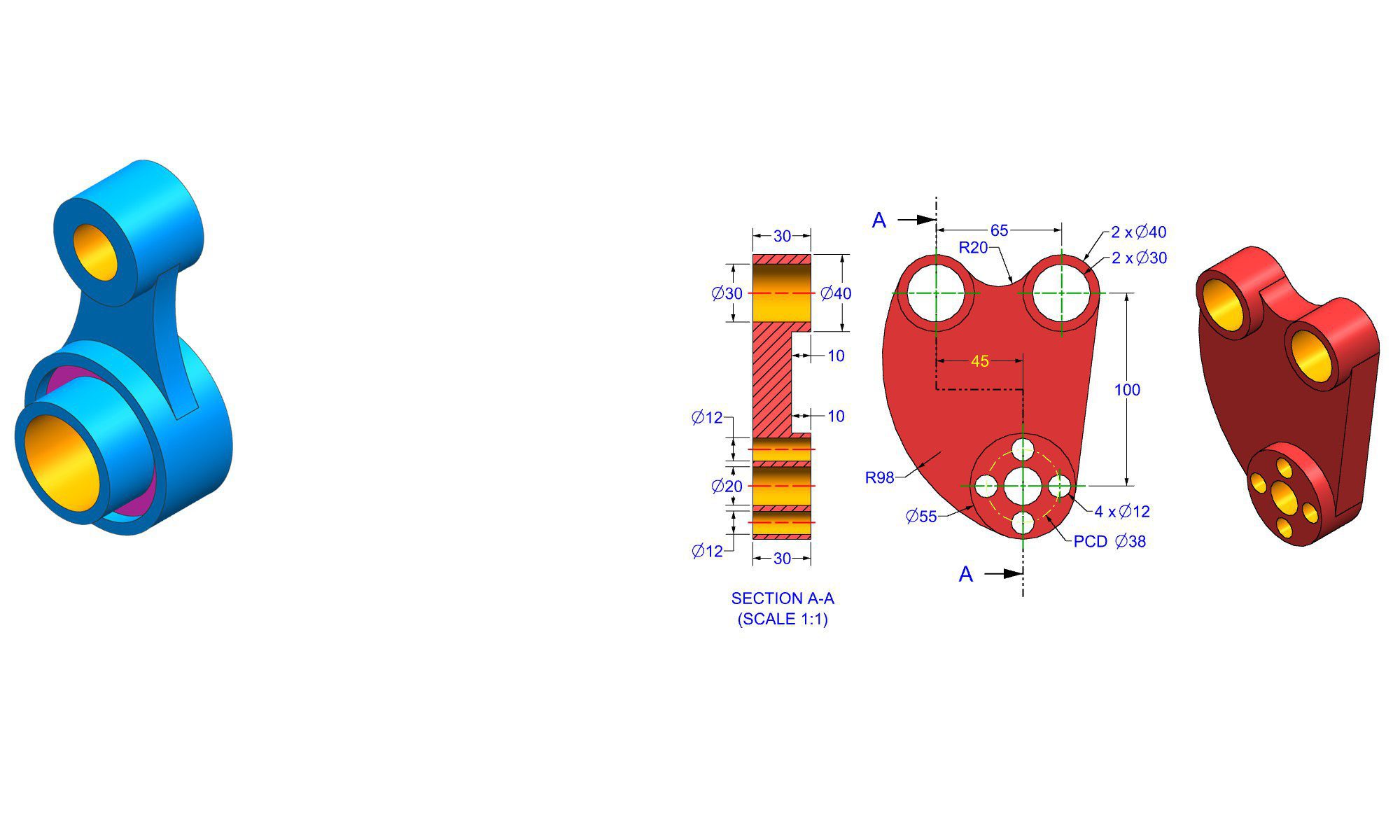

How SolidWorks helps beginners learn design

Introduction

Learning design can feel overwhelming for beginners, especially with complex tools and software options. SolidWorks, a leading CAD (Computer-Aided Design) software, helps beginners learn design effectively. With its intuitive interface and powerful features, SolidWorks simplifies the journey from the initial concept to a detailed 3D model. This blog explores how SolidWorks helps beginners learn design, offering practical steps, real-world examples, common pitfalls, and expert tips. Whether you’re a student, hobbyist, or aspiring engineer, understanding how SolidWorks facilitates learning can empower you to develop essential design skills confidently.

How SolidWorks Helps Beginners Learn Design

SolidWorks bridges the gap between conceptual ideas and detailed technical drawings through an accessible, Structured learning process. It offers tools specifically designed to teach fundamentals, reinforce best practices, and build confidence. Here’s a detailed look at how it helps beginners advance step-by-step.

1. An Intuitive User Interface for Easy Navigation

One of the primary advantages of SolidWorks for beginners is its user-friendly interface.

  • Clean workspace layout with customizable menus
  • Context-sensitive toolbars that appear based on tasks
  • Visual cues and tutorials integrated directly into the environment

This intuitive design prevents newcomers from feeling overwhelmed, enabling focus on fundamental concepts such as sketching and feature creation.

2. Guided Learning with Built-in Tutorials and Resources

SolidWorks includes a comprehensive library of tutorials designed explicitly for beginners.

  • Step-by-step walkthroughs for common tasks (e.g., creating parts, assemblies)
  • Video tutorials embedded within the software
  • Help menus optimized for new users

These resources help beginners learn at their own pace, grasp core concepts, and develop practical skills without needing external courses initially.

3. Simplified 3D Modeling Process

SolidWorks emphasizes a parametric modeling approach, which makes learning process-oriented and approachable.

  • Create models based on dimensions and relationships
  • Edit models by modifying parameters, leading to an understanding of design constraints
  • Visual feedback instantly updates to show the impact of changes

This method teaches beginners how to think analytically about design and gain confidence in modifying models efficiently.

4. Real-World Examples Enhance Learning Effectiveness

Practical application accelerates learning. SolidWorks offers numerous templates and sample projects such as:

  • Designing a simple gear or a mechanical part
  • Creating consumer product prototypes
  • Modeling furniture or household items

Working on these real-world examples enables beginners to understand the relevance of design principles and develop practical skills faster.

5. Focused Learning Modules and Exercises

Many educational institutions and online platforms leverage SolidWorks for structured courses. These courses often include:

  • Progressive modules that introduce new features gradually
  • Hands-on exercises for each module, reinforcing key skills
  • Quizzes and assessments to gauge comprehension

Following such a structured approach helps beginners build a solid foundation in design tools, mechanisms, and engineering principles.

6. Step-by-Step Pathway to Creating a Design

SolidWorks supports a systematic workflow for beginners to develop their projects:

  1. Sketch creation
  2. Dimensioning and constraints
  3. Part feature creation (extrudes, revolves)
  4. Assembly setup
  5. Simulation and analysis (for advanced learners)

Each step provides visual and interactive feedback, making learning more engaging and less intimidating.

7. Common Mistakes Beginners Make and How to Avoid Them

Understanding pitfalls helps learners improve faster. Some common mistakes include:

  • Overcomplicating sketches with unnecessary details
  • Forgetting to fully define sketches, leading to errors
  • Ignoring proper part and assembly organization

Pro tips for beginners include:

  • Keep sketches simple and fully constrained
  • Use symmetry and patterns to streamline designs
  • Regularly save and organize files

8. Tips and Best Practices for Effective Learning

To maximize learning efficiency:

  • Use the available tutorials routinely
  • Practice by replicating real-world projects
  • Don’t hesitate to revisit basic concepts when stuck
  • Join online communities and forums for support
  • Keep exploring advanced features gradually

These strategies help reinforce concepts, deepen understanding, and boost confidence.

9. Comparing SolidWorks with Other CAD Software for Beginners

While SolidWorks is popular among engineering students and professionals, how does it compare with other beginner-friendly CAD tools?

Feature SolidWorks Fusion 360 TinkerCAD
User Interface Intuitive, professional Modern, simple Very easy, drag-and-drop
Learning Curve Moderate Gentle Very minimal
Functionality Advanced parametric modeling Cloud-based, collaborative Basic 3D modeling
Industry Relevance High (engineering, manufacturing) Growing, popular in design Educational, hobbyist
Cost Paid (free for students/community) Free (for hobbyists/students) Free

SolidWorks stands out for its robustness, making it suitable for students aiming for industry careers.

Conclusion

SolidWorks plays a pivotal role in helping beginners learn design effectively. Its user-friendly interface, rich tutorials, real-world examples, and structured workflow create an empowering environment for new users. By breaking down complex concepts into manageable steps, SolidWorks fosters confidence and skill development—paving the way for more advanced engineering and design projects. Whether you are just starting or looking to deepen your understanding, harnessing SolidWorks’s features can significantly accelerate your learning journey and set a firm foundation for your design career.

FAQ

1. What are the main benefits of using SolidWorks for beginners?

Ans: SolidWorks provides an intuitive interface, comprehensive tutorials, and a structured workflow that simplify learning 3D modeling and design fundamentals for beginners.

2. Can I learn SolidWorks without prior experience in CAD software?

Ans: Yes, SolidWorks is designed to be accessible for new users, especially with its beginner tutorials and guided learning resources.

3. How long does it typically take to learn the basics of SolidWorks?

Ans: Basic proficiency can be achieved within a few weeks of consistent practice, depending on the user’s dedication and prior experience.

4. Are there free resources or trial versions to begin learning SolidWorks?

Ans: Yes, SolidWorks offers free student licenses, and there are many online tutorials and community forums available for free.

5. Is SolidWorks suitable for learning advanced design concepts later on?

Ans: Absolutely, SolidWorks has advanced features like simulations, motion studies, and complex assemblies that support advanced learning.

6. What common mistakes should beginners avoid when using SolidWorks?

Ans: Beginners often overcomplicate sketches, fail to fully define sketches, or poorly organize files—these can be mitigated by practicing best sketching and organization habits.

7. How can I effectively practice and improve my SolidWorks skills?

Ans: Regularly work on real-world projects, utilize tutorials, participate in online forums, and progressively challenge yourself with more complex designs.

Industries that commonly use SolidWorks

Introduction

SolidWorks is one of the most popular CAD (Computer-Aided Design) software platforms utilized globally. Known for its robust features and user-friendly interface, it allows engineers, designers, and manufacturers to create detailed 3D models, simulations, and engineering drawings. Because of its versatility, SolidWorks is widely adopted across a range of industries to streamline product development, improve precision, and accelerate time-to-market.

If you’re exploring where SolidWorks is most often used or considering integrating it into your workflow, understanding its primary industry applications is essential. This guide offers an in-depth overview of the industries that commonly use SolidWorks, highlighting their specific use cases, benefits, and best practices.

Industries That Commonly Use SolidWorks

SolidWorks is highly adaptable, making it suitable for various sectors. Here, we explore the key industries leveraging SolidWorks and how they harness its capabilities to transform their engineering and design processes.

1. Mechanical Engineering and Product Design

Mechanical engineering is arguably the largest adopter of SolidWorks, thanks to its powerful tools for designing complex machinery and components.

  • Creating detailed 3D models of mechanical parts
  • Performing motion simulations to analyze moving components
  • Conducting stress and thermal analysis
  • Developing prototypes before manufacturing

Examples of use:

  • Designing automotive components such as engine parts or suspension systems
  • Creating equipment for manufacturing plants like conveyor systems
  • Developing consumer products, including tools and appliances

Common challenges & solutions:

  • Precise dimensioning is crucial; use SolidWorks’ measurement tools to avoid design errors.
  • Misinterpretation of complex assemblies can occur; utilize exploded views for clarity.

Best practices:

  • Use parametric modeling to quickly update designs
  • Incorporate simulation features early to catch potential issues

2. Automotive and Aerospace Industries

The automotive and aerospace sectors depend heavily on precise, innovative designs and simulations, making SolidWorks a natural fit.

  • Design of vehicle chassis, interior components, and aeronautical structures
  • Aerodynamic flow simulations for improving efficiency
  • Crash tests and performance validation through finite element analysis (FEA)
  • Creating detailed manufacturing drawings for complex assemblies

Real-world example:

  • Automakers use SolidWorks to develop lightweight yet durable vehicle parts, reducing weight and improving fuel efficiency.

Advantages for these industries:

  • Enhances collaboration among multidisciplinary teams
  • Accelerates the prototyping and testing processes

Tips:

  • Utilize SolidWorks Simulation for airflow and structural integrity analyses
  • Keep designs compliant with safety and regulatory standards

3. Electronics and Electrical Engineering

While primarily mechanical in nature, the electronics industry increasingly uses SolidWorks, especially with its Electrical 3D integration capabilities.

  • Designing enclosures, brackets, and mounting solutions
  • Integrating electrical components into mechanical assemblies
  • Creating detailed exploded views for assembly instructions
  • Generating manufacturing data for PCB enclosures

Benefits:

  • Synchronization of electrical and mechanical design reduces errors
  • Facilitates rapid iterations of product prototypes

Workflow tip:

  • Combine SolidWorks CAD models with electrical schematics for seamless integration

4. Industrial Equipment and Machinery Manufacturing

Manufacturers of industrial equipment rely on SolidWorks to develop durable, efficient, and customizable machinery.

  • Designing industrial robots, conveyor systems, and packaging machinery
  • Simulation of stress, load, and fatigue to ensure durability
  • Developing detailed assembly instructions
  • Material selection and cost estimation

Real-world example:

  • Companies designing automated bottling lines use SolidWorks to optimize machine movement and throughput.

Best practices:

  • Use detailed assembly simulations to detect interference issues
  • Implement standard component libraries for efficiency

5. Medical Devices and Healthcare Equipment

The medical industry benefits from SolidWorks’ precision and ability to create complex geometries, especially for custom or small-batch products.

  • Designing surgical instruments, prosthetics, and implants
  • Analyzing load-bearing capabilities for patient safety
  • Creating highly detailed models for manufacturing
  • Complying with regulatory standards through precise documentation

Advantages:

  • Streamlined collaboration with regulatory bodies
  • Accelerated development cycles for innovative devices

Pro tip:

  • Leverage simulation tools to validate biocompatibility and safety

6. Consumer Goods and Electronics

For manufacturers of consumer electronics, appliances, and gadgets, SolidWorks facilitates innovative design and rapid prototyping.

  • Developing ergonomic shapes and aesthetic features
  • Fine-tuning internal layouts of devices
  • Ensuring manufacturability with detailed tooling and mold designs
  • Testing durability through virtual simulations

Example:

  • Designing sleek smartphones or wearable devices with intricate internal components.

Best practices:

  • Use surface modeling for aesthetic shell designs
  • Incorporate prototyping to evaluate look, feel, and functionality early

7. Marine and Heavy Equipment

Maritime and heavy equipment manufacturing require durable, corrosion-resistant, and high-performance designs.

  • Building ship structures, propellers, and engine parts
  • Analyzing hydrodynamics and structural integrity
  • Creating assembly and maintenance documentation

Unique challenges:

  • Harsh environments demand corrosion-resistant materials; design must reflect this.
  • Precise weight calculations are crucial for stability.

Solution:

  • Use SolidWorks simulation for environmental stress testing
  • Integrate specialized modules for large assemblies

How Industries Maximize SolidWorks Usage

While each industry has specific workflows, some common strategies help maximize SolidWorks’ potential:

  • Training and continuous learning for specialized features
  • Using libraries and templates to standardize designs
  • Embracing simulation early to prevent costly errors later
  • Collaborating through PDM (Product Data Management) systems for version control
  • Automating repetitive tasks with macros or custom add-ins

Comparing SolidWorks with Other CAD Software

Choosing the right CAD tool is essential. Here’s how SolidWorks stacks up compared to alternatives:

Feature SolidWorks AutoCAD Fusion 360 CATIA
Best for parametric modeling Yes No Yes Yes
Industry focus Mechanical, aerospace, automotive Architectural, civil Small to medium product design Aerospace, automotive
Ease of use Beginner-friendly Moderate Moderate Complex
Simulation capabilities Extensive Limited Integrated Advanced

Final thought: SolidWorks is a versatile, industry-standard CAD solution suited for engineering, manufacturing, and product design. Its extensive features make it a preferred choice across many sectors.

Conclusion

SolidWorks remains one of the most widely used CAD platforms across diverse industries. From mechanical engineering and automotive design to medical devices and consumer electronics, its capabilities enable professionals to innovate, optimize, and streamline their design processes.

Understanding the specific applications of SolidWorks in your industry can unlock new efficiencies and ensure your products meet the highest standards of quality and performance. Whether you’re developing complex machinery or innovative medical tools, SolidWorks provides the tools needed to bring your ideas to life.


FAQ

1. What industries benefit most from using SolidWorks?

Ans : Mechanical engineering, automotive, aerospace, electronics, medical devices, and consumer goods industries benefit most from SolidWorks.

2. Can SolidWorks handle complex assemblies?

Ans : Yes, SolidWorks is designed to efficiently manage complex 3D assemblies with thousands of parts.

3. Is SolidWorks suitable for beginners?

Ans : Yes, SolidWorks has a user-friendly interface and plenty of learning resources suitable for beginners.

4. Does SolidWorks include simulation tools?

Ans : Yes, SolidWorks offers integrated simulation tools for stress analysis, thermal simulations, and motion studies.

5. How does SolidWorks improve product development?

Ans : It streamlines design, fosters collaboration, reduces errors through simulation, and accelerates prototyping.

6. What are some common mistakes when using SolidWorks in industries?

Ans : Poor model organization, neglecting simulation early, and insufficient documentation are common mistakes to avoid.

7. Can SolidWorks be integrated with other engineering tools?

Ans : Yes, SolidWorks can be integrated with various PLM, CAE, and CAM systems to enhance workflows.

Where SolidWorks is used in real life

Introduction

SolidWorks is a powerful 3D CAD (Computer-Aided Design) software widely used in product design, engineering, and manufacturing. Its versatility allows engineers and designers to create detailed models, simulate real-world physics, and optimize their products before production. Many industries rely on SolidWorks to develop innovative solutions, improve efficiency, and reduce costs. In this blog post, we explore where SolidWorks is used in real life to demonstrate its practical applications across various sectors, highlighting how it transforms ideas into tangible products.

Industries That Use SolidWorks in Real Life

SolidWorks plays a crucial role in multiple industries—from aerospace to consumer electronics. Its ability to handle complex designs, perform simulations, and generate precise technical drawings makes it indispensable for many professionals.

1. Aerospace and Defense

The aerospace industry demands high precision, safety, and compliance with strict standards. SolidWorks helps engineers design aircraft components, spacecraft parts, and defense equipment with detailed accuracy.

  • Design and analysis of aerostructures like wings, fuselage panels, and interior components.
  • Simulation of airflow, stress, and thermal effects to optimize performance.
  • Creating detailed assembly models and technical documentation for manufacturing and maintenance.

Real-world example: Boeing uses SolidWorks for designing various aircraft components, ensuring they meet safety standards while reducing prototype costs through virtual testing.

2. Automotive Industry

Auto manufacturers utilize SolidWorks to develop parts, assemblies, and entire vehicle models. The software enables simulation of vehicle dynamics, crash tests, and thermal analysis.

  • Designing engine parts, chassis, and interior components.
  • Conducting FEA (Finite Element Analysis) to predict structural strength and durability.
  • Prototyping new vehicle concepts with virtual prototypes.

Practical tip: Automakers often use SolidWorks in conjunction with other simulation tools like SolidWorks Simulation and Flow Simulation to validate designs.

3. Industrial Equipment and Machinery

Manufacturers of industrial machinery leverage SolidWorks for the creation of complex mechanical systems.

  • Designing hydraulic systems and mechanical linkages.
  • Simulating motion, stress, and fatigue to improve durability.
  • Generating detailed manufacturing drawings and assembly instructions.

Common mistake: Not performing simulations early can lead to costly redesigns later. Always integrate analysis into your workflow.

4. Electronics and Consumer Products

SolidWorks, especially with the SolidWorks PCB extension, is vital for designing electronic devices and consumer products.

  • Creating enclosures, bezels, and mounting solutions.
  • Integrating electronic circuit layouts with mechanical parts.
  • Simulating thermal management for electronic components.

Example: Consumer electronics companies design smartphones, smart home devices, and wearables using SolidWorks for form factor optimization.

5. Medical Devices

The medical sector relies heavily on SolidWorks for designing safe, compliant, and effective devices.

  • Developing surgical tools, prosthetics, and diagnostic equipment.
  • Conducting simulations to ensure sterilization, biocompatibility, and safety.
  • Creating detailed models for additive manufacturing (3D printing) of custom implants.

Insight: Early-stage design validation reduces time-to-market and ensures compliance with medical standards.

6. Consumer Electronics and Appliance Design

From kitchen appliances to wearable tech, product designers use SolidWorks to bring innovative ideas to life.

  • Developing product enclosures, internal mechanisms, and aesthetic features.
  • Performing ergonomic analysis to enhance user experience.
  • Conducting thermal and electromagnetic simulations for functional optimization.

Tip: Use Rendered images for presentations to stakeholders to better communicate your design concept.

Step-by-step in Using SolidWorks in a Real-World Project

To understand how SolidWorks is practically used, let’s walk through a typical project workflow.

1. Conceptual Design

  • Sketch initial ideas and create rough 3D models.
  • Use early CAD models to evaluate form factors and basic structure.

2. Detailed Modeling

  • Develop precise 3D models of parts and assemblies.
  • Apply dimensions, mates, and constraints to define relationships.

3. Simulation & Analysis

  • Use SolidWorks Simulation to perform FEA on stress, strain, and deformation.
  • Run Computational Fluid Dynamics (CFD) for airflow or fluid analysis.

4. Prototype & Testing

  • Generate 3D printing or CNC-ready files.
  • Build physical prototypes for testing and validation.

5. Design Optimization

  • Refine designs based on testing feedback.
  • Iterate through simulation and redesign until optimal.

6. Manufacturing Documentation

  • Create detailed drawings, BOMs (Bill of Materials), and assembly instructions.
  • Export files compatible with manufacturing tools and procedures.

Common mistakes to avoid:

  • Skipping simulation steps, leading to unanticipated failures.
  • Overcomplicating models, making manufacturing difficult.
  • Not collaborating effectively with teams, leading to miscommunication.

Comparing SolidWorks with Other CAD Software

While SolidWorks is popular, other CAD tools are also used in industry. Here’s a quick comparison:

Feature SolidWorks AutoCAD Fusion 360 CATIA
Ease of Use User-friendly, beginner-friendly Steeper learning curve Intuitive, cloud-enabled Complex, for high-end design
Industry Focus Mechanical, product design Architecture, drafting SME, prototyping Aerospace, automotive, complex systems
Simulation Capabilities Extensive (FEA, flow, motion) Limited Growing (simulation add-ons) Advanced, suited for large-scale systems
Cost Commercial, subscription-based Often licenses, lower cost Subscription-based High cost, for enterprise use

Best Practices When Using SolidWorks in Real-Life Projects

  • Plan your design early: Visualize all components and relationships.
  • Use proper naming conventions: Facilitate team collaboration.
  • Leverage configurations: Save different design options within a single model.
  • Incorporate simulations early: Catch issues before manufacturing.
  • Collaborate and review: Share models with teammates for feedback.
  • Keep models organized: Use folders and assembly trees logically.

Conclusion

SolidWorks is an essential tool in many industries, from aerospace and automotive to medical devices and consumer products. Its ability to accurately design, simulate, and document products accelerates development cycles, enhances innovation, and reduces costs. Whether designing complex machinery or simple consumer gadgets, SolidWorks enables engineers and designers to bring ideas to life efficiently and effectively. Understanding its real-world applications underscores its importance as a versatile, industry-standard CAD solution.


FAQ

1. What industries commonly use SolidWorks in their daily operations?

Ans: Aerospace, automotive, medical devices, industrial equipment, consumer electronics, and machinery manufacturing.

2. How does SolidWorks help in reducing product development costs?

Ans: By enabling virtual prototyping, simulations, and analysis, it reduces the need for physical prototypes and minimizes costly redesigns.

3. Can SolidWorks be used for simulation purposes?

Ans: Yes, SolidWorks includes robust simulation tools like FEA, fluid flow, and thermal analysis for product validation.

4. Is SolidWorks suitable for beginners?

Ans: Yes, SolidWorks has a user-friendly interface with tutorials, making it accessible for beginners and students.

5. How does SolidWorks integrate with manufacturing processes?

Ans: It generates detailed drawings, BOMs, and CAD files compatible with CNC machines, 3D printers, and other manufacturing tools.

6. Is SolidWorks only used for mechanical design?

Ans: While it’s primarily used for mechanical design, SolidWorks also supports electrical, electronic, and complex system integration with add-ons.

7. Can SolidWorks be used for creating prototypes?

Ans: Yes, SolidWorks models can be exported for 3D printing or CNC machining, making them ideal for prototyping.


By understanding where SolidWorks is used in real life, professionals across industries can leverage its capabilities to drive innovation, improve product quality, and streamline workflows. Whether you’re designing a simple component or a complex system, SolidWorks offers a comprehensive platform to turn ideas into reality.

Why beginners use SolidWorks for 3D design

Introduction

SolidWorks has become one of the most popular computer-aided design (CAD) software solutions for 3D modeling, especially among beginners. Its intuitive user interface, comprehensive feature set, and supportive community make it a top choice for those new to 3D design. Whether you’re an aspiring engineer, product designer, or hobbyist, understanding why beginners gravitate toward SolidWorks can help you decide if it’s the right tool for your projects. In this in-depth guide, we explore the many reasons why beginners prefer SolidWorks for 3D design, how to get started effectively, and the benefits it offers compared to other CAD software.

Why Beginners Use SolidWorks for 3D Design

SolidWorks is widely regarded as an accessible yet professional CAD platform that caters to users at all skill levels. For beginners, its straightforward approach combined with powerful features offers an excellent balance of ease of use and functionality. Here’s why many new users select SolidWorks when venturing into 3D design.

1. User-Friendly Interface and Learning Curve

SolidWorks features a clean, organized interface that minimizes clutter, making it easier for beginners to navigate. The layout resembles traditional engineering drawings, which helps new users quickly understand the workflow.

  • The intuitive toolbar design simplifies access to commonly used tools.
  • Context-sensitive menus reduce irrelevant options.
  • Clear visualization aids guide new users through modeling steps.

Transition words like “furthermore” and “moreover” make it easier for beginners to follow tutorials and learn the software efficiently.

2. Extensive Learning Resources and Community Support

Beginners benefit greatly from the wealth of tutorials, guides, and forums available for SolidWorks.

  • Official training courses, both online and in-person.
  • Community forums where users share tips, troubleshooting advice, and example projects.
  • YouTube channels dedicated to SolidWorks tutorials.

This abundance of resources accelerates the learning process and helps beginners overcome common obstacles.

3. Powerful yet Simpler to Use Compared to Other CAD Software

While professional CAD tools like CATIA or Siemens NX offer advanced features, they often come with steep learning curves.

  • SolidWorks strikes a balance by providing comprehensive tools suitable for beginner projects.
  • Parametric modeling allows users to make easily adjustable designs.
  • Predefined templates help users start projects without setting everything from scratch.

4. Cost-Effective Options for Students and Hobbyists

SolidWorks offers special licensing programs for students, educational institutions, and hobbyists. These cost-effective licenses make it accessible to those who may find other professional CAD software prohibitively expensive.

  • Student versions are often free or discounted.
  • Educational discounts encourage academic use and skill development.
  • The value offered by SolidWorks justifies the investment, especially for beginners who aim to build foundational skills.

5. Real-World Application and Industry Relevance

Many beginners are motivated by career goals or personal projects that prepare them for industry standards.

  • SolidWorks is widely used in manufacturing, automotive, aerospace, and consumer product design.
  • Learning SolidWorks provides skills that are directly applicable to internships, jobs, or entrepreneurial ventures.
  • Its compatibility with industry-standard file formats ensures seamless collaboration.

6. Visualization and Simulation Capabilities

Beginners often get excited about seeing their designs come to life, and SolidWorks excels in this area.

  • Real-time rendering helps visualize the final product.
  • Basic simulation tools allow users to test stress, motion, and thermal properties.
  • These features help users understand the impact of design choices early in the development process.

7. Simplified Assembly and Part Management

Managing complex assemblies can frighten beginners, but SolidWorks simplifies this through:

  • Easy-to-understand assembly modeling.
  • Drag-and-drop component placement.
  • Automatic detection of interference and fit issues.

This makes it possible for users to create detailed projects without feeling overwhelmed.

How Beginners Can Get Started with SolidWorks

Starting with SolidWorks might seem intimidating, but following a systematic approach makes the learning process manageable.

1. Install and Set Up the Software

  • Download the student or trial version from the official website.
  • Follow the installation wizard, ensuring your computer meets system requirements.
  • Configure basic preferences to suit your workflow.

2. Learn the Basic Tools and Interface

  • Familiarize yourself with the toolbar, feature manager, and command manager.
  • Practice creating simple sketches and extruding them into 3D models.
  • Use tutorials designed specifically for beginners to guide initial exercises.

3. Follow Step-by-Step Tutorials

  • Complete beginner-friendly projects such as modeling a simple bracket or a household item.
  • Focus on understanding essential features like sketches, extrusions, fillets, and chamfers.

4. Practice Creating Parametric Models

  • Experiment with changing dimensions to see how models update automatically.
  • Understand the importance of constraints and relations.

5. Save and Export Your Designs

  • Learn how to save in SolidWorks format and export to common file types such as STEP, IGES, or STL.
  • Practice creating drawings and assemblies for your models.

6. Join the Community and Seek Feedback

  • Share your projects on forums or social media groups.
  • Ask for advice and critique to improve your skills.

Common Mistakes Beginners Make and How to Avoid Them

  • Rushing through tutorials without understanding underlying principles.
  • Skipping over parametric constraints, leading to rigid models.
  • Ignoring proper organization of files and features.
  • Not utilizing available resources and community support.

To avoid these pitfalls, take your time, revisit tutorials, and ask questions.

Tips and Best Practices for Learning SolidWorks

  • Dedicate regular time for practice.
  • Break complex projects into smaller, manageable steps.
  • Use keyboard shortcuts to increase efficiency.
  • Keep models simple before progressing to more intricate designs.
  • Experiment with different features to expand capabilities.

SolidWorks vs. Other CAD Software: A Quick Comparison

Feature SolidWorks Fusion 360 AutoCAD Mechanical
Ease of Use Very beginner-friendly Moderate Moderate
Industry Usage Widely used in manufacturing Growing in popularity Focused on drafting
Cost Educational discounts and affordable licenses Free for students, subscription-based Usually subscription-based
Feature Set Extensive parametric modeling Integrated CAD and CAM Drafting and 2D design
Simulation Capabilities Yes Yes Limited (focused on drafting)

While each software serves different needs, SolidWorks remains a top choice for beginners aiming for industry-relevant skills.

Conclusion

Choosing the right 3D design software is crucial for beginners starting their journey in CAD. SolidWorks stands out due to its user-friendly interface, vast learning resources, industry relevance, and powerful features that are accessible to newcomers. By understanding why many beginners prefer SolidWorks and following best practices to learn it effectively, aspiring designers and engineers can develop strong foundational skills that open doors to future opportunities. Whether for personal projects, education, or launching a career, SolidWorks provides the tools, support, and flexibility beginners need to succeed in 3D design.

FAQ

1. What makes SolidWorks a good CAD program for beginners?

Ans : Its intuitive interface, extensive tutorials, and strong community support make SolidWorks accessible for beginners.

2. Is SolidWorks suitable for learning 3D modeling from scratch?

Ans : Yes, SolidWorks is ideal for beginners to learn 3D modeling due to its user-friendly tools and straightforward workflow.

3. Can I learn SolidWorks without prior CAD experience?

Ans : Absolutely, many beginners start with no prior CAD experience and gradually develop skills through tutorials and practice.

4. What are the key features that help beginners succeed in SolidWorks?

Ans : Easy-to-use sketching tools, parametric modeling, tutorials, and community support are key features.

5. Is SolidWorks expensive for beginners?

Ans : Educational licenses and student discounts make SolidWorks affordable for beginners and students.

6. How long does it take to become proficient in SolidWorks as a beginner?

Ans : Proficiency varies but typically takes a few months of consistent practice and learning.

7. Are there free alternatives to SolidWorks for beginners?

Ans : Yes, options like Fusion 360 and FreeCAD offer free or low-cost CAD solutions suitable for beginners.

What SolidWorks software is in very simple words

What SolidWorks software is in very simple words

Introduction

If you’ve ever wondered what SolidWorks software is in very simple words, you’re not alone. SolidWorks is a popular tool used by engineers, designers, and manufacturers to turn ideas into detailed digital models. In simple terms, it’s software that helps create, visualize, and test 3D objects on a computer. Whether designing a new car part, a household gadget, or a tiny electronic component, SolidWorks makes it easier and faster to turn sketches into real-world products. This blog will guide you through understanding SolidWorks, how it works, and why it’s so widely used.

What Is SolidWorks Software?

SolidWorks is computer-aided design (CAD) software. CAD software allows users to create precise drawings and models of physical objects using a computer. Think of it as a digital sculpting tool—only instead of clay, it uses virtual materials to craft detailed 3D shapes and structures.

In very simple words, SolidWorks is like a digital sketchbook combined with a 3D printer planner. It helps designers and engineers visualize their ideas before they build physical prototypes.

Why Do People Use SolidWorks?

People use SolidWorks for a variety of reasons, including:

  • Creating 3D models of parts and assemblies
  • Making accurate drawings for manufacturing
  • Running simulations to test how a product performs under stress
  • Generating manufacturing instructions like CNC code
  • Collaborating with team members through shared designs

This software streamlines the product development process from the initial idea to final production.

Core Features of SolidWorks

Understanding these key features helps clarify what SolidWorks can do for beginners and professionals alike.

1. 3D Modeling

  • The cornerstone of SolidWorks, allowing users to craft detailed three-dimensional shapes.
  • You start with simple sketches and rebuild complex parts.

2. Assembly Creation

  • Combines multiple parts into a full product.
  • Users can test how parts fit and work together.

3. Drawing Generation

  • Converts 3D models into detailed 2D drawings, essential for manufacturing.
  • Includes dimensions, notes, and annotations.

4. Simulation and Analysis

  • Tests how designs behave under real-world conditions, like pressing, heating, or bending.
  • Helps identify potential issues early.

5. Sheet Metal Design

  • Special tools for designing parts that will be made from sheet metal.
  • Ensures parts can be bent and formed easily.

6. Weldments and Structural Frameworks

  • Design of frames, beams, and other structural elements.
  • Simulates welding and assembly.

7. Rendering and Visualization

  • Creates realistic images or animations of your designs.
  • Useful for presentations and marketing.

8. Compatibility and Sharing

  • Supports importing and exporting files in various formats.
  • Facilitates collaboration across different software platforms.

How Does SolidWorks Work?

Understanding how SolidWorks works in simple terms helps demystify its functionality.

Step-by-Step Process of Using SolidWorks

  1. Starting a New Project
  • Open SolidWorks and select “New Project.”
  • Choose to start with a shape (part), a combination of shapes (assembly), or a drawing.
  1. Creating a Sketch
  • Use simple 2D sketches to define the shape.
  • Sketches include lines, circles, rectangles, and other geometric shapes.
  1. Extruding or Revolving the Sketch
  • Convert 2D sketches into 3D objects.
  • “Extrude” pulls a shape out into a solid.
  • “Revolve” spins a sketch around an axis to create a symmetrical object.
  1. Adding Features
  • Add holes, fillets, chamfers, or cutouts.
  • Use tools to refine your model.
  1. Assembling Parts
  • Combine multiple parts into a complete assembly.
  • Use mates to define how parts fit together.
  1. Simulating and Testing
  • Run simulations to see how your design performs.
  • Adjust models based on results.
  1. Creating Technical Drawings
  • Generate detailed 2D drawings for manufacturing or presentation.

Real-World Example: Designing a Bottle

Imagine designing a plastic water bottle:

  • Start with a sketch of the bottle profile.
  • Use extrusion to make it a 3D shape.
  • Add threads for the cap.
  • Assemble the bottle with a cap part.
  • Run simulation to check if the bottle can withstand pressure.
  • Create detailed drawings for manufacturing.

Practical Steps for Beginners

Getting started with SolidWorks might seem challenging at first, but following these practical steps can help:

  1. Learn Basic Sketching
  • Practice drawing basic shapes like squares and circles.
  • Combine shapes to form more complex profiles.
  1. Master Simple Features
  • Experiment with extrude, cut, fillet, and chamfer commands.
  • Save frequently.
  1. Build Small Projects
  • Design simple objects like a screwdriver or a keychain.
  • Practice assembling multiple parts.
  1. Use Tutorials and Resources
  • Many online tutorials cater to beginners.
  • Follow step-by-step guides to build confidence.

Common Mistakes Beginners Make

  • Overcomplicating sketches early on.
  • Forgetting to properly define dimensions.
  • Not saving work frequently.
  • Ignoring the importance of proper constraints.

Best Practices and Tips

  • Keep sketches simple and fully constrained.
  • Use layers, colors, and folders to organize files.
  • Regularly save your work.
  • Explore shortcut keys for efficiency.
  • Join online communities for support and inspiration.

Comparing SolidWorks to Other CAD Software

Here’s a quick comparison to understand how SolidWorks fits into the CAD world:

Feature/Software SolidWorks AutoCAD Fusion 360 TinkerCAD
User-friendliness Beginner-friendly Moderate Beginner to Intermediate Very beginner-friendly
3D Modeling Yes Limited Yes Limited
Assembly Design Yes No Yes No
Cost Paid Paid Freemium Free
Industry Use Mechanical, Product Design Architecture, Drafting Mechanical, Rapid Prototyping Education, Hobbyists

SolidWorks excels in industrial design, engineering, and complex assemblies compared to many beginner CAD tools.

  • User-friendly interface for a professional tool.
  • Extensive features for comprehensive design workflows.
  • Strong community and support resources.
  • Supports detailed simulation and analysis.
  • Widely used in engineering, manufacturing, and R&D sectors.

Conclusion

In very simple words, SolidWorks is a CAD software that helps turn ideas into detailed 3D digital models. It’s a powerful, versatile tool used by professionals and beginners alike to create, simulate, and prepare designs for manufacturing. Whether designing a small gadget or a large machine, SolidWorks makes complex tasks manageable through intuitive tools and features. Understanding its basic functions can open doors to innovative projects and career opportunities in engineering, product design, and manufacturing.

FAQ

1. What is SolidWorks software in simple words?

Ans: SolidWorks is a computer program that helps designers and engineers create and visualize 3D models of objects on a computer.

2. Do I need prior technical knowledge to use SolidWorks?

Ans: Basic computer skills are helpful, but many tutorials are available for beginners to learn SolidWorks easily.

3. Can I use SolidWorks for free?

Ans: SolidWorks generally requires a paid license; however, students and educators may access free or discounted versions.

4. What industries use SolidWorks most?

Ans: Mechanical engineering, product design, automotive, aerospace, and manufacturing industries.

5. Is SolidWorks difficult for beginners?

Ans: It can seem complex at first, but with practice and tutorials, beginners can learn to use it effectively.