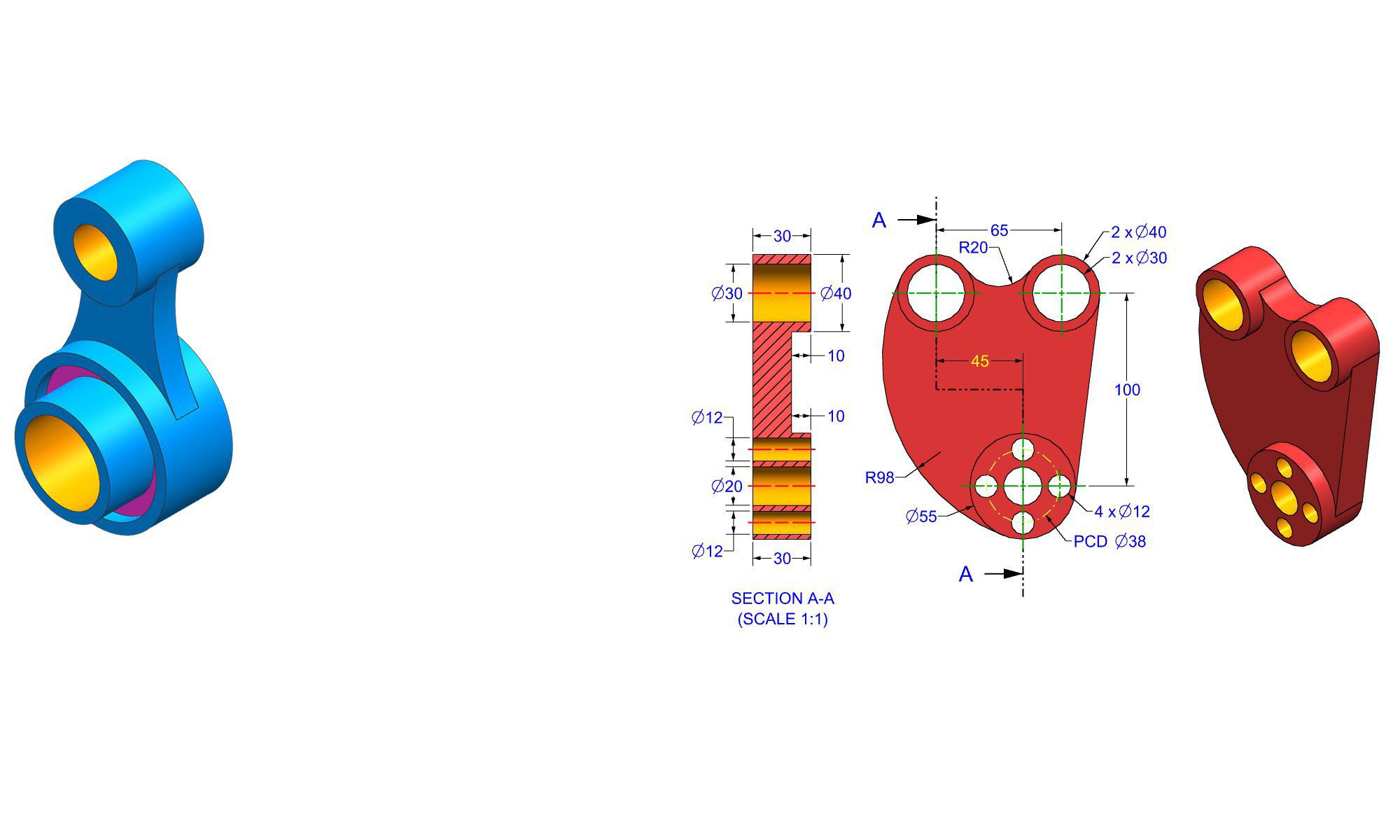

Introduction
Gaining confidence in AutoCAD is crucial for anyone aspiring to become proficient in computer-aided design (CAD). Whether you’re a student, a professional, or a hobbyist, developing your skills can significantly boost your productivity and creativity. AutoCAD is a powerful tool with a steep learning curve, but with the right strategies, you can build your confidence quickly and efficiently. In this guide, we’ll explore practical and actionable tips to help you master AutoCAD, unlock your potential, and eliminate the fear of complex projects. Let’s dive into proven methods to become more confident in using AutoCAD.
Understanding the Importance of Confidence in AutoCAD
Building confidence in AutoCAD isn’t just about knowing commands; it’s about developing a mindset that encourages experimentation, problem-solving, and continuous learning. Confidence helps you troubleshoot effectively, work faster, and produce higher-quality designs. The journey toward mastery involves overcoming common challenges, such as complex interfaces, an overwhelming array of tools, and fear of making mistakes.
Step-by-Step Tips to Gain Confidence in AutoCAD
1. Start with the Fundamentals
Building a solid foundation is essential. Begin by familiarizing yourself with the basic interface, including the ribbon, command line, workspace, and navigation tools.
- Learn how to customize the interface for your workflow.
- Master fundamental commands like line, polyline, circle, rectangle, and erase.
- Practice creating simple 2D drawings and gradually add complexity.
Real-World Example: Create a basic floor plan, focusing on straight lines and simple shapes, to get comfortable with drawing and editing tools.
2. Use Official and Reputable Learning Resources
Leverage high-quality tutorials, courses, and manuals to ensure you’re learning correct techniques.
- Enroll in beginner courses on platforms like LinkedIn Learning, Udemy, or Coursera.
- Follow official AutoCAD tutorials from Autodesk’s website.
- Use supplementary books for reference, such as “AutoCAD for Dummies.”
Pro Tip: Follow along with tutorials actively rather than just watching passively—practice as you learn.
3. Practice Regularly with Purposeful Projects
Practice makes perfect, but purposeful practice accelerates confidence building.
- Set specific projects aligned with your goals—architectural layouts, mechanical parts, or electrical schematics.
- Break projects into manageable tasks—drawing walls, inserting doors, or annotating details.
- Challenge yourself gradually by increasing project complexity.
Tip: Maintain a project journal to track progress and revisit your work to diagnose errors.
4. Break Down Complex Tasks into Smaller Steps
Complex designs can be intimidating. Simplify them into smaller, manageable steps.
- Identify the main components of your project.
- Focus on one component before moving to the next.
- Use layering and grouping to organize components.
Example: When creating a detailed building plan, start with the foundation, then walls, roofs, and finally interior details.
5. Learn and Use Shortcuts and Customizations
Efficiency boosts confidence. Memorizing useful shortcuts saves time and reduces frustration.
- Start with basic shortcuts like “L” for line, “C” for circle, “E” for erase.
- Customize your tool palettes for frequently used commands.
- Use macros or scripts for repetitive tasks.
Pro Tip: Create a cheat sheet of your favorite shortcuts until they become second nature.
6. Challenge Yourself with Realistic Problems
Tackle practical problems frequently faced in your field.
- Redraw existing projects to practice accuracy.
- Modify existing drawings to add details or correct errors.
- Participate in online AutoCAD challenges or communities.
Common Mistake: Avoid rushing. Take your time to analyze problems before executing commands.
7. Seek Feedback and Collaborate
Constructive feedback is vital for growth and confidence.
- Share your drawings with peers or mentors.
- Join AutoCAD forums or local user groups.
- Participate in collaborative projects for real-world experience.
Tip: Be open to critique; view it as a tool to enhance your skills.
8. Use AutoCAD’s Help and Support Features
AutoCAD’s built-in help system is a valuable resource.
- Learn how to access and navigate the Help menu.
- Search for specific commands or tools when in doubt.
- Use the ‘Command Prompt’ to understand command functionalities.
Best Practice: Don’t hesitate to experiment with commands directly during practice.
9. Develop a Project Workflow and Templates
Creating a consistent workflow reduces uncertainty.
- Save templates for different project types.
- Develop standard layer naming conventions.
- Create style palettes for text, dimensions, and hatches.
Benefit: Working within a familiar environment boosts efficiency and confidence.
10. Stay Patient and Maintain a Growth Mindset
Building confidence takes time and effort.
- Celebrate small victories and progress.
- Keep a positive attitude towards mistakes—they’re learning opportunities.
- Regularly review and reflect on your improvements.
Reminder: Consistency beats occasional intense practice. Daily or weekly dedicated time yields the best results.
Essential Best Practices to Boost Confidence
- Master the Command Line: A powerful tool that accelerates workflow once mastered.
- Use Quick Access Toolbar: Keeping frequently used tools handy reduces searching time.
- Customize AutoCAD Interface: Personalization makes your workspace more comfortable.
- Learn to Troubleshoot: Understand common errors and how to fix them without panic.
- Engage with AutoCAD Communities: Sharing experiences and solutions builds knowledge and support.
Common Mistakes to Avoid When Learning AutoCAD
- Jumping into complex projects without understanding fundamentals.
- Relying solely on tutorials without hands-on practice.
- Neglecting to organize drawings with layers and blocks.
- Ignoring shortcuts and customization options.
- Getting discouraged by initial mistakes—view them as part of the learning process.
Comparing AutoCAD with Other CAD Software
| Feature | AutoCAD | SolidWorks | SketchUp |
|---|---|---|---|
| Focus | 2D drafting, 3D modeling | Mechanical design, 3D parametric modeling | 3D modeling, conceptual design |
| Ease of Learning | Moderate | Advanced; requires prior CAD knowledge | Beginner-friendly, intuitive |
| Customization | Highly customizable | Extensive parametric features | Less customizable; focus on visualization |
| Industry Applications | Architecture, engineering, civil | Mechanical, product design | Interior design, architecture, quick visualization |
Note: Choosing the right software depends on your industry and project needs, but mastering AutoCAD confidence techniques benefits most design disciplines.
Conclusion
Gaining confidence in AutoCAD is a gradual process that combines solid foundational knowledge, purposeful practice, and continuous learning. By breaking down complex tasks, leveraging tutorials, practicing regularly, and seeking feedback, you develop not just skill but also a confident mindset. Remember, patience and consistency are your best allies. As you build your trust in AutoCAD’s powerful features, you’ll be able to create precise, professional designs that stand out.
FAQ
1. How long does it take to become confident in AutoCAD?
Ans: It varies depending on the effort and practice frequency, but most beginners notice significant improvement within a few months with consistent learning.
2. What is the most important skill to master in AutoCAD for beginners?
Ans: Learning how to efficiently use the command line and shortcuts to speed up your workflow is essential for building confidence.
3. How can I practice AutoCAD effectively at home?
Ans: Set specific project goals, recreate existing designs, and participate in online challenges or tutorials to practice systematically.
4. What are some common mistakes beginners make in AutoCAD?
Ans: Common mistakes include skipping fundamentals, neglecting organization with layers, and not practicing enough before starting complex projects.
5. How do I stay motivated while learning AutoCAD?
Ans: Celebrate small wins, set achievable milestones, seek support from communities, and remind yourself of your end goals.
6. Is it necessary to learn AutoCAD shortcuts?
Ans: Yes, mastering shortcuts greatly increases efficiency, helping to build confidence by reducing the time spent on commands.
7. What should I do if I feel overwhelmed with AutoCAD features?
Ans: Focus on mastering basic tools first, then gradually explore advanced features, and don’t hesitate to revisit tutorials for clarification.