

TurboCAD Software: Complete Guide for 2D & 3D CAD Design
TurboCAD software is a powerful and flexible CAD solution used for professional 2D drafting and 3D modeling. Whether you are an engineer, architect, product designer, or student, TurboCAD offers advanced design tools at a cost-effective price compared to other CAD platforms.
In this guide, you’ll learn what TurboCAD software is, its key features, how it compares to other CAD tools, and how to use it efficiently for professional design projects.
What Is TurboCAD Software?
TurboCAD software is a computer-aided design (CAD) application developed by IMSI Design. It is widely used for creating technical drawings, floor plans, mechanical designs, and 3D models with high precision.
TurboCAD supports both 2D drafting and 3D surface and solid modeling, making it suitable for a wide range of industries, including architecture, manufacturing, construction, and engineering.
Why Choose TurboCAD Software for CAD Design?
TurboCAD software stands out because it combines professional-level tools with affordable pricing. Unlike many subscription-based CAD tools, TurboCAD offers perpetual licenses, making it a popular choice for independent designers and small businesses.
Key Benefits of TurboCAD Software
-
Cost-effective alternative to premium CAD tools
-
Advanced 2D and 3D design capabilities
-
High compatibility with DWG and DXF files
-
Customizable user interface
-
Suitable for beginners and professionals
Key Features of TurboCAD Software
TurboCAD software includes a wide range of features designed to improve productivity and design accuracy.
1. Advanced 2D Drafting Tools
TurboCAD provides precise drafting tools such as:
-
Smart dimensioning
-
Layers and object snapping
-
Parametric constraints
-
Annotation and text tools
These tools help users create accurate technical drawings for construction and manufacturing.
2. Powerful 3D Modeling Capabilities
With TurboCAD software, you can create:
-
Solid and surface models
-
Extrusions, sweeps, and lofts
-
Boolean operations
-
Photorealistic renderings
This makes TurboCAD suitable for product design and mechanical modeling.
3. File Compatibility and Import/Export
TurboCAD supports:
-
DWG / DXF
-
STL
-
SKP
-
PDF
-
OBJ
This ensures seamless collaboration with users of other CAD software.
4. Customization and Automation
TurboCAD allows users to:
-
Customize tool palettes
-
Use scripts for repetitive tasks
-
Modify shortcuts and UI layouts
TurboCAD Software Versions Explained
TurboCAD software is available in multiple versions to suit different user needs.
TurboCAD Deluxe
-
Ideal for beginners and hobbyists
-
Strong 2D drafting tools
-
Basic 3D modeling features
TurboCAD Expert
-
Advanced 3D modeling tools
-
Architectural and mechanical features
-
Best for professionals and businesses
How to Get Started with TurboCAD Software
Getting started with TurboCAD software is simple, even for beginners.
Step 1: Install TurboCAD
Download TurboCAD from the official IMSI Design website and choose the version that matches your requirements.
Step 2: Learn the Interface
TurboCAD uses a command-based interface similar to other CAD platforms, making it easier for experienced CAD users to adapt.
Step 3: Create Your First Drawing
Start with a simple 2D sketch, then gradually move to 3D modeling as you become comfortable with the tools.
Best Practices for Using TurboCAD Software
To get the most out of TurboCAD software, follow these best practices:
-
Use layers to organize drawings
-
Save custom templates for repeated projects
-
Learn keyboard shortcuts for faster workflow
-
Regularly update and backup your files
-
Optimize render settings for better performance
TurboCAD vs Other CAD Software
When compared to other CAD tools like AutoCAD or Fusion 360, TurboCAD software offers:
| Feature | TurboCAD | Other CAD Tools |
|---|---|---|
| Pricing | One-time license | Subscription-based |
| 2D Drafting | Excellent | Excellent |
| 3D Modeling | Strong | Strong |
| Learning Curve | Moderate | Moderate to High |
TurboCAD is an excellent choice for users looking for professional features without recurring costs.
Who Should Use TurboCAD Software?
TurboCAD software is ideal for:
-
Architects and engineers
-
Mechanical designers
-
Interior designers
-
Students and educators
-
Small businesses and freelancers
Common Mistakes to Avoid in TurboCAD
-
Ignoring layer management
-
Not using object snaps
-
Overcomplicating early designs
-
Forgetting to optimize file exports
Avoiding these mistakes will significantly improve your productivity.
Conclusion: Is TurboCAD Software Worth It?
TurboCAD software is a powerful, affordable, and versatile CAD solution for both 2D drafting and 3D modeling. Its professional tools, flexible licensing, and wide file compatibility make it an excellent choice for designers who want full control without ongoing subscription costs.
If you are looking for a reliable CAD tool that balances performance, features, and cost, TurboCAD software is definitely worth considering.
End of Blog
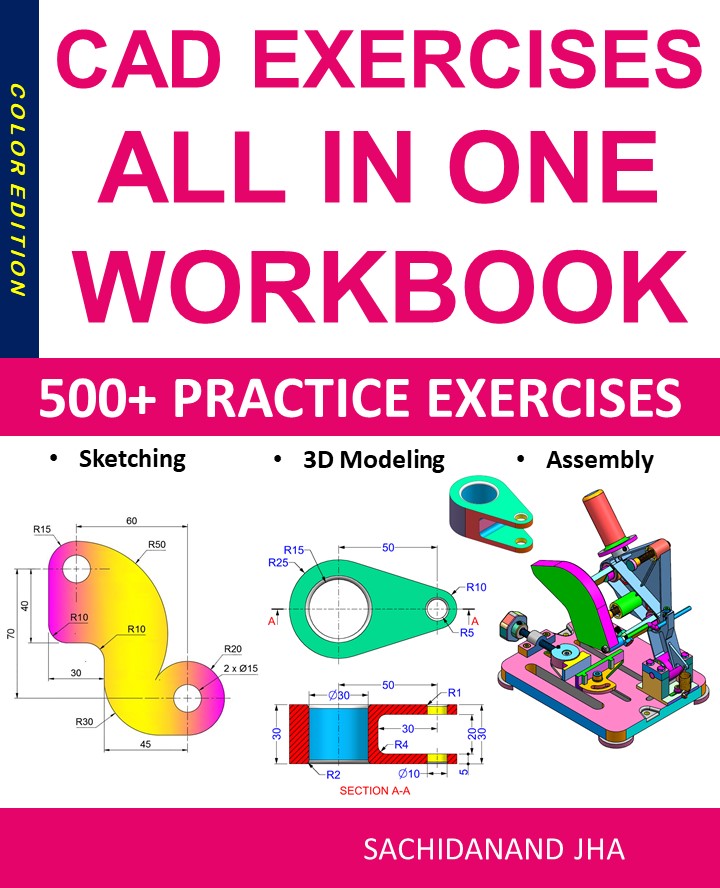
CAD EXERCISES All-in-One Workbook
500+ Practice Exercises to Master CAD Through Real-World Practice!
This all-in-one workbook is your ultimate resource to develop hands-on CAD skills using any CAD software.Whether you’re a student, engineer, hobbyist, or professional, this guide is designed to help you gain real design confidence through structured, practice-oriented exercises.
What’s Inside this Book:
- 200 2D Sketching Exercises – Build a strong foundation in dimension-driven 2D geometry and technical drawings
- 200 3D Modeling Exercises – Practice modeling real-world parts, from simple shapes to complex components.
- Multi-Part Assembly Projects – Understand how parts fit together and create full assemblies with detailed drawings
🎯 Why This Book?
- 500+ practice exercises following real design standards
- Designed for self-paced learning & independent practice
- Perfect for classrooms, technical interview preparation, and personal projects
- Covers 2D Sketching, 3D Modeling & Assembly Design in one workbook
- Trusted by 15,000+ CAD learners worldwide