Computer-Aided Design (CAD): Complete Guide to Modern CAD Software in 2026

Computer-Aided Design (CAD): A Complete Guide to Modern CAD Software

Computer-Aided Design (CAD) is one of the most important technologies in modern engineering, architecture, and product development. From designing simple mechanical parts to creating complex architectural structures and advanced aerospace components, CAD software has revolutionized the way ideas are visualized, tested, and manufactured.

In this comprehensive guide, we’ll explore what CAD is, how it works, its benefits, major applications, and the best CAD software available today.


What Is Computer-Aided Design (CAD)?

Computer-Aided Design (CAD) refers to the use of computer software to create, modify, analyze, and optimize designs. CAD replaces traditional manual drafting with digital models, allowing designers to work faster, more accurately, and with greater flexibility.

CAD designs can be:

  • 2D drawings (floor plans, schematics, technical drawings)

  • 3D models (solid models, assemblies, surface designs)

Modern CAD tools support parametric modeling, simulation, rendering, and direct integration with manufacturing processes.


Why CAD Software Is Essential Today

CAD software has become an industry standard because it offers significant advantages over manual design methods.

Key Benefits of CAD

  1. High Accuracy and Precision
    CAD eliminates human measurement errors and ensures exact dimensions.

  2. Faster Design Process
    Designs can be modified instantly without redrawing from scratch.

  3. Better Visualization
    3D models help stakeholders understand designs before production.

  4. Easy Collaboration
    CAD files can be shared globally, improving teamwork and version control.

  5. Cost Reduction
    Early error detection reduces manufacturing and material waste.


Types of CAD Software

CAD software can be categorized based on industry and functionality.

1. 2D CAD Software

Used mainly for drafting and documentation.

  • Examples: AutoCAD (2D), LibreCAD

2. 3D CAD Software

Used for modeling real-world objects and assemblies.

  • Examples: SolidWorks, Fusion 360, FreeCAD

3. Parametric CAD

Allows changes by modifying parameters and constraints.

  • Ideal for mechanical and product design

4. Direct Modeling CAD

Allows free-form geometry editing without constraints.

  • Useful for concept design and quick iterations


Applications of CAD Across Industries

Engineering and Manufacturing

Mechanical engineers use CAD to design parts, assemblies, and tools. CAD integrates with CAM (Computer-Aided Manufacturing) to produce CNC-ready models.

Architecture and Construction

Architects rely on CAD for floor plans, elevations, and 3D building models. It helps visualize spaces and comply with regulations.

Product Design

Industrial designers use CAD to prototype consumer products, electronics, and furniture with realistic materials and dimensions.

Automotive and Aerospace

CAD plays a critical role in vehicle and aircraft design, ensuring safety, performance, and aerodynamic efficiency.

Education and Research

Students and researchers use CAD to learn design principles and experiment with virtual models.


Best CAD Software in 2026

Here are some of the most popular and powerful CAD tools used today:

AutoCAD

  • Industry standard for 2D and 3D drafting

  • Widely used in architecture and engineering

SolidWorks

  • Excellent for mechanical and parametric modeling

  • Strong simulation and assembly tools

Fusion 360

  • Cloud-based CAD with CAM and CAE integration

  • Ideal for startups and product designers

FreeCAD

  • Open-source and free

  • Best for beginners and budget-conscious professionals

CATIA

  • Advanced CAD for aerospace and automotive industries

  • High-end surface modeling capabilities


CAD and the Future of Design

CAD technology continues to evolve rapidly. Some emerging trends include:

  • Cloud-based CAD for real-time collaboration

  • AI-assisted design for automated optimization

  • Generative design to explore multiple design solutions

  • AR/VR integration for immersive design reviews

  • Seamless CAD-to-3D-printing workflows

These innovations are making CAD more powerful, accessible, and intelligent than ever before.


How to Choose the Right CAD Software

When selecting CAD software, consider:

  • Your industry and use case

  • Required features (2D, 3D, simulation, rendering)

  • Budget and licensing model

  • Learning curve and community support

  • Compatibility with other tools

For beginners, free or affordable tools like FreeCAD or Fusion 360 are excellent starting points. Professionals may prefer industry-standard solutions like SolidWorks or AutoCAD.


Final Thoughts

Computer-Aided Design (CAD) is the backbone of modern design and manufacturing. Whether you’re an engineer, architect, student, or product designer, mastering CAD software opens doors to innovation, efficiency, and career growth.

As industries continue to adopt digital workflows, CAD skills will remain in high demand. Investing time in learning the right CAD tools today can significantly impact your professional future.
CAD Exercises Workbook Cover

Buy Now For $27.99

After purchasing, a download link will be sent instantly to your email.

Are you a student or financially struggling? Get this bundle for $19.99

Offer for Students Buy Now For $19.99
Buy Paperback on Amazon.com

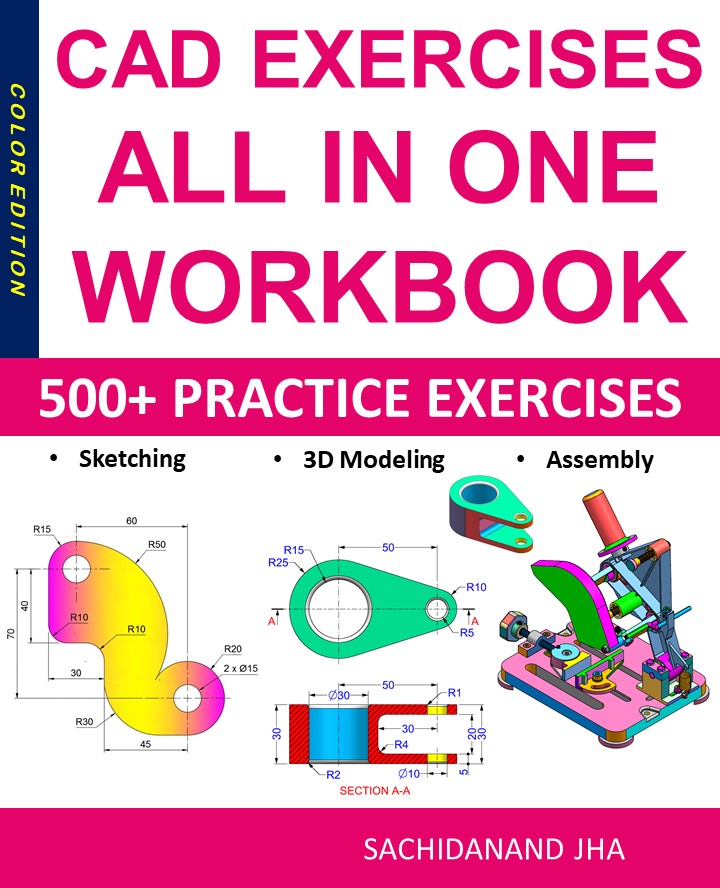
CAD EXERCISES All-in-One Workbook

500+ Practice Exercises to Master CAD Through Real-World Practice!

This all-in-one workbook is your ultimate resource to develop hands-on CAD skills using any CAD software.

What’s Inside this Book:

  • 200 2D Sketching Exercises – Build a strong foundation in dimension-driven 2D geometry andtechnical drawings
  • 200 3D Modeling Exercises – Practice modeling real-world parts, from simple shapes to complex components.
  • Multi-Part Assembly Projects – Understand how parts fit together and create full assemblies with detailed drawings

🎯 Why This Book?

  • 500+ practice exercises following real design standards
  • Designed for self-paced learning & independent practice
  • Covers 2D Sketching, 3D Modeling & Assembly Design in one workbook
  • Trusted by 15,000+ CAD learners worldwide

Computer-Aided Design (CAD): Complete Guide to Modern CAD Software in 2026

Computer-Aided Design (CAD): A Complete Guide to Modern CAD Software

Computer-Aided Design (CAD) is one of the most important technologies in modern engineering, architecture, and product development. From designing simple mechanical parts to creating complex architectural structures and advanced aerospace components, CAD software has revolutionized the way ideas are visualized, tested, and manufactured.

In this comprehensive guide, we’ll explore what CAD is, how it works, its benefits, major applications, and the best CAD software available today.


What Is Computer-Aided Design (CAD)?

Computer-Aided Design (CAD) refers to the use of computer software to create, modify, analyze, and optimize designs. CAD replaces traditional manual drafting with digital models, allowing designers to work faster, more accurately, and with greater flexibility.

CAD designs can be:

  • 2D drawings (floor plans, schematics, technical drawings)

  • 3D models (solid models, assemblies, surface designs)

Modern CAD tools support parametric modeling, simulation, rendering, and direct integration with manufacturing processes.


Why CAD Software Is Essential Today

CAD software has become an industry standard because it offers significant advantages over manual design methods.

Key Benefits of CAD

  1. High Accuracy and Precision
    CAD eliminates human measurement errors and ensures exact dimensions.

  2. Faster Design Process
    Designs can be modified instantly without redrawing from scratch.

  3. Better Visualization
    3D models help stakeholders understand designs before production.

  4. Easy Collaboration
    CAD files can be shared globally, improving teamwork and version control.

  5. Cost Reduction
    Early error detection reduces manufacturing and material waste.


Types of CAD Software

CAD software can be categorized based on industry and functionality.

1. 2D CAD Software

Used mainly for drafting and documentation.

  • Examples: AutoCAD (2D), LibreCAD

2. 3D CAD Software

Used for modeling real-world objects and assemblies.

  • Examples: SolidWorks, Fusion 360, FreeCAD

3. Parametric CAD

Allows changes by modifying parameters and constraints.

  • Ideal for mechanical and product design

4. Direct Modeling CAD

Allows free-form geometry editing without constraints.

  • Useful for concept design and quick iterations


Applications of CAD Across Industries

Engineering and Manufacturing

Mechanical engineers use CAD to design parts, assemblies, and tools. CAD integrates with CAM (Computer-Aided Manufacturing) to produce CNC-ready models.

Architecture and Construction

Architects rely on CAD for floor plans, elevations, and 3D building models. It helps visualize spaces and comply with regulations.

Product Design

Industrial designers use CAD to prototype consumer products, electronics, and furniture with realistic materials and dimensions.

Automotive and Aerospace

CAD plays a critical role in vehicle and aircraft design, ensuring safety, performance, and aerodynamic efficiency.

Education and Research

Students and researchers use CAD to learn design principles and experiment with virtual models.


Best CAD Software in 2026

Here are some of the most popular and powerful CAD tools used today:

AutoCAD

  • Industry standard for 2D and 3D drafting

  • Widely used in architecture and engineering

SolidWorks

  • Excellent for mechanical and parametric modeling

  • Strong simulation and assembly tools

Fusion 360

  • Cloud-based CAD with CAM and CAE integration

  • Ideal for startups and product designers

FreeCAD

  • Open-source and free

  • Best for beginners and budget-conscious professionals

CATIA

  • Advanced CAD for aerospace and automotive industries

  • High-end surface modeling capabilities


CAD and the Future of Design

CAD technology continues to evolve rapidly. Some emerging trends include:

  • Cloud-based CAD for real-time collaboration

  • AI-assisted design for automated optimization

  • Generative design to explore multiple design solutions

  • AR/VR integration for immersive design reviews

  • Seamless CAD-to-3D-printing workflows

These innovations are making CAD more powerful, accessible, and intelligent than ever before.


How to Choose the Right CAD Software

When selecting CAD software, consider:

  • Your industry and use case

  • Required features (2D, 3D, simulation, rendering)

  • Budget and licensing model

  • Learning curve and community support

  • Compatibility with other tools

For beginners, free or affordable tools like FreeCAD or Fusion 360 are excellent starting points. Professionals may prefer industry-standard solutions like SolidWorks or AutoCAD.


Final Thoughts

Computer-Aided Design (CAD) is the backbone of modern design and manufacturing. Whether you’re an engineer, architect, student, or product designer, mastering CAD software opens doors to innovation, efficiency, and career growth.

As industries continue to adopt digital workflows, CAD skills will remain in high demand. Investing time in learning the right CAD tools today can significantly impact your professional future.


End of Blog


CAD Exercises Workbook Cover

After purchasing, a download link will be sent instantly to your email.

Buy Now For $27.99

Are you a student or financially struggling? Get this bundle for $19.99

Offer for Students Buy Now For $19.99

Buy Paperback on Amazon.com

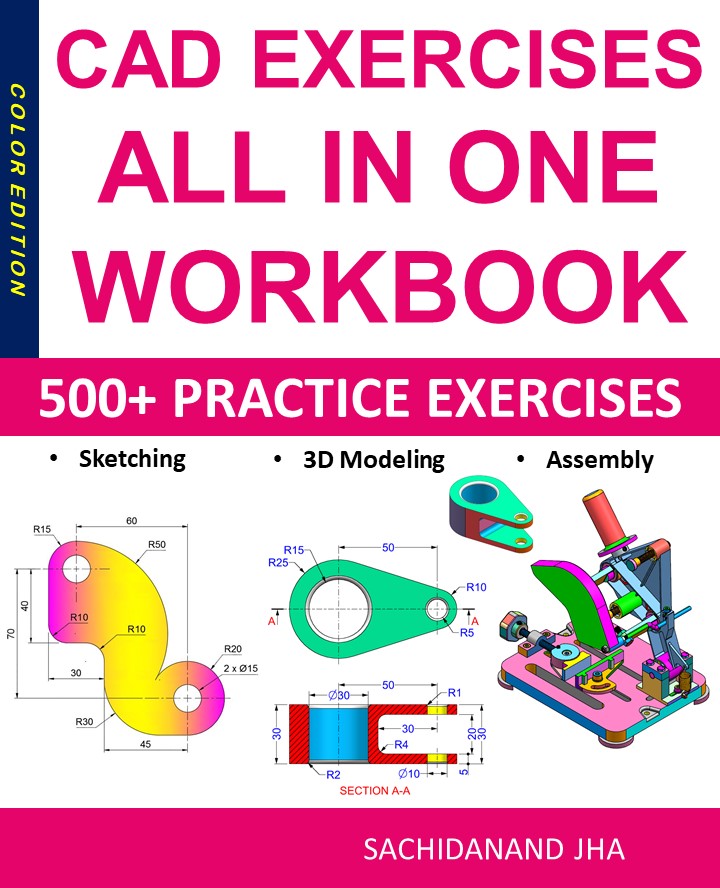
CAD EXERCISES All-in-One Workbook

500+ Practice Exercises to Master CAD Through Real-World Practice!

This all-in-one workbook is your ultimate resource to develop hands-on CAD skills using any CADsoftware.Whether you’re a student, engineer, hobbyist, or professional, this guide is designed to help you gain real design confidence through structured, practice-oriented exercises.

What’s Inside this Book:

  • 200 2D Sketching Exercises – Build a strong foundation in dimension-driven 2D geometry and technical drawings
  • 200 3D Modeling Exercises – Practice modeling real-world parts, from simple shapes to complex components.
  • Multi-Part Assembly Projects – Understand how parts fit together and create full assemblies with detailed drawings

🎯 Why This Book?

  • 500+ practice exercises following real design standards
  • Designed for self-paced learning & independent practice
  • Perfect for classrooms, technical interview preparation, and personal projects
  • Covers 2D Sketching, 3D Modeling & Assembly Design in one workbook
  • Trusted by 15,000+ CAD learners worldwide
Complete Guide to CAD

What Is CAD? A Complete Guide to Computer-Aided Design for Engineers and Designers

Introduction

Computer-Aided Design (CAD) has revolutionized the way engineers, architects, product designers, and manufacturers create, modify, analyze, and optimize designs. From simple 2D drawings to highly complex 3D models, CAD software plays a crucial role in modern design workflows across industries such as mechanical engineering, architecture, automotive, aerospace, construction, and product design.

In this comprehensive guide, we will explore what CAD is, how it works, types of CAD software, key benefits, real-world applications, and how to learn CAD effectively. Whether you are a beginner, student, or professional looking to upskill, this guide will help you understand why CAD is an essential tool in today’s digital design era.


What Is CAD (Computer-Aided Design)?

CAD (Computer-Aided Design) refers to the use of computer software to create precise drawings, technical illustrations, and 3D models for real-world objects. CAD replaces traditional manual drafting methods with digital tools that improve accuracy, efficiency, and collaboration.

CAD software allows designers to:

  • Create 2D technical drawings

  • Build 3D solid and surface models

  • Simulate real-world behavior

  • Modify designs quickly

  • Generate manufacturing-ready files

Modern CAD tools are widely used in engineering design, architectural planning, industrial design, and manufacturing.


How Does CAD Work?

CAD works by converting geometric data into digital models that can be visualized, edited, and analyzed. Designers use tools such as lines, curves, surfaces, and solids to create models based on exact dimensions.

Most CAD software includes:

  • Sketching tools for basic geometry

  • Parametric modeling for dimension-driven designs

  • Assemblies for multi-part products

  • Simulation and analysis tools

  • Export options for manufacturing (CNC, 3D printing)

CAD files can be shared, revised, and reused, making design collaboration faster and more efficient.


Types of CAD Software

1. 2D CAD Software

2D CAD is mainly used for drafting and technical drawings. It focuses on flat representations like floor plans, schematics, and layouts.

Examples:

  • AutoCAD

  • DraftSight

  • LibreCAD

Common Uses:

  • Architectural plans

  • Electrical schematics

  • Mechanical drawings


2. 3D CAD Software

3D CAD enables designers to create realistic three-dimensional models with depth, volume, and material properties.

Examples:

  • Fusion 360

  • SolidWorks

  • CATIA

  • Siemens NX

  • Creo

Common Uses:

  • Product design

  • Mechanical assemblies

  • Simulation and analysis

  • Prototyping


3. Parametric CAD

Parametric CAD allows users to define relationships and constraints between dimensions. Changing one parameter automatically updates the entire model.

Benefits:

  • Faster design changes

  • Reduced errors

  • Design consistency


Benefits of Using CAD Software

1. High Accuracy and Precision

CAD eliminates human drafting errors by using exact measurements, constraints, and tolerances.

2. Increased Productivity

Design changes can be made instantly without redrawing the entire model.

3. Better Visualization

3D CAD models provide realistic views, helping designers detect issues early.

4. Cost and Time Savings

By reducing errors and rework, CAD significantly lowers production costs.

5. Easy Collaboration

Digital files can be shared across teams and locations, enabling real-time collaboration.


Applications of CAD in Different Industries

Mechanical Engineering

CAD is used to design machine parts, tools, and assemblies. Engineers rely on CAD for stress analysis, motion simulation, and manufacturing drawings.

Architecture and Construction

Architects use CAD to create floor plans, elevations, sections, and 3D building models.

Automotive Industry

CAD is essential for vehicle design, component modeling, and aerodynamic simulation.

Aerospace Engineering

Highly complex CAD models are used for aircraft and spacecraft design with extreme precision.

Manufacturing and CNC Machining

CAD models are directly converted into CAM data for CNC machines and 3D printers.


CAD vs CAM vs CAE

Term Full Form Purpose
CAD Computer-Aided Design Design and modeling
CAM Computer-Aided Manufacturing Manufacturing processes
CAE Computer-Aided Engineering Simulation and analysis

These three technologies often work together in modern product development workflows.


Popular CAD Software in 2025

  • AutoCAD – Best for 2D drafting and documentation

  • Fusion 360 – Cloud-based CAD/CAM/CAE solution

  • SolidWorks – Industry-standard for mechanical design

  • CATIA – Advanced surface modeling and aerospace design

  • FreeCAD – Open-source parametric CAD software


How to Learn CAD Effectively

1. Start with the Basics

Learn sketching, constraints, dimensions, and simple 3D modeling.

2. Practice Real Projects

Design everyday objects like brackets, phone stands, or mechanical parts.

3. Follow Online Tutorials

Platforms like YouTube, Coursera, and Udemy offer structured CAD courses.

4. Learn Industry Standards

Understand GD&T, tolerances, and manufacturing best practices.

5. Build a CAD Portfolio

Showcase your designs to attract employers or freelance clients.


CAD Career Opportunities

Learning CAD opens doors to many career paths:

  • CAD Designer

  • Mechanical Engineer

  • Product Designer

  • CNC Programmer

  • Industrial Designer

  • BIM Modeler

CAD skills are in high demand globally, making them a valuable long-term investment.


Future of CAD Technology

The future of CAD is driven by:

  • Cloud-based collaboration

  • AI-powered design automation

  • Generative design

  • Integration with AR/VR

  • Real-time simulation

Modern CAD tools are becoming smarter, faster, and more accessible than ever before.


Conclusion

Computer-Aided Design (CAD) is the backbone of modern engineering and product development. From simple drawings to complex 3D simulations, CAD software empowers designers to create innovative, accurate, and manufacturable designs. Whether you are a student, professional, or hobbyist, learning CAD is a powerful step toward a successful career in design and engineering.

If you want to stay competitive in today’s technology-driven world, mastering CAD is no longer optional—it’s essential.

Book Cover

Master Web Development in 2026

A practical, project-based guide to modern JavaScript, React, and full-stack development. Includes 50 real-world exercises and downloadable code.

  • 500+ pages of step-by-step tutorials
  • Full-stack project: From idea to deployment
  • Free updates & companion videos

Complete Guide to CAD

What Is CAD? A Complete Guide to Computer-Aided Design for Engineers and Designers

Introduction

Computer-Aided Design (CAD) has revolutionized the way engineers, architects, product designers, and manufacturers create, modify, analyze, and optimize designs. From simple 2D drawings to highly complex 3D models, CAD software plays a crucial role in modern design workflows across industries such as mechanical engineering, architecture, automotive, aerospace, construction, and product design.

In this comprehensive guide, we will explore what CAD is, how it works, types of CAD software, key benefits, real-world applications, and how to learn CAD effectively. Whether you are a beginner, student, or professional looking to upskill, this guide will help you understand why CAD is an essential tool in today’s digital design era.


What Is CAD (Computer-Aided Design)?

CAD (Computer-Aided Design) refers to the use of computer software to create precise drawings, technical illustrations, and 3D models for real-world objects. CAD replaces traditional manual drafting methods with digital tools that improve accuracy, efficiency, and collaboration.

CAD software allows designers to:

  • Create 2D technical drawings

  • Build 3D solid and surface models

  • Simulate real-world behavior

  • Modify designs quickly

  • Generate manufacturing-ready files

Modern CAD tools are widely used in engineering design, architectural planning, industrial design, and manufacturing.


How Does CAD Work?

CAD works by converting geometric data into digital models that can be visualized, edited, and analyzed. Designers use tools such as lines, curves, surfaces, and solids to create models based on exact dimensions.

Most CAD software includes:

  • Sketching tools for basic geometry

  • Parametric modeling for dimension-driven designs

  • Assemblies for multi-part products

  • Simulation and analysis tools

  • Export options for manufacturing (CNC, 3D printing)

CAD files can be shared, revised, and reused, making design collaboration faster and more efficient.


Types of CAD Software

1. 2D CAD Software

2D CAD is mainly used for drafting and technical drawings. It focuses on flat representations like floor plans, schematics, and layouts.

Examples:

  • AutoCAD

  • DraftSight

  • LibreCAD

Common Uses:

  • Architectural plans

  • Electrical schematics

  • Mechanical drawings


2. 3D CAD Software

3D CAD enables designers to create realistic three-dimensional models with depth, volume, and material properties.

Examples:

  • Fusion 360

  • SolidWorks

  • CATIA

  • Siemens NX

  • Creo

Common Uses:

  • Product design

  • Mechanical assemblies

  • Simulation and analysis

  • Prototyping


3. Parametric CAD

Parametric CAD allows users to define relationships and constraints between dimensions. Changing one parameter automatically updates the entire model.

Benefits:

  • Faster design changes

  • Reduced errors

  • Design consistency


Benefits of Using CAD Software

1. High Accuracy and Precision

CAD eliminates human drafting errors by using exact measurements, constraints, and tolerances.

2. Increased Productivity

Design changes can be made instantly without redrawing the entire model.

3. Better Visualization

3D CAD models provide realistic views, helping designers detect issues early.

4. Cost and Time Savings

By reducing errors and rework, CAD significantly lowers production costs.

5. Easy Collaboration

Digital files can be shared across teams and locations, enabling real-time collaboration.


Applications of CAD in Different Industries

Mechanical Engineering

CAD is used to design machine parts, tools, and assemblies. Engineers rely on CAD for stress analysis, motion simulation, and manufacturing drawings.

Architecture and Construction

Architects use CAD to create floor plans, elevations, sections, and 3D building models.

Automotive Industry

CAD is essential for vehicle design, component modeling, and aerodynamic simulation.

Aerospace Engineering

Highly complex CAD models are used for aircraft and spacecraft design with extreme precision.

Manufacturing and CNC Machining

CAD models are directly converted into CAM data for CNC machines and 3D printers.


CAD vs CAM vs CAE

Term Full Form Purpose
CAD Computer-Aided Design Design and modeling
CAM Computer-Aided Manufacturing Manufacturing processes
CAE Computer-Aided Engineering Simulation and analysis

These three technologies often work together in modern product development workflows.


Popular CAD Software in 2025

  • AutoCAD – Best for 2D drafting and documentation

  • Fusion 360 – Cloud-based CAD/CAM/CAE solution

  • SolidWorks – Industry-standard for mechanical design

  • CATIA – Advanced surface modeling and aerospace design

  • FreeCAD – Open-source parametric CAD software


How to Learn CAD Effectively

1. Start with the Basics

Learn sketching, constraints, dimensions, and simple 3D modeling.

2. Practice Real Projects

Design everyday objects like brackets, phone stands, or mechanical parts.

3. Follow Online Tutorials

Platforms like YouTube, Coursera, and Udemy offer structured CAD courses.

4. Learn Industry Standards

Understand GD&T, tolerances, and manufacturing best practices.

5. Build a CAD Portfolio

Showcase your designs to attract employers or freelance clients.


CAD Career Opportunities

Learning CAD opens doors to many career paths:

  • CAD Designer

  • Mechanical Engineer

  • Product Designer

  • CNC Programmer

  • Industrial Designer

  • BIM Modeler

CAD skills are in high demand globally, making them a valuable long-term investment.


Future of CAD Technology

The future of CAD is driven by:

  • Cloud-based collaboration

  • AI-powered design automation

  • Generative design

  • Integration with AR/VR

  • Real-time simulation

Modern CAD tools are becoming smarter, faster, and more accessible than ever before.


Conclusion

Computer-Aided Design (CAD) is the backbone of modern engineering and product development. From simple drawings to complex 3D simulations, CAD software empowers designers to create innovative, accurate, and manufacturable designs. Whether you are a student, professional, or hobbyist, learning CAD is a powerful step toward a successful career in design and engineering.

If you want to stay competitive in today’s technology-driven world, mastering CAD is no longer optional—it’s essential.


Book Cover

Master Web Development in 2026

A practical, project-based guide to modern JavaScript, React, and full-stack development. Includes 50 real-world exercises and downloadable code.

  • 500+ pages of step-by-step tutorials
  • Full-stack project: From idea to deployment
  • Free updates & companion videos

Book Cover

Master Web Development in 2026

A practical, project-based guide to modern JavaScript, React, and full-stack development. Includes 50 real-world exercises and downloadable code.

  • 500+ pages of step-by-step tutorials
  • Full-stack project: From idea to deployment
  • Free updates & companion videos

Complete Guide to CAD

What Is CAD? A Complete Guide to Computer-Aided Design for Engineers and Designers

Introduction

Computer-Aided Design (CAD) has revolutionized the way engineers, architects, product designers, and manufacturers create, modify, analyze, and optimize designs. From simple 2D drawings to highly complex 3D models, CAD software plays a crucial role in modern design workflows across industries such as mechanical engineering, architecture, automotive, aerospace, construction, and product design.

In this comprehensive guide, we will explore what CAD is, how it works, types of CAD software, key benefits, real-world applications, and how to learn CAD effectively. Whether you are a beginner, student, or professional looking to upskill, this guide will help you understand why CAD is an essential tool in today’s digital design era.


What Is CAD (Computer-Aided Design)?

CAD (Computer-Aided Design) refers to the use of computer software to create precise drawings, technical illustrations, and 3D models for real-world objects. CAD replaces traditional manual drafting methods with digital tools that improve accuracy, efficiency, and collaboration.

CAD software allows designers to:

  • Create 2D technical drawings

  • Build 3D solid and surface models

  • Simulate real-world behavior

  • Modify designs quickly

  • Generate manufacturing-ready files

Modern CAD tools are widely used in engineering design, architectural planning, industrial design, and manufacturing.


How Does CAD Work?

CAD works by converting geometric data into digital models that can be visualized, edited, and analyzed. Designers use tools such as lines, curves, surfaces, and solids to create models based on exact dimensions.

Most CAD software includes:

  • Sketching tools for basic geometry

  • Parametric modeling for dimension-driven designs

  • Assemblies for multi-part products

  • Simulation and analysis tools

  • Export options for manufacturing (CNC, 3D printing)

CAD files can be shared, revised, and reused, making design collaboration faster and more efficient.


Types of CAD Software

1. 2D CAD Software

2D CAD is mainly used for drafting and technical drawings. It focuses on flat representations like floor plans, schematics, and layouts.

Examples:

  • AutoCAD

  • DraftSight

  • LibreCAD

Common Uses:

  • Architectural plans

  • Electrical schematics

  • Mechanical drawings


2. 3D CAD Software

3D CAD enables designers to create realistic three-dimensional models with depth, volume, and material properties.

Examples:

  • Fusion 360

  • SolidWorks

  • CATIA

  • Siemens NX

  • Creo

Common Uses:

  • Product design

  • Mechanical assemblies

  • Simulation and analysis

  • Prototyping


3. Parametric CAD

Parametric CAD allows users to define relationships and constraints between dimensions. Changing one parameter automatically updates the entire model.

Benefits:

  • Faster design changes

  • Reduced errors

  • Design consistency


Benefits of Using CAD Software

1. High Accuracy and Precision

CAD eliminates human drafting errors by using exact measurements, constraints, and tolerances.

2. Increased Productivity

Design changes can be made instantly without redrawing the entire model.

3. Better Visualization

3D CAD models provide realistic views, helping designers detect issues early.

4. Cost and Time Savings

By reducing errors and rework, CAD significantly lowers production costs.

5. Easy Collaboration

Digital files can be shared across teams and locations, enabling real-time collaboration.


Applications of CAD in Different Industries

Mechanical Engineering

CAD is used to design machine parts, tools, and assemblies. Engineers rely on CAD for stress analysis, motion simulation, and manufacturing drawings.

Architecture and Construction

Architects use CAD to create floor plans, elevations, sections, and 3D building models.

Automotive Industry

CAD is essential for vehicle design, component modeling, and aerodynamic simulation.

Aerospace Engineering

Highly complex CAD models are used for aircraft and spacecraft design with extreme precision.

Manufacturing and CNC Machining

CAD models are directly converted into CAM data for CNC machines and 3D printers.


CAD vs CAM vs CAE

Term Full Form Purpose
CAD Computer-Aided Design Design and modeling
CAM Computer-Aided Manufacturing Manufacturing processes
CAE Computer-Aided Engineering Simulation and analysis

These three technologies often work together in modern product development workflows.


Popular CAD Software in 2025

  • AutoCAD – Best for 2D drafting and documentation

  • Fusion 360 – Cloud-based CAD/CAM/CAE solution

  • SolidWorks – Industry-standard for mechanical design

  • CATIA – Advanced surface modeling and aerospace design

  • FreeCAD – Open-source parametric CAD software


How to Learn CAD Effectively

1. Start with the Basics

Learn sketching, constraints, dimensions, and simple 3D modeling.

2. Practice Real Projects

Design everyday objects like brackets, phone stands, or mechanical parts.

3. Follow Online Tutorials

Platforms like YouTube, Coursera, and Udemy offer structured CAD courses.

4. Learn Industry Standards

Understand GD&T, tolerances, and manufacturing best practices.

5. Build a CAD Portfolio

Showcase your designs to attract employers or freelance clients.


CAD Career Opportunities

Learning CAD opens doors to many career paths:

  • CAD Designer

  • Mechanical Engineer

  • Product Designer

  • CNC Programmer

  • Industrial Designer

  • BIM Modeler

CAD skills are in high demand globally, making them a valuable long-term investment.


Future of CAD Technology

The future of CAD is driven by:

  • Cloud-based collaboration

  • AI-powered design automation

  • Generative design

  • Integration with AR/VR

  • Real-time simulation

Modern CAD tools are becoming smarter, faster, and more accessible than ever before.


Conclusion

Computer-Aided Design (CAD) is the backbone of modern engineering and product development. From simple drawings to complex 3D simulations, CAD software empowers designers to create innovative, accurate, and manufacturable designs. Whether you are a student, professional, or hobbyist, learning CAD is a powerful step toward a successful career in design and engineering.

If you want to stay competitive in today’s technology-driven world, mastering CAD is no longer optional—it’s essential.


Book Promo

Book Cover

Master Web Development in 2026

A practical, project-based guide to modern JavaScript, React, and full-stack development. Includes 50 real-world exercises and downloadable code.

  • 500+ pages of step-by-step tutorials
  • Full-stack project: From idea to deployment
  • Free updates & companion videos


Complete Guide to CAD

What Is CAD? A Complete Guide to Computer-Aided Design for Engineers and Designers

Introduction

Computer-Aided Design (CAD) has revolutionized the way engineers, architects, product designers, and manufacturers create, modify, analyze, and optimize designs. From simple 2D drawings to highly complex 3D models, CAD software plays a crucial role in modern design workflows across industries such as mechanical engineering, architecture, automotive, aerospace, construction, and product design.

In this comprehensive guide, we will explore what CAD is, how it works, types of CAD software, key benefits, real-world applications, and how to learn CAD effectively. Whether you are a beginner, student, or professional looking to upskill, this guide will help you understand why CAD is an essential tool in today’s digital design era.


What Is CAD (Computer-Aided Design)?

CAD (Computer-Aided Design) refers to the use of computer software to create precise drawings, technical illustrations, and 3D models for real-world objects. CAD replaces traditional manual drafting methods with digital tools that improve accuracy, efficiency, and collaboration.

CAD software allows designers to:

  • Create 2D technical drawings

  • Build 3D solid and surface models

  • Simulate real-world behavior

  • Modify designs quickly

  • Generate manufacturing-ready files

Modern CAD tools are widely used in engineering design, architectural planning, industrial design, and manufacturing.


How Does CAD Work?

CAD works by converting geometric data into digital models that can be visualized, edited, and analyzed. Designers use tools such as lines, curves, surfaces, and solids to create models based on exact dimensions.

Most CAD software includes:

  • Sketching tools for basic geometry

  • Parametric modeling for dimension-driven designs

  • Assemblies for multi-part products

  • Simulation and analysis tools

  • Export options for manufacturing (CNC, 3D printing)

CAD files can be shared, revised, and reused, making design collaboration faster and more efficient.


Types of CAD Software

1. 2D CAD Software

2D CAD is mainly used for drafting and technical drawings. It focuses on flat representations like floor plans, schematics, and layouts.

Examples:

  • AutoCAD

  • DraftSight

  • LibreCAD

Common Uses:

  • Architectural plans

  • Electrical schematics

  • Mechanical drawings


2. 3D CAD Software

3D CAD enables designers to create realistic three-dimensional models with depth, volume, and material properties.

Examples:

  • Fusion 360

  • SolidWorks

  • CATIA

  • Siemens NX

  • Creo

Common Uses:

  • Product design

  • Mechanical assemblies

  • Simulation and analysis

  • Prototyping


3. Parametric CAD

Parametric CAD allows users to define relationships and constraints between dimensions. Changing one parameter automatically updates the entire model.

Benefits:

  • Faster design changes

  • Reduced errors

  • Design consistency


Benefits of Using CAD Software

1. High Accuracy and Precision

CAD eliminates human drafting errors by using exact measurements, constraints, and tolerances.

2. Increased Productivity

Design changes can be made instantly without redrawing the entire model.

3. Better Visualization

3D CAD models provide realistic views, helping designers detect issues early.

4. Cost and Time Savings

By reducing errors and rework, CAD significantly lowers production costs.

5. Easy Collaboration

Digital files can be shared across teams and locations, enabling real-time collaboration.


Applications of CAD in Different Industries

Mechanical Engineering

CAD is used to design machine parts, tools, and assemblies. Engineers rely on CAD for stress analysis, motion simulation, and manufacturing drawings.

Architecture and Construction

Architects use CAD to create floor plans, elevations, sections, and 3D building models.

Automotive Industry

CAD is essential for vehicle design, component modeling, and aerodynamic simulation.

Aerospace Engineering

Highly complex CAD models are used for aircraft and spacecraft design with extreme precision.

Manufacturing and CNC Machining

CAD models are directly converted into CAM data for CNC machines and 3D printers.


CAD vs CAM vs CAE

Term Full Form Purpose
CAD Computer-Aided Design Design and modeling
CAM Computer-Aided Manufacturing Manufacturing processes
CAE Computer-Aided Engineering Simulation and analysis

These three technologies often work together in modern product development workflows.


Popular CAD Software in 2025

  • AutoCAD – Best for 2D drafting and documentation

  • Fusion 360 – Cloud-based CAD/CAM/CAE solution

  • SolidWorks – Industry-standard for mechanical design

  • CATIA – Advanced surface modeling and aerospace design

  • FreeCAD – Open-source parametric CAD software


How to Learn CAD Effectively

1. Start with the Basics

Learn sketching, constraints, dimensions, and simple 3D modeling.

2. Practice Real Projects

Design everyday objects like brackets, phone stands, or mechanical parts.

3. Follow Online Tutorials

Platforms like YouTube, Coursera, and Udemy offer structured CAD courses.

4. Learn Industry Standards

Understand GD&T, tolerances, and manufacturing best practices.

5. Build a CAD Portfolio

Showcase your designs to attract employers or freelance clients.


CAD Career Opportunities

Learning CAD opens doors to many career paths:

  • CAD Designer

  • Mechanical Engineer

  • Product Designer

  • CNC Programmer

  • Industrial Designer

  • BIM Modeler

CAD skills are in high demand globally, making them a valuable long-term investment.


Future of CAD Technology

The future of CAD is driven by:

  • Cloud-based collaboration

  • AI-powered design automation

  • Generative design

  • Integration with AR/VR

  • Real-time simulation

Modern CAD tools are becoming smarter, faster, and more accessible than ever before.


Conclusion

Computer-Aided Design (CAD) is the backbone of modern engineering and product development. From simple drawings to complex 3D simulations, CAD software empowers designers to create innovative, accurate, and manufacturable designs. Whether you are a student, professional, or hobbyist, learning CAD is a powerful step toward a successful career in design and engineering.

If you want to stay competitive in today’s technology-driven world, mastering CAD is no longer optional—it’s essential.


Book Promo


Book Cover

Master Web Development in 2026

A practical, project-based guide to modern JavaScript, React, and full-stack development. Includes 50 real-world exercises and downloadable code.

  • 500+ pages of step-by-step tutorials
  • Full-stack project: From idea to deployment
  • Free updates & companion videos


Complete Guide to CAD

What Is CAD? A Complete Guide to Computer-Aided Design for Engineers and Designers

Introduction

Computer-Aided Design (CAD) has revolutionized the way engineers, architects, product designers, and manufacturers create, modify, analyze, and optimize designs. From simple 2D drawings to highly complex 3D models, CAD software plays a crucial role in modern design workflows across industries such as mechanical engineering, architecture, automotive, aerospace, construction, and product design.

In this comprehensive guide, we will explore what CAD is, how it works, types of CAD software, key benefits, real-world applications, and how to learn CAD effectively. Whether you are a beginner, student, or professional looking to upskill, this guide will help you understand why CAD is an essential tool in today’s digital design era.


What Is CAD (Computer-Aided Design)?

CAD (Computer-Aided Design) refers to the use of computer software to create precise drawings, technical illustrations, and 3D models for real-world objects. CAD replaces traditional manual drafting methods with digital tools that improve accuracy, efficiency, and collaboration.

CAD software allows designers to:

  • Create 2D technical drawings

  • Build 3D solid and surface models

  • Simulate real-world behavior

  • Modify designs quickly

  • Generate manufacturing-ready files

Modern CAD tools are widely used in engineering design, architectural planning, industrial design, and manufacturing.


How Does CAD Work?

CAD works by converting geometric data into digital models that can be visualized, edited, and analyzed. Designers use tools such as lines, curves, surfaces, and solids to create models based on exact dimensions.

Most CAD software includes:

  • Sketching tools for basic geometry

  • Parametric modeling for dimension-driven designs

  • Assemblies for multi-part products

  • Simulation and analysis tools

  • Export options for manufacturing (CNC, 3D printing)

CAD files can be shared, revised, and reused, making design collaboration faster and more efficient.


Types of CAD Software

1. 2D CAD Software

2D CAD is mainly used for drafting and technical drawings. It focuses on flat representations like floor plans, schematics, and layouts.

Examples:

  • AutoCAD

  • DraftSight

  • LibreCAD

Common Uses:

  • Architectural plans

  • Electrical schematics

  • Mechanical drawings


2. 3D CAD Software

3D CAD enables designers to create realistic three-dimensional models with depth, volume, and material properties.

Examples:

  • Fusion 360

  • SolidWorks

  • CATIA

  • Siemens NX

  • Creo

Common Uses:

  • Product design

  • Mechanical assemblies

  • Simulation and analysis

  • Prototyping


3. Parametric CAD

Parametric CAD allows users to define relationships and constraints between dimensions. Changing one parameter automatically updates the entire model.

Benefits:

  • Faster design changes

  • Reduced errors

  • Design consistency


Benefits of Using CAD Software

1. High Accuracy and Precision

CAD eliminates human drafting errors by using exact measurements, constraints, and tolerances.

2. Increased Productivity

Design changes can be made instantly without redrawing the entire model.

3. Better Visualization

3D CAD models provide realistic views, helping designers detect issues early.

4. Cost and Time Savings

By reducing errors and rework, CAD significantly lowers production costs.

5. Easy Collaboration

Digital files can be shared across teams and locations, enabling real-time collaboration.


Applications of CAD in Different Industries

Mechanical Engineering

CAD is used to design machine parts, tools, and assemblies. Engineers rely on CAD for stress analysis, motion simulation, and manufacturing drawings.

Architecture and Construction

Architects use CAD to create floor plans, elevations, sections, and 3D building models.

Automotive Industry

CAD is essential for vehicle design, component modeling, and aerodynamic simulation.

Aerospace Engineering

Highly complex CAD models are used for aircraft and spacecraft design with extreme precision.

Manufacturing and CNC Machining

CAD models are directly converted into CAM data for CNC machines and 3D printers.


CAD vs CAM vs CAE

Term Full Form Purpose
CAD Computer-Aided Design Design and modeling
CAM Computer-Aided Manufacturing Manufacturing processes
CAE Computer-Aided Engineering Simulation and analysis

These three technologies often work together in modern product development workflows.


Popular CAD Software in 2025

  • AutoCAD – Best for 2D drafting and documentation

  • Fusion 360 – Cloud-based CAD/CAM/CAE solution

  • SolidWorks – Industry-standard for mechanical design

  • CATIA – Advanced surface modeling and aerospace design

  • FreeCAD – Open-source parametric CAD software


How to Learn CAD Effectively

1. Start with the Basics

Learn sketching, constraints, dimensions, and simple 3D modeling.

2. Practice Real Projects

Design everyday objects like brackets, phone stands, or mechanical parts.

3. Follow Online Tutorials

Platforms like YouTube, Coursera, and Udemy offer structured CAD courses.

4. Learn Industry Standards

Understand GD&T, tolerances, and manufacturing best practices.

5. Build a CAD Portfolio

Showcase your designs to attract employers or freelance clients.


CAD Career Opportunities

Learning CAD opens doors to many career paths:

  • CAD Designer

  • Mechanical Engineer

  • Product Designer

  • CNC Programmer

  • Industrial Designer

  • BIM Modeler

CAD skills are in high demand globally, making them a valuable long-term investment.


Future of CAD Technology

The future of CAD is driven by:

  • Cloud-based collaboration

  • AI-powered design automation

  • Generative design

  • Integration with AR/VR

  • Real-time simulation

Modern CAD tools are becoming smarter, faster, and more accessible than ever before.


Conclusion

Computer-Aided Design (CAD) is the backbone of modern engineering and product development. From simple drawings to complex 3D simulations, CAD software empowers designers to create innovative, accurate, and manufacturable designs. Whether you are a student, professional, or hobbyist, learning CAD is a powerful step toward a successful career in design and engineering.

If you want to stay competitive in today’s technology-driven world, mastering CAD is no longer optional—it’s essential.


Book Promo


Book Cover

Master Web Development in 2026

A practical, project-based guide to modern JavaScript, React, and full-stack development. Includes 50 real-world exercises and downloadable code.

  • 500+ pages of step-by-step tutorials
  • Full-stack project: From idea to deployment
  • Free updates & companion videos