

TopSolid CAD/CAM Software: Complete Guide for Design and Manufacturing
In today’s competitive manufacturing environment, companies need integrated CAD/CAM software that reduces errors, improves collaboration, and accelerates production. TopSolid CAD/CAM software is one such powerful solution, widely used in mechanical engineering, mold design, tooling, woodworking, and CNC manufacturing.
TopSolid stands out because it offers a fully integrated design-to-manufacturing workflow, eliminating the need for multiple disconnected tools. In this guide, we’ll explore what TopSolid is, its features, benefits, industries, and why it is a preferred choice for modern manufacturing.
What is TopSolid?
TopSolid is a professional CAD/CAM software suite developed by TOPSOLID SAS, designed to cover the complete product lifecycle—from concept and design to manufacturing and CNC machining.
Unlike standalone CAD or CAM tools, TopSolid provides a single data model where design changes automatically update manufacturing processes. This associative workflow reduces rework, saves time, and ensures accuracy.
TopSolid is available in multiple specialized solutions, including:
-
TopSolid’Design
-
TopSolid’Cam
-
TopSolid’Mold
-
TopSolid’Tool
-
TopSolid’Wood
Key Features of TopSolid CAD/CAM Software
1. Fully Integrated CAD and CAM
TopSolid uses a single parametric model for both design and manufacturing. Any modification in CAD instantly reflects in CAM operations, toolpaths, and drawings.
2. Advanced Parametric Design
The software supports:
-
Feature-based modeling
-
Parametric and associative design
-
Assembly management with constraints
This makes TopSolid ideal for complex mechanical assemblies and tooling projects.
3. Powerful CNC Programming
TopSolid CAM includes advanced machining strategies for:
-
2.5-axis, 3-axis, and 5-axis machining
-
Turning and mill-turn operations
-
High-speed machining (HSM)
The system generates optimized and collision-free toolpaths.
4. Specialized Industry Modules
TopSolid provides dedicated solutions for different industries:
-
TopSolid’Mold for injection molds
-
TopSolid’Tool for progressive dies
-
TopSolid’Wood for furniture and cabinetry
-
TopSolid’Cam for CNC machining
Each module is tailored with industry-specific tools and workflows.
5. Native CAD Data Management
TopSolid includes built-in PDM (Product Data Management), allowing teams to:
-
Manage versions and revisions
-
Control access rights
-
Track project changes
This improves collaboration and data security.
Benefits of Using TopSolid
Improved Productivity
With integrated CAD/CAM, engineers avoid repetitive data conversion, significantly reducing design-to-production time.
Higher Manufacturing Accuracy
Because machining is directly linked to the CAD model, errors caused by outdated files or mismatched revisions are eliminated.
Reduced Costs
Fewer mistakes, optimized toolpaths, and better material utilization result in lower production costs.
Scalability for Businesses
TopSolid is suitable for:
-
Small workshops
-
Medium manufacturing companies
-
Large industrial enterprises
Its modular approach allows businesses to scale as needed.
Better Collaboration
Designers, programmers, and machinists work on the same dataset, improving communication and efficiency.
Industries That Use TopSolid
TopSolid CAD/CAM software is widely adopted across multiple industries, including:
-
Mechanical Engineering
-
Automotive Manufacturing
-
Aerospace
-
Tool and Die Making
-
Injection Mold Design
-
Furniture and Woodworking
-
Industrial Machinery
Its flexibility makes it suitable for both discrete manufacturing and custom production.
TopSolid vs Other CAD/CAM Software
When compared to other popular CAD/CAM tools, TopSolid offers unique advantages:
| Feature | TopSolid | Traditional CAD/CAM |
|---|---|---|
| Single data model | ✅ Yes | ❌ No |
| Built-in PDM | ✅ Yes | ❌ Often separate |
| Industry-specific modules | ✅ Yes | ⚠ Limited |
| CAD-CAM associativity | ✅ Full | ⚠ Partial |
| CNC optimization | ✅ Advanced | ⚠ Varies |
This makes TopSolid particularly attractive for companies looking for end-to-end manufacturing software.
Learning and Using TopSolid
TopSolid has a professional learning curve, but users benefit from:
-
Official documentation and training
-
Authorized resellers and trainers
-
Industry-focused tutorials
-
Real-world project workflows
Engineers with prior CAD/CAM experience can adapt quickly and gain productivity within weeks.
Is TopSolid Worth It?
If your business requires precision manufacturing, complex tooling, or integrated CNC workflows, TopSolid is a strong investment. It may not be ideal for hobbyists, but for professional manufacturing environments, its capabilities justify the cost.
Companies that switch to TopSolid often experience:
-
Faster production cycles
-
Fewer manufacturing errors
-
Improved data control
-
Better ROI over time
Future of TopSolid CAD/CAM
TopSolid continues to evolve with:
-
Enhanced 5-axis machining
-
Improved simulation and collision detection
-
Better interoperability with industry standards
-
Strong focus on Industry 4.0
This ensures it remains relevant in modern digital manufacturing ecosystems.
Final Thoughts
TopSolid CAD/CAM software is a comprehensive solution for design, tooling, and manufacturing professionals who demand accuracy, efficiency, and integration. Its unified CAD/CAM approach, industry-specific modules, and robust CNC capabilities make it one of the most powerful manufacturing platforms available today.
Whether you’re designing complex mechanical assemblies, producing molds, or programming CNC machines, TopSolid delivers a complete and reliable workflow from start to finish.
End of Blog
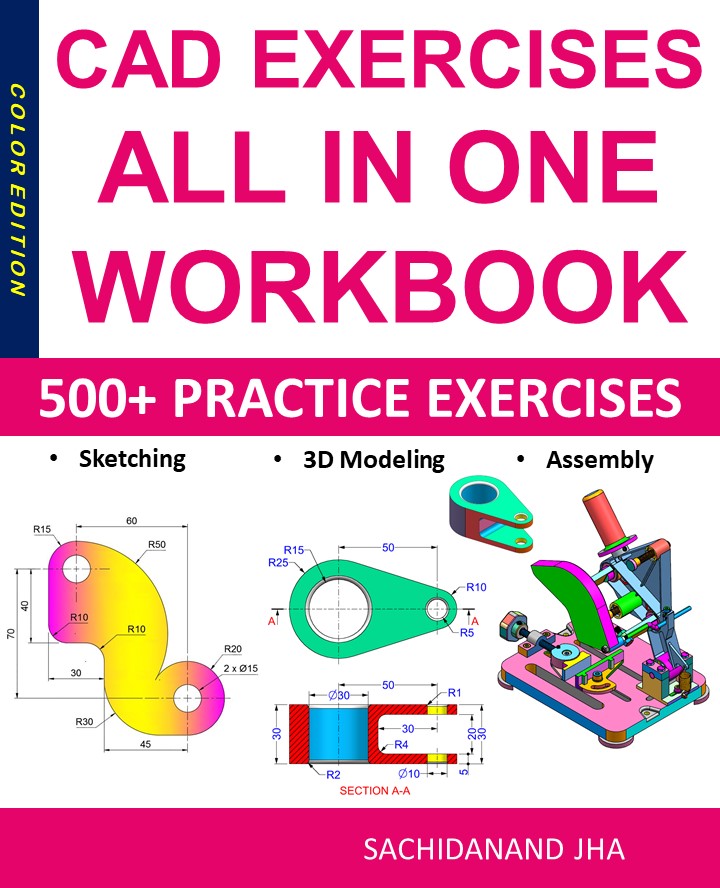
CAD EXERCISES All-in-One Workbook
500+ Practice Exercises to Master CAD Through Real-World Practice!
This all-in-one workbook is your ultimate resource to develop hands-on CAD skills using any CAD software.Whether you’re a student, engineer, hobbyist, or professional, this guide is designed to help you gain real design confidence through structured, practice-oriented exercises.
What’s Inside this Book:
- 200 2D Sketching Exercises – Build a strong foundation in dimension-driven 2D geometry and technical drawings
- 200 3D Modeling Exercises – Practice modeling real-world parts, from simple shapes to complex components.
- Multi-Part Assembly Projects – Understand how parts fit together and create full assemblies with detailed drawings
🎯 Why This Book?
- 500+ practice exercises following real design standards
- Designed for self-paced learning & independent practice
- Perfect for classrooms, technical interview preparation, and personal projects
- Covers 2D Sketching, 3D Modeling & Assembly Design in one workbook
- Trusted by 15,000+ CAD learners worldwide
TopSolid CAD/CAM Software: Complete Guide for Design & Manufacturing (2026)
TopSolid CAD/CAM Software: Complete Guide for Design and Manufacturing
In today’s competitive manufacturing environment, companies need integrated CAD/CAM software that reduces errors, improves collaboration, and accelerates production. TopSolid CAD/CAM software is one such powerful solution, widely used in mechanical engineering, mold design, tooling, woodworking, and CNC manufacturing.
TopSolid stands out because it offers a fully integrated design-to-manufacturing workflow, eliminating the need for multiple disconnected tools. In this guide, we’ll explore what TopSolid is, its features, benefits, industries, and why it is a preferred choice for modern manufacturing.
What is TopSolid?
TopSolid is a professional CAD/CAM software suite developed by TOPSOLID SAS, designed to cover the complete product lifecycle—from concept and design to manufacturing and CNC machining.
Unlike standalone CAD or CAM tools, TopSolid provides a single data model where design changes automatically update manufacturing processes. This associative workflow reduces rework, saves time, and ensures accuracy.
TopSolid is available in multiple specialized solutions, including:
-
TopSolid’Design
-
TopSolid’Cam
-
TopSolid’Mold
-
TopSolid’Tool
-
TopSolid’Wood
Key Features of TopSolid CAD/CAM Software
1. Fully Integrated CAD and CAM
TopSolid uses a single parametric model for both design and manufacturing. Any modification in CAD instantly reflects in CAM operations, toolpaths, and drawings.
2. Advanced Parametric Design
The software supports:
-
Feature-based modeling
-
Parametric and associative design
-
Assembly management with constraints
This makes TopSolid ideal for complex mechanical assemblies and tooling projects.
3. Powerful CNC Programming
TopSolid CAM includes advanced machining strategies for:
-
2.5-axis, 3-axis, and 5-axis machining
-
Turning and mill-turn operations
-
High-speed machining (HSM)
The system generates optimized and collision-free toolpaths.
4. Specialized Industry Modules
TopSolid provides dedicated solutions for different industries:
-
TopSolid’Mold for injection molds
-
TopSolid’Tool for progressive dies
-
TopSolid’Wood for furniture and cabinetry
-
TopSolid’Cam for CNC machining
Each module is tailored with industry-specific tools and workflows.
5. Native CAD Data Management
TopSolid includes built-in PDM (Product Data Management), allowing teams to:
-
Manage versions and revisions
-
Control access rights
-
Track project changes
This improves collaboration and data security.
Benefits of Using TopSolid
Improved Productivity
With integrated CAD/CAM, engineers avoid repetitive data conversion, significantly reducing design-to-production time.
Higher Manufacturing Accuracy
Because machining is directly linked to the CAD model, errors caused by outdated files or mismatched revisions are eliminated.
Reduced Costs
Fewer mistakes, optimized toolpaths, and better material utilization result in lower production costs.
Scalability for Businesses
TopSolid is suitable for:
-
Small workshops
-
Medium manufacturing companies
-
Large industrial enterprises
Its modular approach allows businesses to scale as needed.
Better Collaboration
Designers, programmers, and machinists work on the same dataset, improving communication and efficiency.
Industries That Use TopSolid
TopSolid CAD/CAM software is widely adopted across multiple industries, including:
-
Mechanical Engineering
-
Automotive Manufacturing
-
Aerospace
-
Tool and Die Making
-
Injection Mold Design
-
Furniture and Woodworking
-
Industrial Machinery
Its flexibility makes it suitable for both discrete manufacturing and custom production.
TopSolid vs Other CAD/CAM Software
When compared to other popular CAD/CAM tools, TopSolid offers unique advantages:
| Feature | TopSolid | Traditional CAD/CAM |
|---|---|---|
| Single data model | ✅ Yes | ❌ No |
| Built-in PDM | ✅ Yes | ❌ Often separate |
| Industry-specific modules | ✅ Yes | ⚠ Limited |
| CAD-CAM associativity | ✅ Full | ⚠ Partial |
| CNC optimization | ✅ Advanced | ⚠ Varies |
This makes TopSolid particularly attractive for companies looking for end-to-end manufacturing software.
Learning and Using TopSolid
TopSolid has a professional learning curve, but users benefit from:
-
Official documentation and training
-
Authorized resellers and trainers
-
Industry-focused tutorials
-
Real-world project workflows
Engineers with prior CAD/CAM experience can adapt quickly and gain productivity within weeks.
Is TopSolid Worth It?
If your business requires precision manufacturing, complex tooling, or integrated CNC workflows, TopSolid is a strong investment. It may not be ideal for hobbyists, but for professional manufacturing environments, its capabilities justify the cost.
Companies that switch to TopSolid often experience:
-
Faster production cycles
-
Fewer manufacturing errors
-
Improved data control
-
Better ROI over time
Future of TopSolid CAD/CAM
TopSolid continues to evolve with:
-
Enhanced 5-axis machining
-
Improved simulation and collision detection
-
Better interoperability with industry standards
-
Strong focus on Industry 4.0
This ensures it remains relevant in modern digital manufacturing ecosystems.
Final Thoughts
TopSolid CAD/CAM software is a comprehensive solution for design, tooling, and manufacturing professionals who demand accuracy, efficiency, and integration. Its unified CAD/CAM approach, industry-specific modules, and robust CNC capabilities make it one of the most powerful manufacturing platforms available today.
Whether you’re designing complex mechanical assemblies, producing molds, or programming CNC machines, TopSolid delivers a complete and reliable workflow from start to finish.
End of Blog
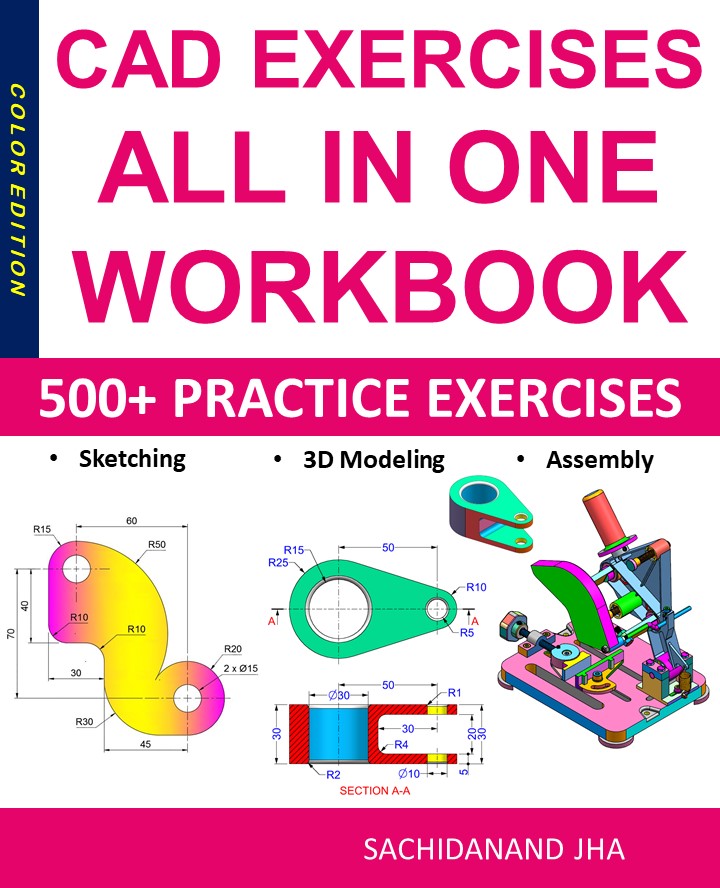
CAD EXERCISES All-in-One Workbook
500+ Practice Exercises to Master CAD Through Real-World Practice!
This all-in-one workbook is your ultimate resource to develop hands-on CAD skills using any CAD software.Whether you’re a student, engineer, hobbyist, or professional, this guide is designed to help you gain real design confidence through structured, practice-oriented exercises.
What’s Inside this Book:
- 200 2D Sketching Exercises – Build a strong foundation in dimension-driven 2D geometry and technical drawings
- 200 3D Modeling Exercises – Practice modeling real-world parts, from simple shapes to complex components.
- Multi-Part Assembly Projects – Understand how parts fit together and create full assemblies with detailed drawings
🎯 Why This Book?
- 500+ practice exercises following real design standards
- Designed for self-paced learning & independent practice
- Perfect for classrooms, technical interview preparation, and personal projects
- Covers 2D Sketching, 3D Modeling & Assembly Design in one workbook
- Trusted by 15,000+ CAD learners worldwide
End of Blog

FREECAD All-in-One Workbook
500+ Practice Exercises to Master FreeCAD through real-world practice!
This all-in-one workbook is your ultimate resource to develop hands-on CAD skills with FreeCAD. Whether you’re a student, engineer, hobbyist, or professional, this guide is built to help you gain real design confidence through structured practice.
What’s Inside this Book:
- 200 2D Sketching Exercises – Build a strong foundation in dimension-driven 2D geometry and technical drawings
- 200 3D Modeling Exercises – Practice modeling real-world parts, from simple shapes to complex components.
- Multi-Part Assembly Projects – Understand how parts fit together and create full assemblies with detailed drawings
🎯 Why This Book?
- 500+ practice exercises following real design standards
- Designed for self-paced learning & independent practice
- Perfect for classrooms, technical interview preparation, and personal projects
- Covers 2D Sketching, 3D Modeling & Assembly Design in one workbook
- Trusted by 15,000+ CAD learners worldwide