


Fusion 360: The Complete Guide to Autodesk’s Cloud-Based CAD Software
Fusion 360 is one of the most advanced and versatile design tools available today. Developed by Autodesk, Fusion 360 combines CAD (Computer-Aided Design), CAM (Computer-Aided Manufacturing), and CAE (Computer-Aided Engineering) into a single cloud-based platform. This unified approach has made Fusion 360 a favorite among engineers, product designers, startups, and manufacturers worldwide.
In this guide, we’ll explore what Fusion 360 is, its key features, benefits, applications, and why it stands out in the modern CAD landscape.
What Is Fusion 360?
Fusion 360 is a professional 3D design and engineering software developed by Autodesk. Unlike traditional desktop-only CAD tools, Fusion 360 operates on a cloud-connected environment, enabling real-time collaboration, automatic updates, and secure data storage.
Fusion 360 supports:
-
3D parametric modeling
-
Freeform and surface modeling
-
Mechanical assemblies
-
Simulation and analysis
-
CNC machining and manufacturing workflows
This all-in-one approach eliminates the need for multiple disconnected tools.
Key Features of Fusion 360
Fusion 360 is packed with powerful features designed for modern product development.
1. Parametric and Direct Modeling
Fusion 360 allows both parametric modeling (dimension-driven designs) and direct modeling for flexible edits. Designers can quickly iterate without breaking design intent.
2. Cloud-Based Collaboration
All projects are stored securely in the cloud, allowing teams to:
-
Collaborate in real time
-
Track design history
-
Access designs from anywhere
3. Integrated CAM
Fusion 360 includes built-in CAM tools for:
-
CNC milling
-
Turning
-
Cutting
-
Additive manufacturing
This makes it ideal for manufacturing-ready designs.
4. Simulation and Analysis (CAE)
Engineers can test designs using:
-
Stress and strain analysis
-
Thermal simulations
-
Motion studies
Early testing helps reduce design failures and production costs.
5. Generative Design
Fusion 360 uses AI-driven generative design to automatically create optimized design options based on materials, constraints, and manufacturing methods.
Benefits of Using Fusion 360
Fusion 360 offers several advantages over traditional CAD software.
Faster Product Development
By combining CAD, CAM, and CAE in one platform, Fusion 360 reduces workflow complexity and speeds up development cycles.
Cost-Effective Solution
Fusion 360 is more affordable than many high-end CAD tools and offers flexible subscription plans for startups, students, and hobbyists.
Easy Learning Curve
With an intuitive interface and extensive tutorials, Fusion 360 is beginner-friendly while still powerful enough for professionals.
Automatic Updates
Users always have access to the latest features without manual upgrades.
Applications of Fusion 360
Fusion 360 is used across a wide range of industries.
Product Design and Prototyping
Designers create functional prototypes and test them digitally before physical production.
Mechanical Engineering
Engineers design complex mechanical parts and assemblies with precision.
Manufacturing and CNC Machining
Fusion 360’s CAM tools generate toolpaths directly from CAD models, ensuring accuracy and efficiency.
Electronics Design
Fusion 360 supports PCB design and integrates electronic and mechanical workflows.
Education and Training
Students and educators use Fusion 360 to learn modern design and manufacturing processes.
Fusion 360 vs Traditional CAD Software
Fusion 360 differs from traditional CAD tools in several ways:
-
Cloud-based collaboration instead of local file storage
-
Integrated manufacturing tools instead of third-party plugins
-
Subscription-based pricing instead of expensive perpetual licenses
-
Continuous feature updates instead of yearly releases
These advantages make Fusion 360 especially appealing to modern design teams.
Fusion 360 Pricing Overview
Fusion 360 offers multiple licensing options:
-
Free licenses for students, educators, and personal use
-
Commercial subscriptions for professionals and businesses
-
Startup plans with reduced pricing
This flexible pricing makes Fusion 360 accessible to users at all levels.
Future of Fusion 360
Autodesk continues to enhance Fusion 360 with:
-
AI-assisted design tools
-
Advanced generative design
-
Improved cloud performance
-
Deeper manufacturing integrations
As digital manufacturing and Industry 4.0 grow, Fusion 360 is positioned to remain a leading design platform.
Final Thoughts
Fusion 360 is more than just CAD software—it’s a complete product development ecosystem. By integrating design, engineering, and manufacturing into a single cloud-based platform, Fusion 360 empowers teams to innovate faster and smarter.
Whether you’re a student, startup founder, or professional engineer, Fusion 360 offers the tools needed to turn idea
End of Blog
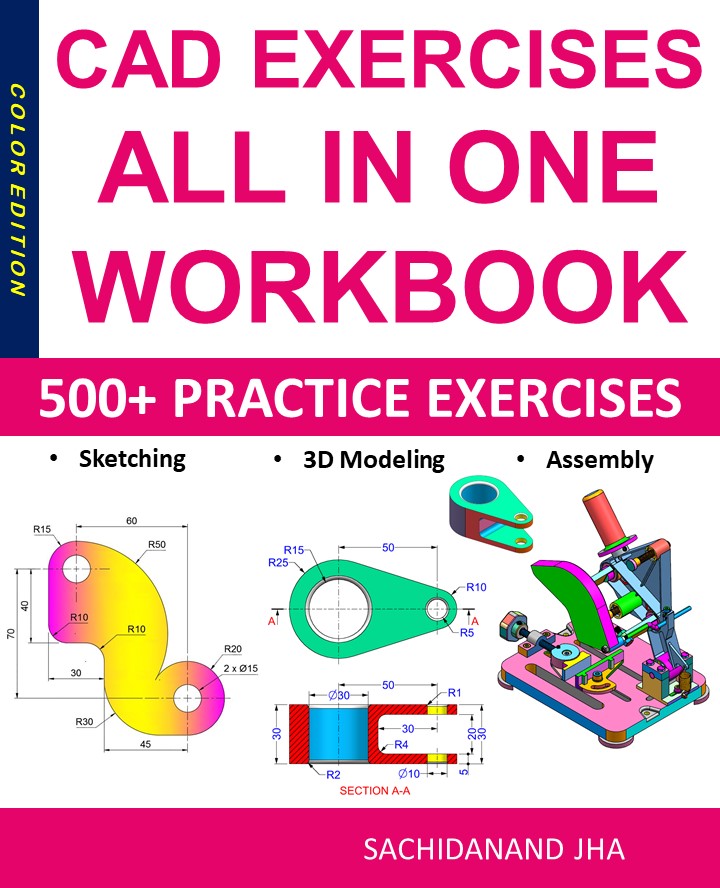
CAD EXERCISES All-in-One Workbook
500+ Practice Exercises to Master CAD Through Real-World Practice!
This all-in-one workbook is your ultimate resource to develop hands-on CAD skills using any CAD software.Whether you’re a student, engineer, hobbyist, or professional, this guide is designed to help you gain real design confidence through structured, practice-oriented exercises.
What’s Inside this Book:
- 200 2D Sketching Exercises – Build a strong foundation in dimension-driven 2D geometry and technical drawings
- 200 3D Modeling Exercises – Practice modeling real-world parts, from simple shapes to complex components.
- Multi-Part Assembly Projects – Understand how parts fit together and create full assemblies with detailed drawings
🎯 Why This Book?
- 500+ practice exercises following real design standards
- Designed for self-paced learning & independent practice
- Perfect for classrooms, technical interview preparation, and personal projects
- Covers 2D Sketching, 3D Modeling & Assembly Design in one workbook
- Trusted by 15,000+ CAD learners worldwide