


FreeCAD: The Complete Guide to Open-Source 3D CAD Software
Introduction to FreeCAD
FreeCAD is a powerful, open-source 3D CAD software designed for product design, mechanical engineering, architecture, and manufacturing workflows. Unlike proprietary CAD tools, FreeCAD is completely free and community-driven, making it a popular choice for professionals, hobbyists, and students.
FreeCAD focuses on parametric modeling, allowing users to modify designs easily by changing parameters instead of rebuilding models from scratch.
What Is FreeCAD Used For?
FreeCAD is widely used across multiple industries due to its flexibility and modular design.
Common Use Cases
-
Mechanical part design
-
Product prototyping
-
Architectural modeling
-
CNC machining preparation
-
3D printing workflows
-
Engineering simulations
Because FreeCAD is open source, it can be extended using Python scripting, making it highly customizable.
Key Features of FreeCAD
🔹 Parametric Modeling
FreeCAD’s parametric engine allows you to track model history and make quick design changes without losing accuracy.
🔹 Modular Workbench System
FreeCAD includes specialized workbenches such as:
-
Part Design
-
Sketcher
-
Draft
-
Arch
-
Mesh Design
-
Path (CAM)
Each workbench is optimized for specific tasks.
🔹 Cross-Platform Compatibility
FreeCAD works seamlessly on:
-
Windows
-
macOS
-
Linux
🔹 Open File Formats
FreeCAD supports industry-standard formats like:
-
STEP
-
IGES
-
STL
-
OBJ
-
DXF
Advantages of Using FreeCAD
✅ Free and Open Source
No licensing costs or subscriptions.
✅ Community-Driven Development
Constant improvements from a global developer community.
✅ Highly Customizable
Advanced users can automate workflows using Python scripts.
✅ Ideal for Beginners and Professionals
FreeCAD has a learning curve, but it’s extremely powerful once mastered.
FreeCAD vs Other CAD Software
| Feature | FreeCAD | AutoCAD | SolidWorks |
|---|---|---|---|
| Price | Free | Paid | Paid |
| Open Source | Yes | No | No |
| Parametric Modeling | Yes | Limited | Yes |
| Customization | High | Medium | Medium |
FreeCAD is an excellent alternative for users who want professional CAD features without high costs.
Is FreeCAD Good for Beginners?
Yes, FreeCAD is beginner-friendly, especially for users willing to invest time in learning parametric modeling concepts. There are plenty of tutorials, documentation, and community forums available.
Tip for beginners:
Start with the Sketcher and Part Design workbenches.
FreeCAD for SEO-Driven Engineering Blogs
From an SEO perspective, FreeCAD is a highly searchable topic due to:
-
Rising demand for open-source tools
-
Cost-saving software searches
-
Engineering and 3D printing niches
Publishing FreeCAD-related tutorials can drive high-intent organic traffic.
Final Thoughts
FreeCAD is a powerful, flexible, and cost-effective CAD solution for anyone involved in 3D modeling, engineering, or product design. Its open-source nature, parametric workflow, and cross-platform support make it a strong competitor to paid CAD software.
If you’re looking for a free CAD tool with professional capabilities, FreeCAD is absolutely worth learning.
End of Blog

FREECAD All-in-One Workbook
500+ Practice Exercises to Master FreeCAD through real-world practice!
This all-in-one workbook is your ultimate resource to develop hands-on CAD skills with FreeCAD. Whether you’re a student, engineer, hobbyist, or professional, this guide is built to help you gain real design confidence through structured practice.
What’s Inside this Book:
- 200 2D Sketching Exercises – Build a strong foundation in dimension-driven 2D geometry and technical drawings
- 200 3D Modeling Exercises – Practice modeling real-world parts, from simple shapes to complex components.
- Multi-Part Assembly Projects – Understand how parts fit together and create full assemblies with detailed drawings
🎯 Why This Book?
- 500+ practice exercises following real design standards
- Designed for self-paced learning & independent practice
- Perfect for classrooms, technical interview preparation, and personal projects
- Covers 2D Sketching, 3D Modeling & Assembly Design in one workbook
- Trusted by 15,000+ CAD learners worldwide
Kishan-The UnderCover Agent Came From SansFrancsisco

Introduction to Computer-Aided Design (CAD)
Computer-Aided Design (CAD) is a technology that uses computer systems to assist in the creation, modification, analysis, and optimization of designs. CAD has become an essential tool across industries such as engineering, architecture, manufacturing, automotive, aerospace, and product design. What once required hours of manual drafting can now be completed in minutes with extreme precision.
With the rise of digital transformation, CAD has evolved from simple 2D drawings to highly advanced 3D parametric and simulation-based modeling systems. Today, CAD is not just a design tool—it is the foundation of modern engineering workflows.
What is CAD and How Does It Work?
CAD software allows designers to create accurate drawings and models using digital tools. These designs can be two-dimensional (2D) or three-dimensional (3D), depending on project requirements.
At its core, CAD works by:
-
Defining geometry using mathematical equations
-
Allowing parametric control over dimensions and features
-
Enabling real-time editing and visualization
-
Supporting simulations and performance analysis
Modern CAD systems integrate with CAM (Computer-Aided Manufacturing) and CAE (Computer-Aided Engineering), creating a complete digital product development ecosystem.
Types of CAD Systems
1. 2D CAD
2D CAD is primarily used for drafting and documentation. It replaces manual drawing boards with digital drafting tools. Applications include floor plans, electrical diagrams, and mechanical schematics.
Examples:
-
AutoCAD (2D drafting)
-
LibreCAD
2. 3D CAD
3D CAD allows designers to build realistic models with depth, volume, and mass properties. These models can be rotated, analyzed, and tested virtually.
Examples:
-
Fusion 360
-
SolidWorks
-
CATIA
-
Creo
3. Parametric CAD
Parametric CAD enables designers to define relationships between features. Changing one dimension automatically updates the entire model, ensuring design consistency.
Key Benefits of Computer-Aided Design
1. Increased Accuracy
CAD eliminates many errors caused by manual drafting. Designs are created with mathematical precision, ensuring higher quality and fewer mistakes.
2. Faster Design Process
Design iterations that once took days can now be completed in hours. CAD allows quick modifications without starting from scratch.
3. Improved Visualization
3D CAD models help designers and stakeholders visualize the final product before manufacturing begins.
4. Cost Efficiency
By detecting design flaws early, CAD reduces material waste and costly manufacturing errors.
5. Easy Collaboration
CAD files can be shared globally, enabling teams to collaborate across locations using cloud-based CAD platforms.
Applications of CAD Across Industries
Engineering and Manufacturing
CAD is widely used in mechanical, electrical, and civil engineering for product design, tooling, and production planning.
Architecture and Construction
Architects use CAD to create detailed building layouts, elevations, and 3D walkthroughs.
Automotive and Aerospace
Complex assemblies, aerodynamic simulations, and precision components rely heavily on advanced CAD tools.
Product and Industrial Design
From consumer electronics to furniture, CAD helps designers bring ideas to life with speed and creativity.
Healthcare and Biomedical
CAD is used to design prosthetics, implants, and medical devices with high accuracy.
Popular CAD Software Tools
Some of the most widely used CAD tools include:
-
AutoCAD – Industry standard for 2D and 3D drafting
-
Fusion 360 – Cloud-based CAD/CAM/CAE solution
-
SolidWorks – Powerful parametric 3D modeling tool
-
CATIA – Advanced CAD used in aerospace and automotive industries
-
FreeCAD – Open-source CAD software for parametric modeling
Each tool serves different needs, from beginners to advanced professionals.
CAD Skills and Career Opportunities
Learning CAD opens doors to a wide range of career paths, including:
-
CAD Designer
-
Mechanical Engineer
-
Product Designer
-
Architectural Draftsman
-
Manufacturing Engineer
-
Industrial Designer
With industries rapidly adopting automation and digital manufacturing, CAD professionals are in high demand globally.
Future of CAD Technology
The future of Computer-Aided Design is driven by innovation and integration with emerging technologies:
-
AI-powered design automation
-
Cloud-based collaborative CAD
-
Generative design
-
AR/VR visualization
-
Digital twins
These advancements will make CAD smarter, faster, and more intuitive, reducing human effort while increasing creativity and efficiency.
Conclusion
Computer-Aided Design (CAD) has become the backbone of modern design and engineering. From simple drawings to complex 3D simulations, CAD empowers professionals to design better, faster, and smarter. Whether you are a student, engineer, architect, or designer, mastering CAD is no longer optional—it is essential.
As technology evolves, CAD will continue to shape the future of innovation, manufacturing, and digital design. Investing time in learning CAD today can lead to limitless opportunities tomorrow.
Tinkercad Complete Guide 2025: Learn 3D Design, Circuits & Coding Easily
Tinkercad: The Complete Beginner’s Guide to 3D Design, Circuits, and Coding (2025)
Tinkercad is one of the most beginner-friendly design tools available today. Developed by Autodesk, Tinkercad is a free, web-based application that allows users to create 3D models, simulate electronic circuits, and explore block-based coding—all directly from a browser. Its simplicity and accessibility make it a popular choice for students, educators, hobbyists, and first-time designers.
In this comprehensive guide, we’ll explore what Tinkercad is, its key features, benefits, use cases, and how to get started effectively in 2025.
What Is Tinkercad?
Tinkercad is an online CAD (Computer-Aided Design) platform that focuses on ease of use rather than complexity. Unlike professional CAD software that requires extensive training, Tinkercad uses a drag-and-drop interface that allows users to build designs using simple geometric shapes.
Tinkercad supports three main workspaces:
-
3D Design
-
Circuits
-
Codeblocks
Because it runs entirely in a web browser, there is no installation required, making it ideal for classrooms and quick prototyping.
Key Features of Tinkercad
1. Easy 3D Design Interface
Tinkercad’s 3D design workspace lets users create models by combining basic shapes such as cubes, cylinders, and spheres. Shapes can be resized, rotated, aligned, grouped, and modified with simple controls.
This intuitive approach makes Tinkercad perfect for:
-
Beginners learning CAD fundamentals
-
Students exploring 3D modeling
-
Hobbyists designing objects for 3D printing
2. Tinkercad Circuits
One of Tinkercad’s standout features is its circuits simulator. Users can build electronic circuits using virtual components such as:
-
Arduino boards
-
LEDs and resistors
-
Sensors and motors
-
Breadboards
The circuit simulation runs in real time, allowing users to test designs safely without physical hardware.
3. Block-Based and Text Coding
Tinkercad supports block-based coding (similar to Scratch) and text-based Arduino code. This makes it an excellent platform for learning programming concepts alongside electronics.
Students can:
-
Write logic using visual blocks
-
Convert blocks into Arduino C++ code
-
Understand how software interacts with hardware
4. Cloud-Based Collaboration
All projects are stored in the cloud, making it easy to access designs from anywhere. Users can also share projects via links, allowing teachers and teams to collaborate efficiently.
5. 3D Printing Ready
Tinkercad allows users to export models in STL and OBJ formats, which are widely supported by 3D printers and slicing software. This makes it a popular tool for quick 3D printing projects.
Benefits of Using Tinkercad
Beginner-Friendly
Tinkercad is designed for users with no prior CAD experience. The learning curve is minimal, and most users can create their first model within minutes.
Free to Use
Unlike many CAD tools, Tinkercad is completely free. All features are accessible with a simple Autodesk account.
Ideal for Education
Tinkercad is widely used in STEM education. Teachers can create classrooms, assign projects, and monitor student progress easily.
Safe Electronics Simulation
The circuit simulator eliminates the risk of damaging physical components, making it perfect for learning electronics safely.
Cross-Platform Access
Since it’s browser-based, Tinkercad works on Windows, macOS, Linux, and Chromebooks without installation.
Common Use Cases of Tinkercad
1. Learning 3D Modeling
Students and beginners use Tinkercad to understand core concepts like scaling, alignment, grouping, and spatial thinking.
2. 3D Printing Projects
Hobbyists design phone stands, keychains, enclosures, and custom parts for home 3D printers.
3. Electronics Prototyping
Tinkercad Circuits is commonly used to simulate Arduino projects before building them physically.
4. Classroom STEM Projects
Teachers use Tinkercad to introduce CAD, electronics, and coding in a unified learning environment.
How to Get Started with Tinkercad
Step 1: Create an Account
Visit the Tinkercad website and sign in using an Autodesk account or a supported login method.
Step 2: Choose a Workspace
Select 3D Design, Circuits, or Codeblocks depending on your project goals.
Step 3: Start Designing
Drag shapes onto the workplane, adjust dimensions, and combine them to form your model.
Step 4: Simulate or Export
-
Run simulations for circuits
-
Export 3D designs as STL files for printing
Tinkercad vs Professional CAD Software
While Tinkercad is not intended to replace advanced CAD tools like Fusion 360 or SolidWorks, it serves as an excellent entry point.
| Feature | Tinkercad | Professional CAD |
|---|---|---|
| Learning Curve | Very Low | High |
| Cost | Free | Paid |
| Browser-Based | Yes | Mostly No |
| Advanced Engineering | No | Yes |
Tinkercad is best for learning and simple projects, while professional CAD software is better suited for complex engineering tasks.
Limitations of Tinkercad
Despite its advantages, Tinkercad has some limitations:
-
Not suitable for complex mechanical designs
-
Limited parametric modeling
-
Basic rendering and visualization tools
However, these limitations are expected given its beginner-focused design.
Final Thoughts
Tinkercad is an excellent starting point for anyone interested in 3D design, electronics, or coding. Its simplicity, free access, and educational focus make it one of the most valuable tools for beginners and classrooms worldwide.
Whether you’re a student learning CAD, a teacher introducing STEM concepts, or a hobbyist exploring 3D printing, Tinkercad provides a powerful yet accessible platform to bring ideas to life.
If you’re just beginning your design .
End of Blog
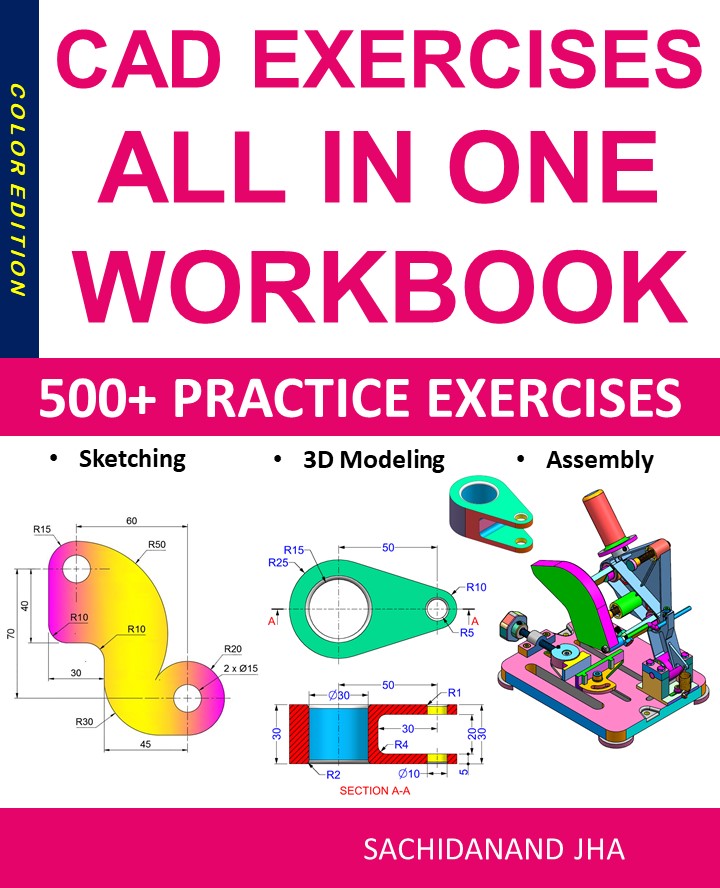
CAD EXERCISES All-in-One Workbook
500+ Practice Exercises to Master CAD Through Real-World Practice!
This all-in-one workbook is your ultimate resource to develop hands-on CAD skills using any CAD software.Whether you’re a student, engineer, hobbyist, or professional, this guide is designed to help you gain real design confidence through structured, practice-oriented exercises.
What’s Inside this Book:
- 200 2D Sketching Exercises – Build a strong foundation in dimension-driven 2D geometry and technical drawings
- 200 3D Modeling Exercises – Practice modeling real-world parts, from simple shapes to complex components.
- Multi-Part Assembly Projects – Understand how parts fit together and create full assemblies with detailed drawings
🎯 Why This Book?
- 500+ practice exercises following real design standards
- Designed for self-paced learning & independent practice
- Perfect for classrooms, technical interview preparation, and personal projects
- Covers 2D Sketching, 3D Modeling & Assembly Design in one workbook
- Trusted by 15,000+ CAD learners worldwide
Tinkercad Complete Guide 2025: Learn 3D Design, Circuits & Coding Easily
Tinkercad: The Complete Beginner’s Guide to 3D Design, Circuits, and Coding (2025)
Tinkercad is one of the most beginner-friendly design tools available today. Developed by Autodesk, Tinkercad is a free, web-based application that allows users to create 3D models, simulate electronic circuits, and explore block-based coding—all directly from a browser. Its simplicity and accessibility make it a popular choice for students, educators, hobbyists, and first-time designers.
In this comprehensive guide, we’ll explore what Tinkercad is, its key features, benefits, use cases, and how to get started effectively in 2025.
What Is Tinkercad?
Tinkercad is an online CAD (Computer-Aided Design) platform that focuses on ease of use rather than complexity. Unlike professional CAD software that requires extensive training, Tinkercad uses a drag-and-drop interface that allows users to build designs using simple geometric shapes.
Tinkercad supports three main workspaces:
-
3D Design
-
Circuits
-
Codeblocks
Because it runs entirely in a web browser, there is no installation required, making it ideal for classrooms and quick prototyping.
Key Features of Tinkercad
1. Easy 3D Design Interface
Tinkercad’s 3D design workspace lets users create models by combining basic shapes such as cubes, cylinders, and spheres. Shapes can be resized, rotated, aligned, grouped, and modified with simple controls.
This intuitive approach makes Tinkercad perfect for:
-
Beginners learning CAD fundamentals
-
Students exploring 3D modeling
-
Hobbyists designing objects for 3D printing
2. Tinkercad Circuits
One of Tinkercad’s standout features is its circuits simulator. Users can build electronic circuits using virtual components such as:
-
Arduino boards
-
LEDs and resistors
-
Sensors and motors
-
Breadboards
The circuit simulation runs in real time, allowing users to test designs safely without physical hardware.
3. Block-Based and Text Coding
Tinkercad supports block-based coding (similar to Scratch) and text-based Arduino code. This makes it an excellent platform for learning programming concepts alongside electronics.
Students can:
-
Write logic using visual blocks
-
Convert blocks into Arduino C++ code
-
Understand how software interacts with hardware
4. Cloud-Based Collaboration
All projects are stored in the cloud, making it easy to access designs from anywhere. Users can also share projects via links, allowing teachers and teams to collaborate efficiently.
5. 3D Printing Ready
Tinkercad allows users to export models in STL and OBJ formats, which are widely supported by 3D printers and slicing software. This makes it a popular tool for quick 3D printing projects.
Benefits of Using Tinkercad
Beginner-Friendly
Tinkercad is designed for users with no prior CAD experience. The learning curve is minimal, and most users can create their first model within minutes.
Free to Use
Unlike many CAD tools, Tinkercad is completely free. All features are accessible with a simple Autodesk account.
Ideal for Education
Tinkercad is widely used in STEM education. Teachers can create classrooms, assign projects, and monitor student progress easily.
Safe Electronics Simulation
The circuit simulator eliminates the risk of damaging physical components, making it perfect for learning electronics safely.
Cross-Platform Access
Since it’s browser-based, Tinkercad works on Windows, macOS, Linux, and Chromebooks without installation.
Common Use Cases of Tinkercad
1. Learning 3D Modeling
Students and beginners use Tinkercad to understand core concepts like scaling, alignment, grouping, and spatial thinking.
2. 3D Printing Projects
Hobbyists design phone stands, keychains, enclosures, and custom parts for home 3D printers.
3. Electronics Prototyping
Tinkercad Circuits is commonly used to simulate Arduino projects before building them physically.
4. Classroom STEM Projects
Teachers use Tinkercad to introduce CAD, electronics, and coding in a unified learning environment.
How to Get Started with Tinkercad
Step 1: Create an Account
Visit the Tinkercad website and sign in using an Autodesk account or a supported login method.
Step 2: Choose a Workspace
Select 3D Design, Circuits, or Codeblocks depending on your project goals.
Step 3: Start Designing
Drag shapes onto the workplane, adjust dimensions, and combine them to form your model.
Step 4: Simulate or Export
-
Run simulations for circuits
-
Export 3D designs as STL files for printing
Tinkercad vs Professional CAD Software
While Tinkercad is not intended to replace advanced CAD tools like Fusion 360 or SolidWorks, it serves as an excellent entry point.
| Feature | Tinkercad | Professional CAD |
|---|---|---|
| Learning Curve | Very Low | High |
| Cost | Free | Paid |
| Browser-Based | Yes | Mostly No |
| Advanced Engineering | No | Yes |
Tinkercad is best for learning and simple projects, while professional CAD software is better suited for complex engineering tasks.
Limitations of Tinkercad
Despite its advantages, Tinkercad has some limitations:
-
Not suitable for complex mechanical designs
-
Limited parametric modeling
-
Basic rendering and visualization tools
However, these limitations are expected given its beginner-focused design.
Final Thoughts
Tinkercad is an excellent starting point for anyone interested in 3D design, electronics, or coding. Its simplicity, free access, and educational focus make it one of the most valuable tools for beginners and classrooms worldwide.
Whether you’re a student learning CAD, a teacher introducing STEM concepts, or a hobbyist exploring 3D printing, Tinkercad provides a powerful yet accessible platform to bring ideas to life.
If you’re just beginning your design journey in 2025, Tinkercad is the perfect place to start.
End of Blog
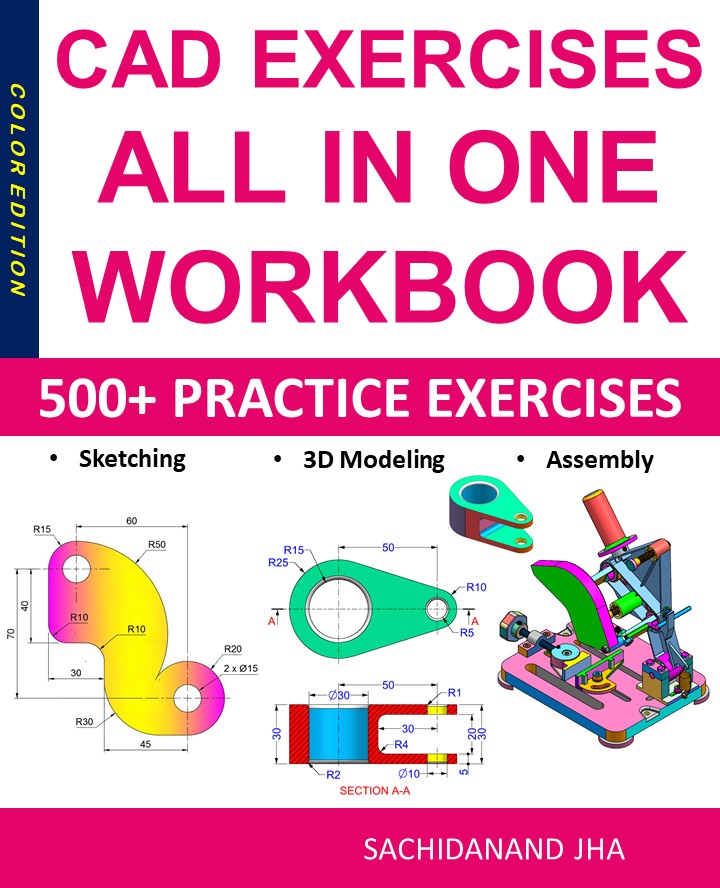
CAD EXERCISES All-in-One Workbook
500+ Practice Exercises to Master CAD Through Real-World Practice!
This all-in-one workbook is your ultimate resource to develop hands-on CAD skills using any CAD software.Whether you’re a student, engineer, hobbyist, or professional, this guide is designed to help you gain real design confidence through structured, practice-oriented exercises.
What’s Inside this Book:
- 200 2D Sketching Exercises – Build a strong foundation in dimension-driven 2D geometry and technical drawings
- 200 3D Modeling Exercises – Practice modeling real-world parts, from simple shapes to complex components.
- Multi-Part Assembly Projects – Understand how parts fit together and create full assemblies with detailed drawings
🎯 Why This Book?
- 500+ practice exercises following real design standards
- Designed for self-paced learning & independent practice
- Perfect for classrooms, technical interview preparation, and personal projects
- Covers 2D Sketching, 3D Modeling & Assembly Design in one workbook
- Trusted by 15,000+ CAD learners worldwide
Kishan-The UnderCover Agent Came From SansFrancsisco
Introduction to Computer-Aided Design (CAD)
Computer-Aided Design (CAD) is a technology that uses computer systems to assist in the creation, modification, analysis, and optimization of designs. CAD has become an essential tool across industries such as engineering, architecture, manufacturing, automotive, aerospace, and product design. What once required hours of manual drafting can now be completed in minutes with extreme precision.
With the rise of digital transformation, CAD has evolved from simple 2D drawings to highly advanced 3D parametric and simulation-based modeling systems. Today, CAD is not just a design tool—it is the foundation of modern engineering workflows.
What is CAD and How Does It Work?
CAD software allows designers to create accurate drawings and models using digital tools. These designs can be two-dimensional (2D) or three-dimensional (3D), depending on project requirements.
At its core, CAD works by:
-
Defining geometry using mathematical equations
-
Allowing parametric control over dimensions and features
-
Enabling real-time editing and visualization
-
Supporting simulations and performance analysis
Modern CAD systems integrate with CAM (Computer-Aided Manufacturing) and CAE (Computer-Aided Engineering), creating a complete digital product development ecosystem.
Types of CAD Systems
1. 2D CAD
2D CAD is primarily used for drafting and documentation. It replaces manual drawing boards with digital drafting tools. Applications include floor plans, electrical diagrams, and mechanical schematics.
Examples:
-
AutoCAD (2D drafting)
-
LibreCAD
2. 3D CAD
3D CAD allows designers to build realistic models with depth, volume, and mass properties. These models can be rotated, analyzed, and tested virtually.
Examples:
-
Fusion 360
-
SolidWorks
-
CATIA
-
Creo
3. Parametric CAD
Parametric CAD enables designers to define relationships between features. Changing one dimension automatically updates the entire model, ensuring design consistency.
Key Benefits of Computer-Aided Design
1. Increased Accuracy
CAD eliminates many errors caused by manual drafting. Designs are created with mathematical precision, ensuring higher quality and fewer mistakes.
2. Faster Design Process
Design iterations that once took days can now be completed in hours. CAD allows quick modifications without starting from scratch.
3. Improved Visualization
3D CAD models help designers and stakeholders visualize the final product before manufacturing begins.
4. Cost Efficiency
By detecting design flaws early, CAD reduces material waste and costly manufacturing errors.
5. Easy Collaboration
CAD files can be shared globally, enabling teams to collaborate across locations using cloud-based CAD platforms.
Applications of CAD Across Industries
Engineering and Manufacturing
CAD is widely used in mechanical, electrical, and civil engineering for product design, tooling, and production planning.
Architecture and Construction
Architects use CAD to create detailed building layouts, elevations, and 3D walkthroughs.
Automotive and Aerospace
Complex assemblies, aerodynamic simulations, and precision components rely heavily on advanced CAD tools.
Product and Industrial Design
From consumer electronics to furniture, CAD helps designers bring ideas to life with speed and creativity.
Healthcare and Biomedical
CAD is used to design prosthetics, implants, and medical devices with high accuracy.
Popular CAD Software Tools
Some of the most widely used CAD tools include:
-
AutoCAD – Industry standard for 2D and 3D drafting
-
Fusion 360 – Cloud-based CAD/CAM/CAE solution
-
SolidWorks – Powerful parametric 3D modeling tool
-
CATIA – Advanced CAD used in aerospace and automotive industries
-
FreeCAD – Open-source CAD software for parametric modeling
Each tool serves different needs, from beginners to advanced professionals.
CAD Skills and Career Opportunities
Learning CAD opens doors to a wide range of career paths, including:
-
CAD Designer
-
Mechanical Engineer
-
Product Designer
-
Architectural Draftsman
-
Manufacturing Engineer
-
Industrial Designer
With industries rapidly adopting automation and digital manufacturing, CAD professionals are in high demand globally.
Future of CAD Technology
The future of Computer-Aided Design is driven by innovation and integration with emerging technologies:
-
AI-powered design automation
-
Cloud-based collaborative CAD
-
Generative design
-
AR/VR visualization
-
Digital twins
These advancements will make CAD smarter, faster, and more intuitive, reducing human effort while increasing creativity and efficiency.
Conclusion
Computer-Aided Design (CAD) has become the backbone of modern design and engineering. From simple drawings to complex 3D simulations, CAD empowers professionals to design better, faster, and smarter. Whether you are a student, engineer, architect, or designer, mastering CAD is no longer optional—it is essential.
As technology evolves, CAD will continue to shape the future of innovation, manufacturing, and digital design. Investing time in learning CAD today can lead to limitless opportunities tomorrow.
Kishan-The UnderCover Agent Came From SansFrancsisco
Kihan-The UnderCover Agent Came From SansFrancsisco
Introduction to Computer-Aided Design (CAD)
Computer-Aided Design (CAD) is a technology that uses computer systems to assist in the creation, modification, analysis, and optimization of designs. CAD has become an essential tool across industries such as engineering, architecture, manufacturing, automotive, aerospace, and product design. What once required hours of manual drafting can now be completed in minutes with extreme precision.
With the rise of digital transformation, CAD has evolved from simple 2D drawings to highly advanced 3D parametric and simulation-based modeling systems. Today, CAD is not just a design tool—it is the foundation of modern engineering workflows.
What is CAD and How Does It Work?
CAD software allows designers to create accurate drawings and models using digital tools. These designs can be two-dimensional (2D) or three-dimensional (3D), depending on project requirements.
At its core, CAD works by:
-
Defining geometry using mathematical equations
-
Allowing parametric control over dimensions and features
-
Enabling real-time editing and visualization
-
Supporting simulations and performance analysis
Modern CAD systems integrate with CAM (Computer-Aided Manufacturing) and CAE (Computer-Aided Engineering), creating a complete digital product development ecosystem.
Types of CAD Systems
1. 2D CAD
2D CAD is primarily used for drafting and documentation. It replaces manual drawing boards with digital drafting tools. Applications include floor plans, electrical diagrams, and mechanical schematics.
Examples:
-
AutoCAD (2D drafting)
-
LibreCAD
2. 3D CAD
3D CAD allows designers to build realistic models with depth, volume, and mass properties. These models can be rotated, analyzed, and tested virtually.
Examples:
-
Fusion 360
-
SolidWorks
-
CATIA
-
Creo
3. Parametric CAD
Parametric CAD enables designers to define relationships between features. Changing one dimension automatically updates the entire model, ensuring design consistency.
Key Benefits of Computer-Aided Design
1. Increased Accuracy
CAD eliminates many errors caused by manual drafting. Designs are created with mathematical precision, ensuring higher quality and fewer mistakes.
2. Faster Design Process
Design iterations that once took days can now be completed in hours. CAD allows quick modifications without starting from scratch.
3. Improved Visualization
3D CAD models help designers and stakeholders visualize the final product before manufacturing begins.
4. Cost Efficiency
By detecting design flaws early, CAD reduces material waste and costly manufacturing errors.
5. Easy Collaboration
CAD files can be shared globally, enabling teams to collaborate across locations using cloud-based CAD platforms.
Applications of CAD Across Industries
Engineering and Manufacturing
CAD is widely used in mechanical, electrical, and civil engineering for product design, tooling, and production planning.
Architecture and Construction
Architects use CAD to create detailed building layouts, elevations, and 3D walkthroughs.
Automotive and Aerospace
Complex assemblies, aerodynamic simulations, and precision components rely heavily on advanced CAD tools.
Product and Industrial Design
From consumer electronics to furniture, CAD helps designers bring ideas to life with speed and creativity.
Healthcare and Biomedical
CAD is used to design prosthetics, implants, and medical devices with high accuracy.
Popular CAD Software Tools
Some of the most widely used CAD tools include:
-
AutoCAD – Industry standard for 2D and 3D drafting
-
Fusion 360 – Cloud-based CAD/CAM/CAE solution
-
SolidWorks – Powerful parametric 3D modeling tool
-
CATIA – Advanced CAD used in aerospace and automotive industries
-
FreeCAD – Open-source CAD software for parametric modeling
Each tool serves different needs, from beginners to advanced professionals.
CAD Skills and Career Opportunities
Learning CAD opens doors to a wide range of career paths, including:
-
CAD Designer
-
Mechanical Engineer
-
Product Designer
-
Architectural Draftsman
-
Manufacturing Engineer
-
Industrial Designer
With industries rapidly adopting automation and digital manufacturing, CAD professionals are in high demand globally.
Future of CAD Technology
The future of Computer-Aided Design is driven by innovation and integration with emerging technologies:
-
AI-powered design automation
-
Cloud-based collaborative CAD
-
Generative design
-
AR/VR visualization
-
Digital twins
These advancements will make CAD smarter, faster, and more intuitive, reducing human effort while increasing creativity and efficiency.
Conclusion
Computer-Aided Design (CAD) has become the backbone of modern design and engineering. From simple drawings to complex 3D simulations, CAD empowers professionals to design better, faster, and smarter. Whether you are a student, engineer, architect, or designer, mastering CAD is no longer optional—it is essential.
As technology evolves, CAD will continue to shape the future of innovation, manufacturing, and digital design. Investing time in learning CAD today can lead to limitless opportunities tomorrow.